Introduction to QAD Configurator
• What is QAD Configurator?
• What does QAD Configurator do?
• What benefits does QAD Configurator provide?
• What manufacturing strategies can QAD Configurator most likely help you implement?
• What is the relationship between QAD Configurator and QAD Enterprise Applications?
• What does the QAD Configurator workspace look like?
Read this chapter and you can:
• Describe the main features of QAD Configurator
• Describe the key benefits of using QAD Configurator
• Identify the manufacturing environments QAD Configurator best works in
• Understand how QAD Configurator is integrated with QAD Enterprise Applications
• Describe the basic Configurator workflow
• Know your way around the QAD Configurator workspace
Business Considerations
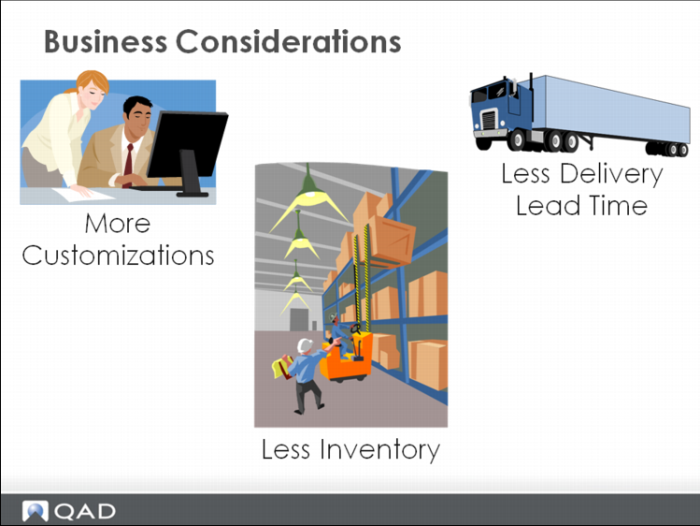
In this increasingly competitive market, many manufacturing companies are seeking to address three key issues to increase customer satisfaction and gain a competitive edge:
• Meet customers’ increasingly varied and personalized demands
• Minimize inventory
• Minimize delivery lead time
To tailor products to customers’ needs, a manufacturer must possess the capability and flexibility to accept customized orders and configure products according to specific requirements.
To keep inventory as low as possible, use a postponement strategy to delay manufacturing or assembling products until customer orders are received.
To shorten delivery lead time, the ability to swiftly convert customers’ requirements into manufacturing requirements is crucial.
Manufacturing Strategies
A highly market-oriented company focuses on meeting or exceeding customer expectations. In such a company all functions must contribute toward a winning strategy. Thus, operations must have a strategy that allows it to supply the needs of the marketplace and provide fast on-time delivery.
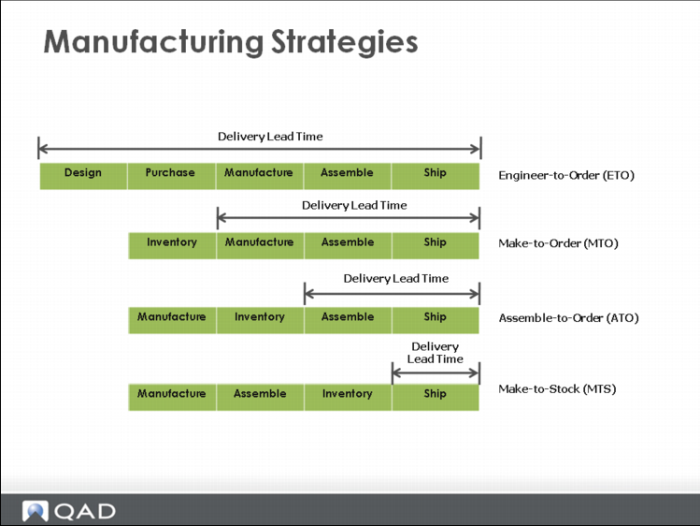
From the supplier’s perspective, delivery lead time is the time from placing an order to the delivery of the product. From the customer’s perspective, it can also include time for order preparation and transmittal. Customers want delivery lead time to be as short as possible, and manufacturing must design a corresponding strategy.
There are four basic strategies: engineer-to-order, make-to-order, assemble- to-order, and make-to-stock. These strategies can influence delivery lead time, customer involvement in the product design, and inventory state.
Engineer-to-order means that the customer’s specifications require unique engineering design or significant customization. Usually the customer is highly involved in the product design: Inventory is not purchased until needed for manufacturing. Delivery lead time is long because it includes not only purchase lead time, but design lead time as well.
Make-to-order means that the manufacturer does not start to make the product until a customer’s order is received. The final product is normally made from standard items but can include custom- designed components as well. Delivery lead time is reduced because there is little design time required and inventory is held as raw material.
Assemble-to-order means that the product is made from standard components that the manufacturer can inventory and assemble according to a customer order. Delivery lead time is reduced further because there is no design time needed and inventory is held ready for assembly. Customer involvement in the design of the product is limited to selecting the component part options needed.
Make-to-stock means that the supplier manufactures the goods and sells from finished goods inventory. Delivery lead time is shortest. The customer has little direct involvement in the product design.
Question Can you think of some examples for each of these four manufacturing environments?
________________________________________________________________________________________________________________________________________________________________________________________________________________________________________________________________________________________________________________________
Variety and Volume Relationships
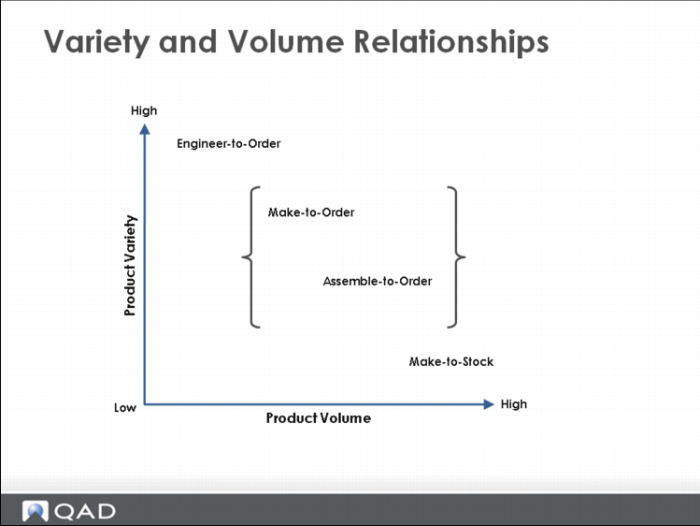
The relationship of the Variety/Volume matrix is between the volume and variety of products produced and the particular manufacturing strategy chosen to accomplish the production.
As you can see, if you adopt the make-to-order and assemble-to-order strategies, there can be many product varieties as well as large volumes. Ask three key questions for the strategies to be successful:
• How can you effectively create and maintain all possible product configurations?
• How can you efficiently collect customers’ specific requirements?
• How can you swiftly translate customers’ requirements into manufacturing requirements?
QAD Configurator can help you answer these questions.
QAD Configurator Key Features
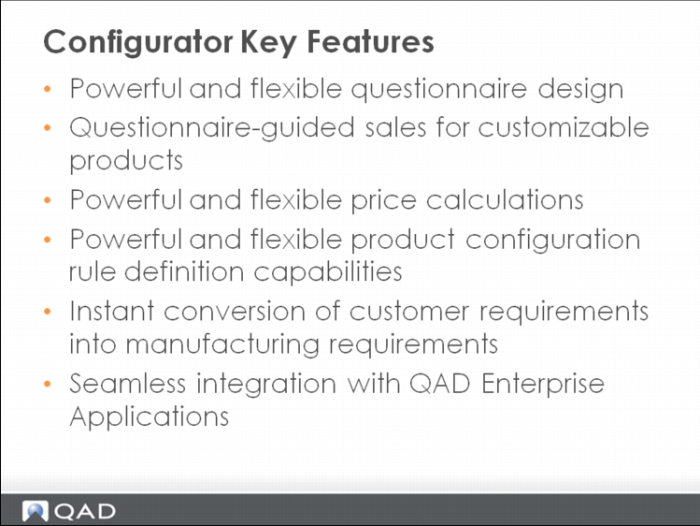
QAD Configurator is a product configuration and guided selling tool. It allows make-to-order and assemble-to-order companies to quickly and efficiently create sales orders based on specific customer requirements, and to fulfill complex, customized products and services. It is an add-on module to QAD Enterprise Applications and provides flexible and powerful product configuration and computer-aided order entry capabilities.
QAD Configurator works for manufacturing companies who produce products that are highly configurable or are routinely customized to meet the unique needs of their customers. By seamlessly integrating into the order entry process, QAD Configurator ensures complete and valid product configuration during order entry. It instantaneously translates customers’ unique product requests into quotations, sales orders, bills of material, and routings.
QAD Configurator Key Benefits
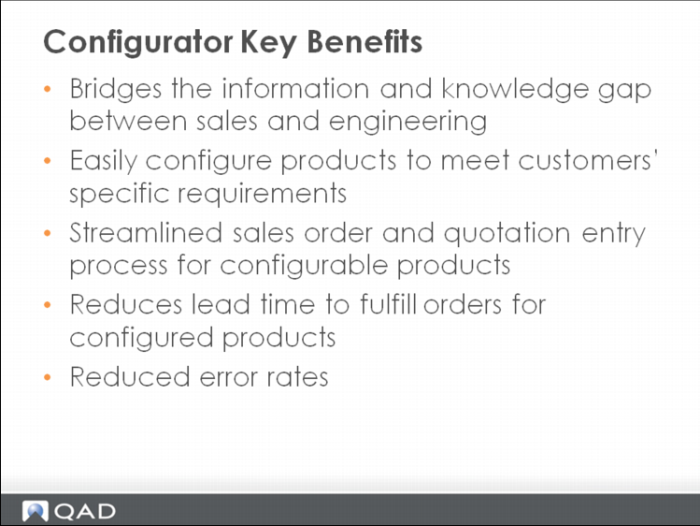
QAD Configurator effectively bridges the information and knowledge gap between product engineering and sales. It allows sales personnel to access the most current product data, while engineering personnel maintains the product data. And sales personnel can enter orders with complex configurations based on specific requirements from customers.
Basic Configurator Workflow
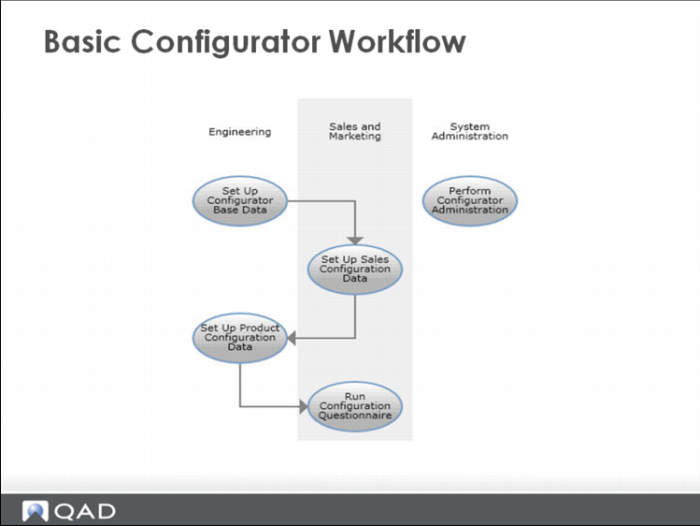
• System Setup
Before using QAD Configurator, perform system setup including setting up data in QAD Enterprise Applications and in Configurator.
• Sales Configuration
Sales personnel do the following:
• maintain variables and features that define configurable product characteristics
• designate how to present features as questions in the guided sales questionnaire
• set up sales configuration rules to ensure data collected from the questionnaire is valid
• Product Configuration
Engineering personnel define product configuration rules that translate feature data collected from questionnaires into product structures and routings of configured products.
• Guided Sales
Sales personnel run the questionnaire during order or quotation entry to configure products to meet specific customer needs. Data collected in this guided sales process identify new product configurations and translate new customer requirements into new product structures and routings.
• Administration
Use a range of administrative functions to maintain the system for optimal performance.
Integration with QAD EA
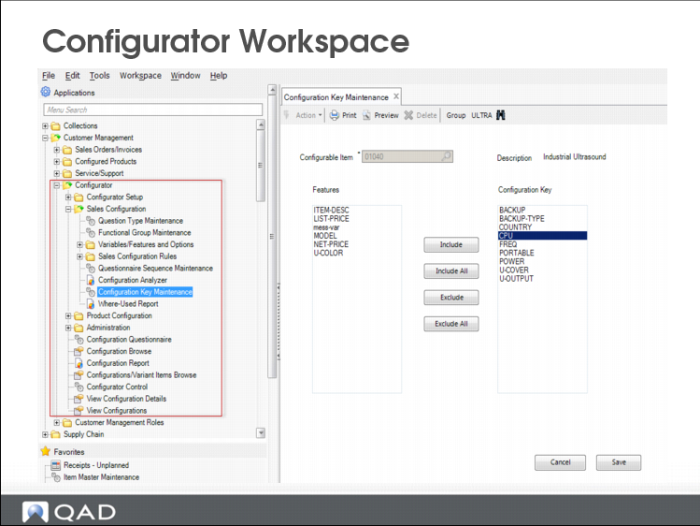
• You can access QAD Configurator functions by using either the Menu Search field or the menu tree in the Applications pane in the QAD .NET user interface.
• After you install QAD Configurator, QAD Configurator functions are grouped under Customer Management|Configurator by default in QAD Enterprise Applications. For earlier versions of QAD EA, QAD Configurator functions can be found under Distribution|Configurator.
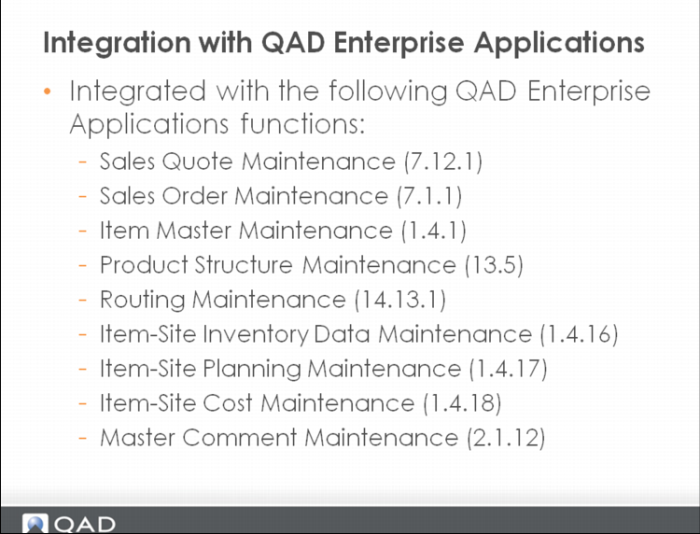
• The Questionnaire is automatically launched when you select a configurable item in the order line in Sales Order Maintenance (7.1.1) or Sales Quote Maintenance (7.12.1) in the .NET UI.
QAD Configurator Workspace
QAD Configurator is embedded in the application area of the QAD .NET user interface. Thus it is consistent with the rest of the QAD Enterprise Applications in terms of look and feel and navigation.