Feature and Feature Options Definition
Use Feature Maintenance to create, view, edit, or delete features.
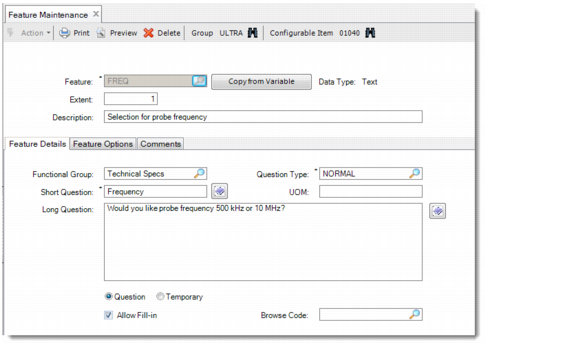
Feature Maintenance
Select a group and a configurable item using the binocular buttons on the toolbar. If you select a group that contains no configurable item in it, the system displays an error message and disables the Feature Maintenance screen.
To create a feature, click the Copy From Variable button next to the Feature field; then select a variable to associate it with the current configurable item as a feature.
To edit an existing feature, enter the feature ID in the Feature field.
You cannot delete feature when it is used in any variant planning item rule.