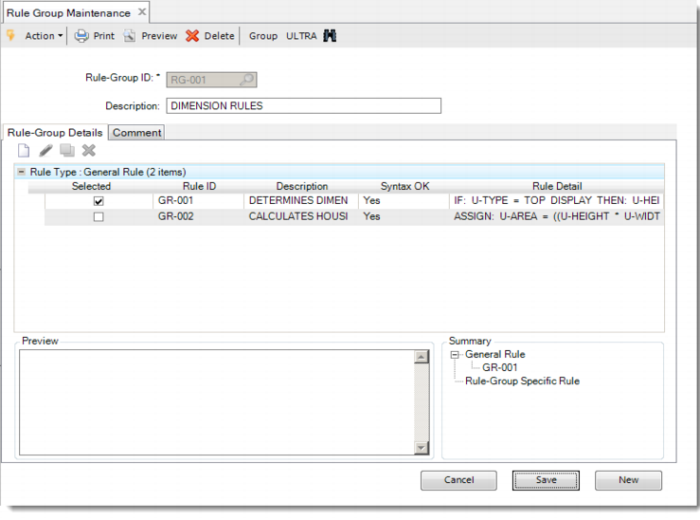
Rule Group Maintenance
To categorize rules, we can create one or more empty rule groups. After we have defined a group, we can link existing general rules to the group.
When you link a general rule to a rule-group, you can decide to copy the rule to a rule-group-specific rule. In this case, the general rule remains available, but a copy of the general rule is linked to the rule-group and made specific for that particular rule-group. In this way, a modification to the general rule does not change the specific rule.
Exercise 10: Rule Group Maintenance
Run Rule-Group Maintenance and create a rule-group General. Select the general rule GR-001 and link it to the rule group. Save it and see the Summary pane showing the link that you created.
Rule-Group ID | Description | Rule ID of General Rule Linked |
RG-001 | Dimension rules | GR-001 |
In the Rule Group Details tab, select the available rules. A Copy symbol in the toolbar of the tab allows you to create a rule-group specific copy of any displayed rule.