QAD Enterprise Asset Management 2017.1
>
User Guide
>
Navigation
>
Using the EAM Interface
Using the EAM Interface
Process Maps
Process maps are interactive flow charts. They link to programs, browses, related documents, and other process maps using advanced features of .NET technology. Process maps diagram EAM best practices in hierarchical order. Swim lanes, the gray stripes on the background, visually separate functional areas, such as conceptual (Setup) or departmental (Purchasing).
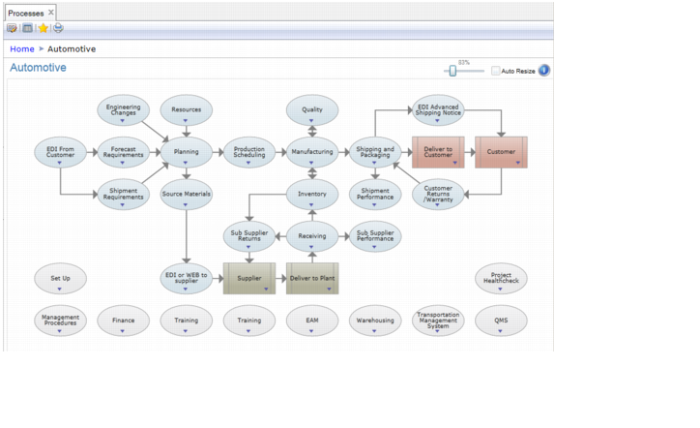
You can access the EAM process maps through any of the Easy On Boarding vertical industry process maps. Each vertical industry map has an EAM option near the bottom of the screen.
Easy On Boarding Automotive Process Map
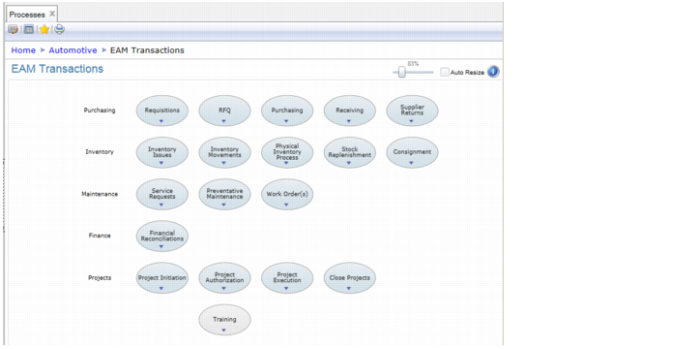
The EAM link in the seven Easy On Boarding options takes you to the same EAM Transactions process map.
EAM Transactions Process Map
To access lower-level maps, click a node.
Process Map Nodes
There are six types of process map node in EAM.
Menu | Other Process Map | Menu Item Collection |
| | |
Links to a program on the menu | Links to other process maps | Links to groups of programs such as browses |
Manual Step | Decision | Document |
| | |
Indicates that the task does not link to the software | Denotes where a map can flow in one of two directions | Denotes link to documents or files relevant to the task |