QAD Enterprise Asset Management 2017.1
>
User Guide
>
Maintenance
>
All Failures
All Failures
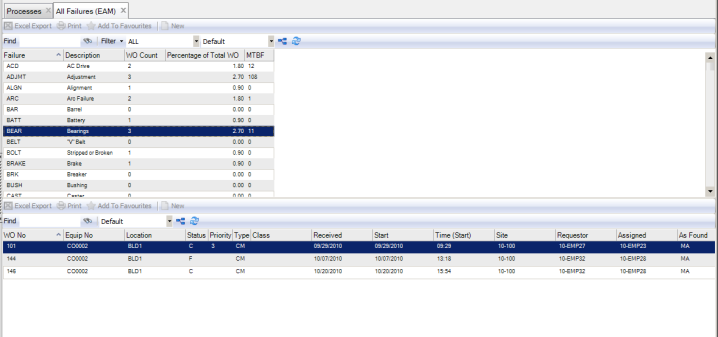
Use the All Failures read-only browse to view failures across your system.
All Failures Browse
The upper browse lists all failure codes defined in EAM. Each failure code row displays:
• The failure code’s description
• The number of CM WOs on which that failure appears
• This failure code as a percentage of all CM WOs
• The mean time between failure
Note: A failure must occur twice before the MTBF is populated. MTBF is calculated by finding the difference, in days, between the first and second failures and then dividing that number by n-1, where n is the total number of CM WOs associated with this failure.
The lower browse displays all of the CM WOs associated with the highlighted failure code in the sites for which you have access.