QAD Enterprise Asset Management 2017.1
>
User Guide
>
Inventory
>
Inventory
>
View Part Information
View Part Information
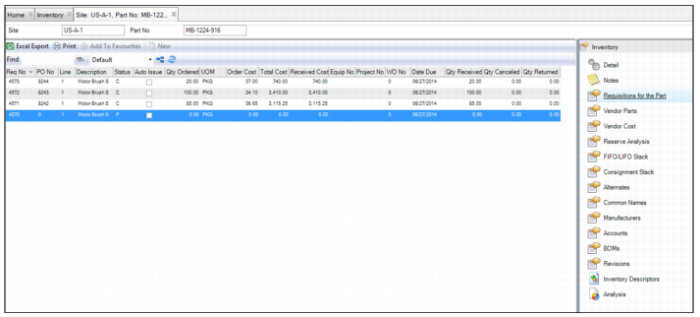
Viewing Requisitions
The Requisitions for the Part submenu displays all requisitions associated with the part. The information displayed here is a combination of the contents of the upper and lower Requisition browses.
Viewing Requisitions for a Part
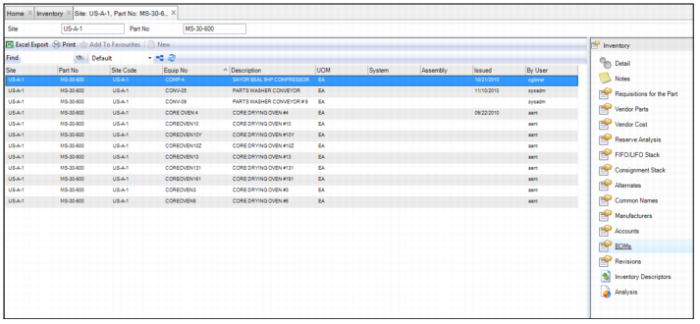
Viewing BOM Information
The BOMs submenu displays all the equipment Bills of Materials on which this part is used and appears. Build the BOM manually or automatically by selecting the Post Equip List check box in System Administration|System Control.
Viewing Part BOM Information
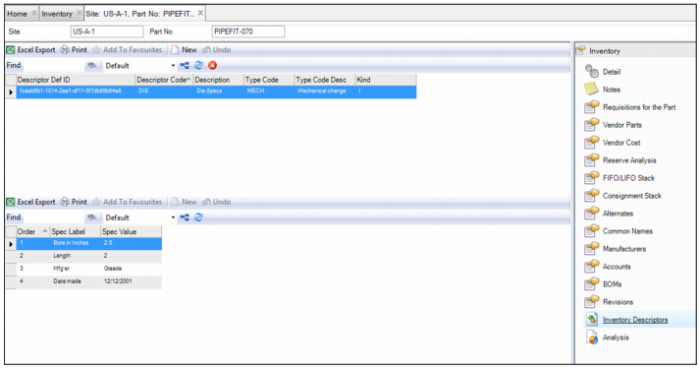
Viewing Inventory Descriptors
Inventory descriptors allow you to set up a standard template for certain technical information, and to then associate these descriptors with an MRO part. A part can have multiple descriptors associated with it. Once the descriptor is associated with a part record, you can update the information on a field.
Viewing Inventory Descriptors
Print Descriptors
To print an inventory descriptor, open the Inventory browse and select the part record. Then select the Print Descriptors option from the Action menu.
Global Print Descriptors
To print descriptors for a group of parts, select the part records. Then select Global Print Descriptors from the Action menu.
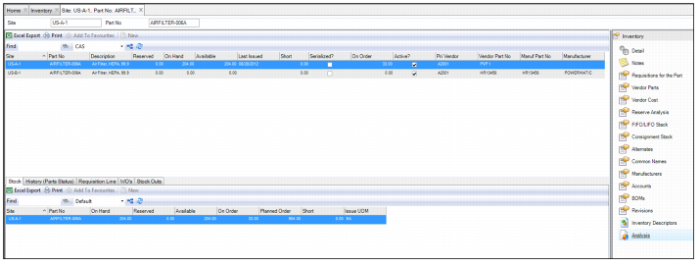
Viewing Part Analysis
The Analysis submenu consists of an upper and lower browse that displays a part’s current availability, general ledger transaction history, work order usage, purchase requisition history, and stock-out history.
The upper browse displays the following part information for each site to which the part is extended:
• Part Information. Part number and description.
• Detailed Availability Information. Current reserved, on-hand, available, short, and on-order quantities.
• Last Issued Date, Serialized, Active information.
• Primary vendor and manufacture information.
The lower browse contains the following tabs:
• Stock. Displays part and detailed stock information (on-hand, reserved, available, on-order, planned order, and short quantities.
• History (Parts Status). Displays the general ledger transaction history.
• Requisition Line. Displays all requisitions and POs to which this part has been added, as well as the statuses, order quantities, and reserved order information.
• WOs. Displays detailed work order usage information.
• Stock Outs. Displays detailed stock-out history information.
Inventory: Analysis Submenu
View FIFO or LIFO Cost Stack
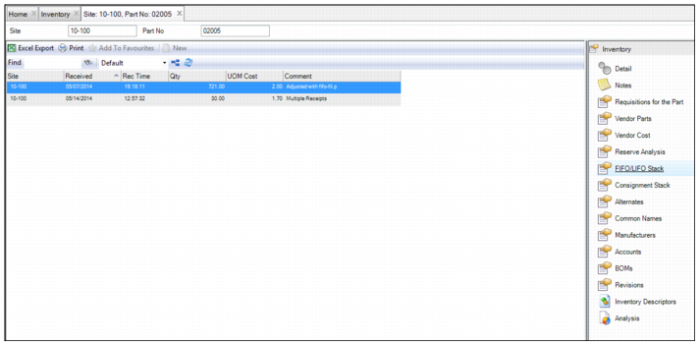
The FIFO/LIFO Stack submenu displays the quantity and price of purchase receipts in LIFO or FIFO order for this part.
Inventory: FIFO/LIFO Stack Submenu