QAD Enterprise Asset Management 2017.1
>
User Guide
>
Purchasing
>
Setting Up Purchasing
Setting Up Purchasing
Routing Substitutions
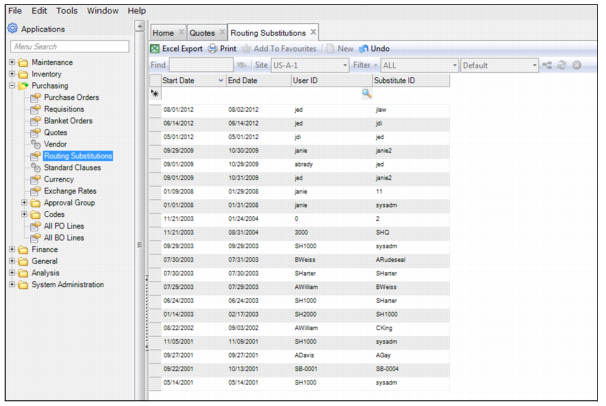
Use a Routing Substitution to replace a user for all requisition, purchase order, and project approvals for a specified time period.
If purchase authorization is required and an individual is out of the office, that person can substitute another user to authorize purchases until the person returns. The system uses the start and end dates to automatically send approvals to the substitute person.
The Substitute person takes on the spending authority for the user that is away. When viewing a routing list of users, the substitute person is identified in the group as a substitute user.
Creating a Routing Substitution
To create a routing substitution, click New. Enter the following information:
Start Date
Enter the date the routing substitution begins.
End Date
Enter the date the routing substitution ends.
User ID
Enter the user ID of the person who is being replaced.
Substitute ID
Enter the user ID of the person who is replacing the original person.
Routing Substitutions