PO Reroute/Notify Fields
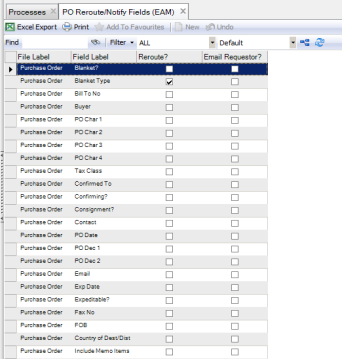
Use this option to enable or disable rerouting or notification if modifications are done to certain fields on an approved purchase order. You can define which fields on a PO, if changed after authorization, cause rerouting for approval and send an e-mail to only the originator.
PO Reroute/Notify Fields Browse
Access this browse from System Administration|PO Reroute/Notify Fields. Use it to organize and display records, to edit records, or to export data to Excel.
PO Reroute/Notify Fields Browse
Note: You cannot add or delete any of the fields in the browse. However, you can change the columns displayed in the browse and save those settings.
Editing a PO Reroute/Notify Fields Record
1 Highlight a record from the browse.
2 Select the check box for a field under Reroute? to cause an authorized PO to reroute, even if the cost has not changed.
3 Select or clear the check box under Email Requestor? to give you the option to send an e-mail to the originator on a PO when the selected fields are changed.
4 Close the browse by clicking the X on the top of the browse.