Setting Up the Environment
Once the Enterprise Edition screen displays, you must select additional options as part of the environment setup.
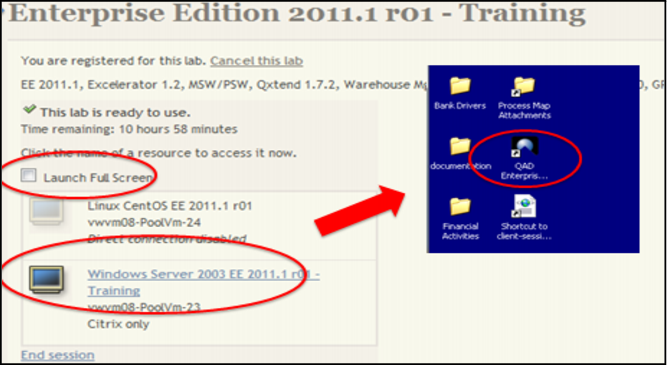
To set up the environment, use the following procedure:
1 Select Launch Full Screen.
2 Select Windows Server UN = demo, PW = qad
When you select the EE 2012.1.1r01, the system launches the QAD EE software and presents the log in screen.
Note: The figure below is an example. You should select the current EE version.
Environment Setup