Setting Up Zones
Did You Know
SLGs (zones) can be blocked from picking based on their Picking Level in warehouse setup.
The next space segregation in an area is the storage location group (SLG) or zone. All the storage locations within an area can have the same basic function, such as storage, but the use of zones enables you to group your storage locations in more specific ways. For example, you can group all the locations in which a particular type of item is stored, or that have a common purpose, such as a primary picking area within storage. Each area has at least one zone.
Zones require more detailed configuration. Specific zone configuration is discussed in more detail in later sessions.
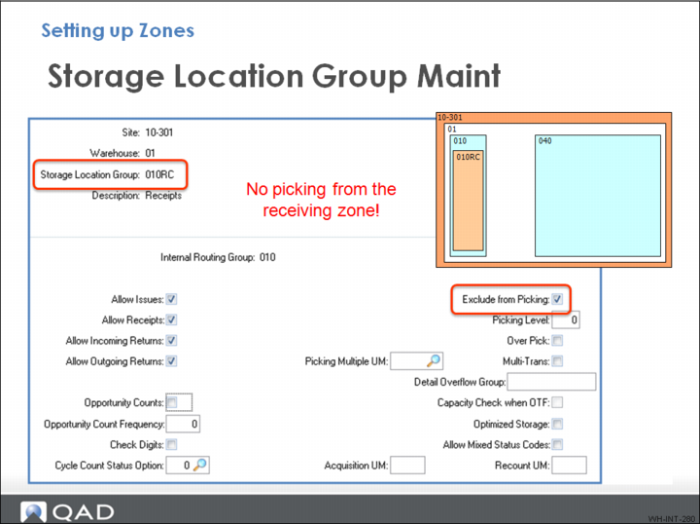
In the graphic above, the Exclude From Picking field is critical. A zone can be blocked from picking when you disable the field. The Opportunity Count field lets you define whether goods are counted or not when you move material.
When setting up zones, you can block them from picking all together using the Exclude from Picking field and/or set the pick level priority using the Picking Level field.
There are three frames and 30 fields used to configure a zone.