Exercise 3: Report Repetitive Production
Your new item is set up for fully automatic labor reporting. By reporting completed units at the last operation the system will issue all the components at the operations they are linked to and report all the labor for those operations at standard.
1 Use Setup Labor Transaction (18.22.15) to report 0.5 hours of setup labor for the 50015 at operation 10. Use Employee 10-EMP02. Let the effective date default to today, set the site to 10-100, the Item number to 50015, operation 10, leave Line: blank and enter 50015 for both Routing and BOM Code. As you key Enter or Click Next, the system assigns an ID number. Enter 0.5 in the Act Setup Time: field.
The ID number assigned will be used for all reporting for this: item, site, route, BOM and Line, until the cumulative order is closed.
2 Use Backflush Transaction (18.22.13) to report production. Complete the header the same as for reporting setup, except you are now reporting operation 25. Report 2,000 units processed.
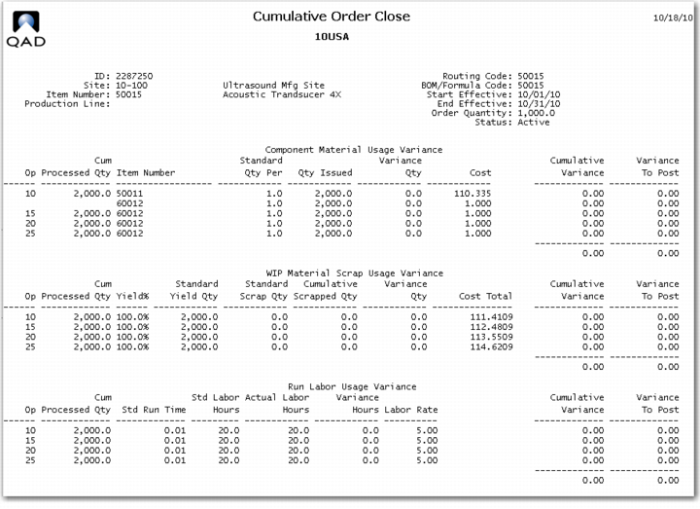
3 Close the Cumulative Order using Cumulative Order Close (18.22.10). Make the End Effective Date the last day of the current period. Check the Update box. Review the report produced by the close transaction.
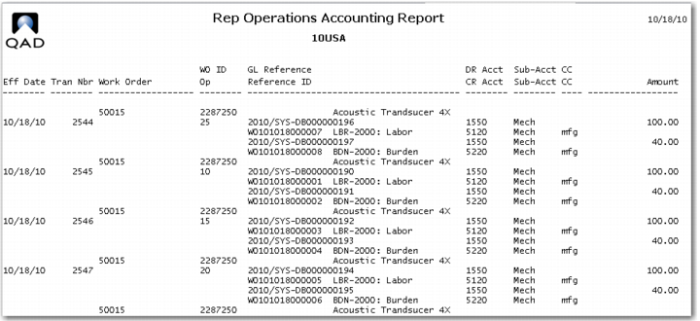
4 Review the Repetitive Operations Accounting Report (18.22.4.9). This report gives a detailed list of the debits and credits generated to account of this production.