Scrap
Advanced Repetitive Scrap
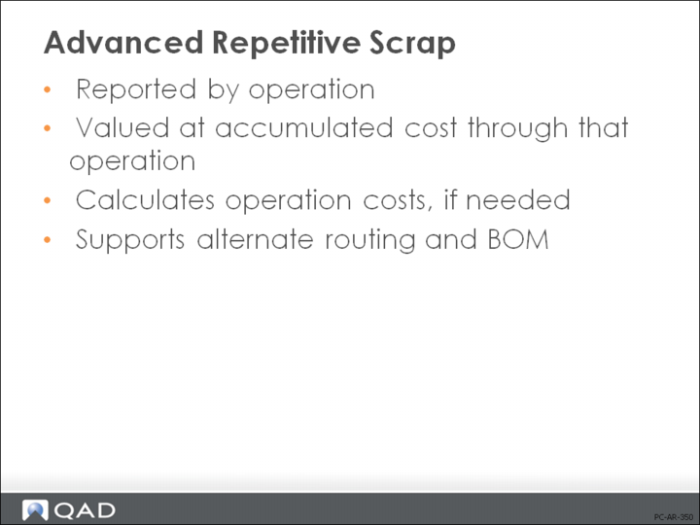
In Work Orders, we saw that you could report rejected items in the Work Order Receipt transaction. This would scrap them at full GL cost. Otherwise, any in-process losses were simply written off to variance. In Advanced Repetitive, you can monitor the cost of scrap at the operation level.
The Advanced Repetitive Scrap Transaction (18.22.18) and Backflush Transaction (18.22.13) report scrap at the item’s accumulated cost through the operation where it was scrapped.
Note: If you report scrap when using an alternate routing or BOM, the system will calculate operation costs for that alternate and cost the scrap based on those calculated values.
Use Backflush Transaction (18.22.13) for most of your scrap transactions. It backflushes the scrapped units and records all costs at the operation. There must be a quantity in the input queue operation in order to record scrap with this transaction.
Use Scrap Transaction (18.22.18) to scrap from the input, output, or reject queues without backflushing. This transaction is often used to scrap previous rejected units.
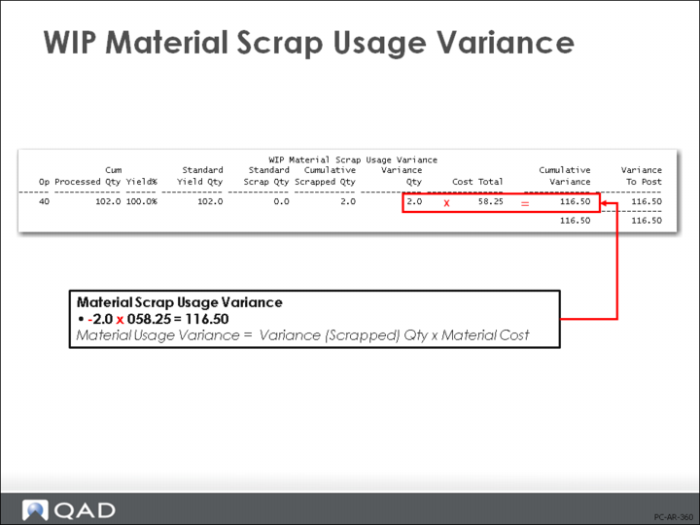
Material Scrap Usage Variance
Unlike work orders where no accounting is done for scrap until the Work Order Accounting Close, in Advanced Repetitive, scrap can be reported prior to Cumulative Order Close by running Post Accumulated Usage Variances (18.22.9). The scrap value is determined by multiplying the scrap quantity by the accumulated cost at that operation. This value is then removed from WIP (credit) and added to the Scrap account (debit).