Repetitive Schedules
Overview
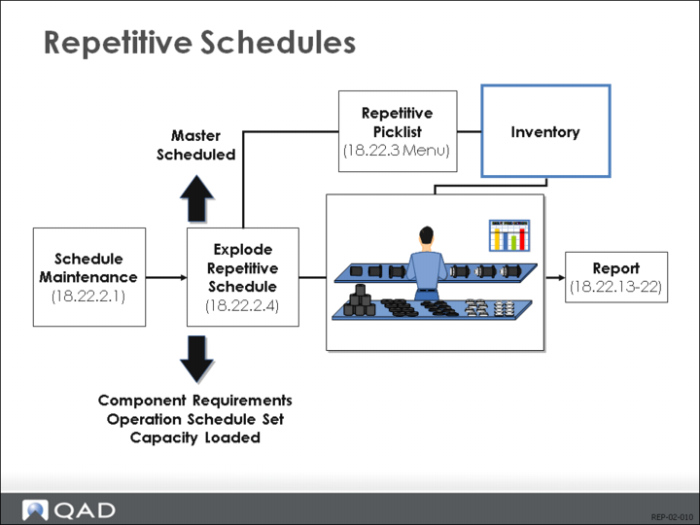
The purpose of this chapter is to enter a repetitive schedule, to explode a repetitive schedule, and then see what happens during the explosion.
Entering schedules has effects on planning. Exploding generates component requirements
Within the system, a repetitive schedule is very much like a master schedule. Entry of schedules has effects on the planning system, and exploding the schedules generates component requirements (like MRP). Exploding the schedule also establishes release dates, which are based on the shop calendar and the routing.
Repetitive Schedules
Create Schedule then Explode the Schedule
The process of creating a repetitive schedule is very straightforward. You create a schedule, which is simply a listing of quantities that you will make and the days you will make it. Then you explode the schedule, which means that you determine what components are required, and the schedule for each operation.
View Schedule in Master-Schedule Amount (22.18) or Repetitive Schedule (22.21)
As soon as you enter in a schedule, the amount appears in the Master Schedule Summary Browse/Inquiry (22.18) as a master-scheduled amount. (In Detail Browse/Inquiry (22.21), it appears with the notation, Repetitive Schedule.)
Exploding Creates Work Order (Status Exploded; Type S)
Order number = item number;
ID = system assigned.
Exploding the schedule causes the system to treat your daily schedule as a daily work order with the status Exploded and type S (scheduled). The order number is the same as the item number, and the ID number is system-assigned. If you look at the order, you can see the status is Exploded, which means that it has its own work order bill and routing.
Creating Order Bill and Routing Calculates Component Requirements
In creating the bill and routing, QAD Enterprise Applications calculates component requirements. (It uses the same algorithm as MRP.) This means the schedule at each operation is calculated and the requirements for components at those operations are also calculated. The requirements appear in the Master Schedule inquiries but no planned orders are created.
Repetitive Schedule Inputs
Production Lines Entered in (18.22.2.1)
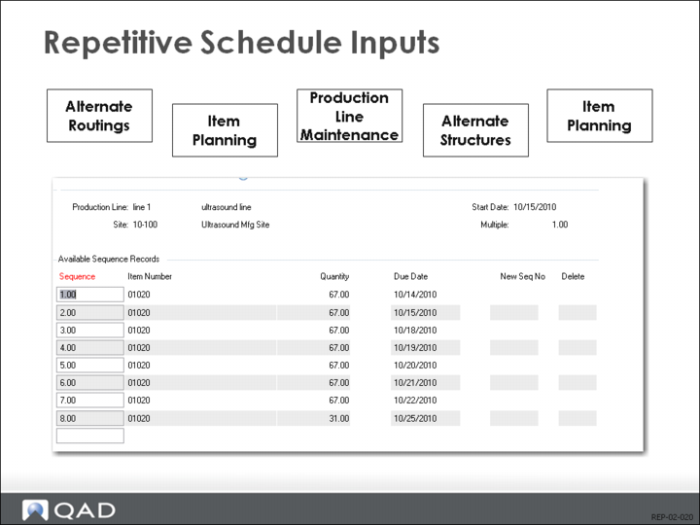
Schedule Maintenance (18.22.2.1) allows you to enter daily schedules for each production line at a site. If the production line has multiple shifts, this is the total for all shifts. If there are no production lines at the site, a schedule can be entered for the whole site.
Validate Product Structure and Routing in (1.4.7) or (1.4.17)
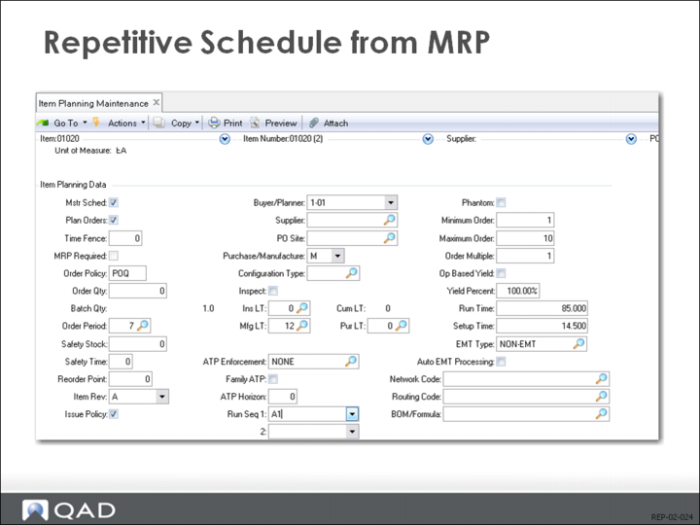
For each day you can have a different product structure and routing. You can validate both the product structure and routing against the product structure and routing fields shown in the Item Planning Maintenance (1.4.7) or Item-Site Planning Maintenance (1.4.17).
Alternate product structure; alternate routing
If the product structure and routing do not match the settings in the Item Master planning data, then alternate structures and routings are checked.
Cumulative order
The system keeps a tally sheet called a cumulative order for each combination of items, sites, production lines, product structures, and routings.
Repetitive Schedule from MRP
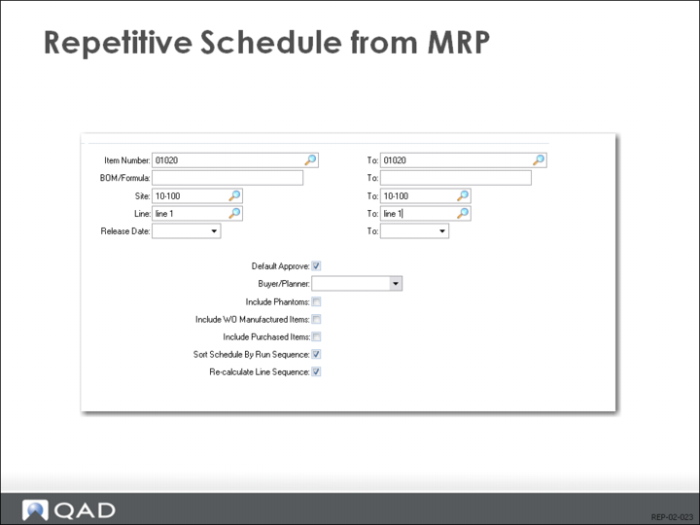
Repetitive schedules can also be created from MRP planned orders using the Planned Repetitive Schedule Approval transaction in the MRP module.