WIP Control
Operation Queues
Operation Queues
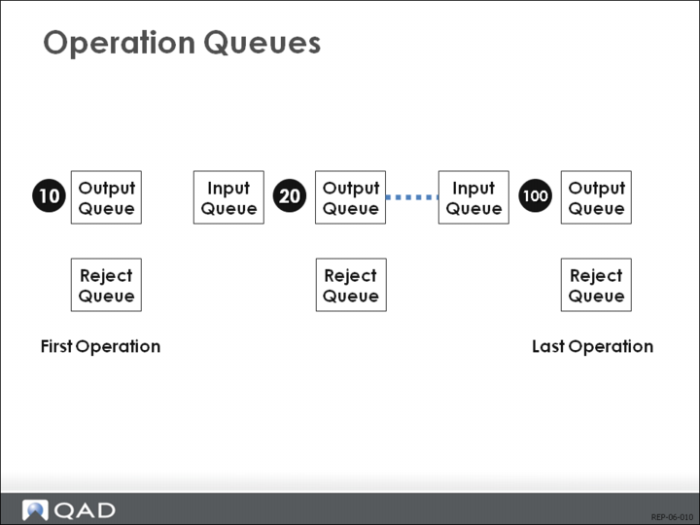
Operations have input queues, output queues and reject queues. The exception is the first operation. It does not have an input queue.
Output Queue of Last Operation
The last operation’s output queue is usually empty if the routing setting for Move to Next Op (Operation) is set to Yes in Routing Maintenance (14.13.1). When backflush transactions are processed at the last operation, good units are moved to stock, and rejected materials are moved to the reject queue. If the Move Next Op field is set to Yes, you would accumulate quantities in the output queue of the last operation only if rejected materials are reworked and moved to the output queue of the last operation.
WIP Status Browse/Inquiry (18.22.12)
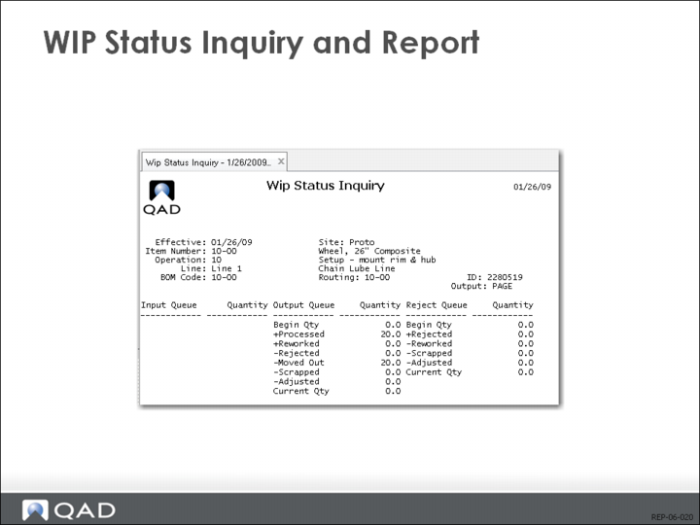
Use WIP Status Browse/Inquiry (18.22.12) to view quantities in the input, output, and reject queues for an operation.
WIP Status Browse/Inquiry and Report
WIP Status Report (18.22.4.11)
Use WIP Status Report (18.22.4.11) to see a report for WIP queue quantities for all operations in selected cumulative orders. The report also shows the cumulative activities affecting each of the queue quantities. Activities such as cumulative completed, scrapped, adjusted, rejected, reworked and moved to next operation.
Reject Transactions
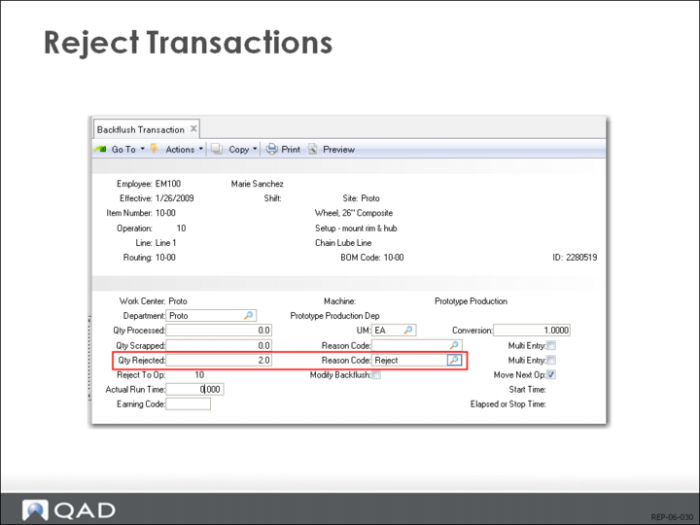
Use Backflush Transaction (18.22.13) for most of your reject reporting. This transaction backflushes the rejected units, and records all costs at the operation. When you use this transaction to report rejects at a milestone operation, the quantity must be in the input queue of the current operation or in the input/output queues of prior non-milestone operations.
Reporting Rejects at Non-Milestone Operations
If you are rejecting with backflush at a non-milestone operation, the quantity to be rejected must be in the input queue of that non-milestone operation.
Reject Transaction (18.22.16)
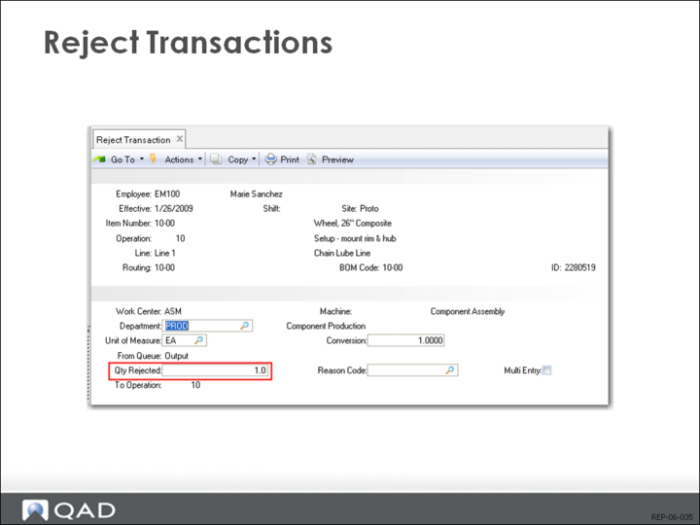
Reject Transaction (18.22.16) does not backflush. Use it to reject previously backflushed units from the current operation’s output queue, or to reject quantities from the current operation’s input queue, and record the reject at a prior operation.
Scrap Transactions
Use Backflush Transaction (18.22.13) for Scrap Reporting
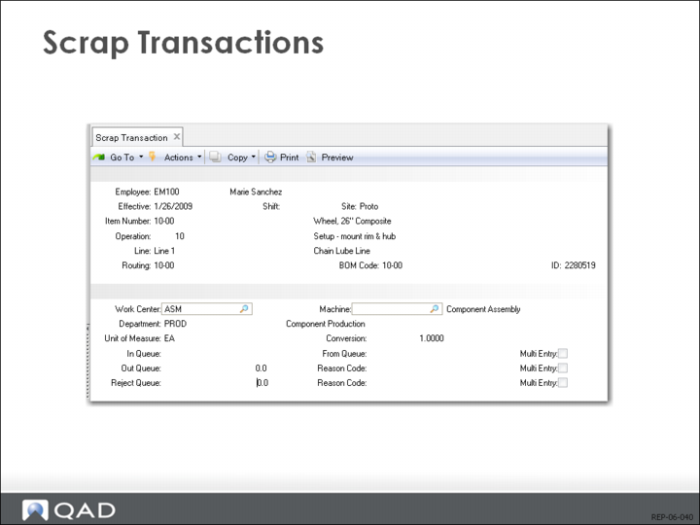
Use Backflush Transaction (18.22.13) for most of your scrap transactions. It backflushes the scrapped units and records all costs at the operation. There must be a quantity in the input queue operation in order to record scrap with this transaction.
Scrap Transaction (18.22.18)
Use Scrap Transaction (18.22.18) to scrap from the input, output, or reject queues without backflushing. This transaction is often used to scrap previous rejected units.
Rework Transactions
Reporting Rework Quantities
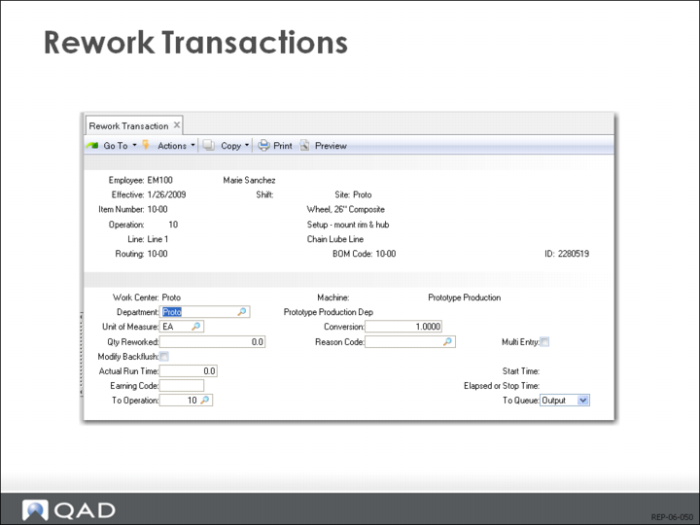
You should report rework quantities after the quantities have been rejected. When you first report rejected quantities, use the Reject to Op field in the Backflush Transaction (18.22.13) or the To Operation field in Reject Transaction (18.22.16) to send the quantity to the operation where rework will occur. In WIP Status Browse/Inquiry (18.22.12), the rejected quantities appear as negative numbers in the output queue of the operation where the reject occurred, and as a positive number in the reject queue of the receiving operation.
Use Rework Transaction (18.22.17) to Move Rework Items Back Into Production
After reworking items, use Rework Transaction (18.22.17) to move the items back into the production line. Use the To Operation and To Queue fields to select the operation and queue, typically an input queue since any output queue requires an additional Move Transaction (18.22.19). The reworked quantities appear as a negative number in the rework operation’s reject queue, and as a positive number in the target queue.
Reworked Units
Reworked units are backflushed at the operation rejecting them. You must rework them back to the output queue, or to the input queue of the operation following it. If you rework them to an operation preceding the rejecting operation, they undergo additional backflushing. If you rework them to the following operation, they escape normal backflushing. Using Rework Transaction, you can input labor and material costs. Automatic backflushing is not performed.