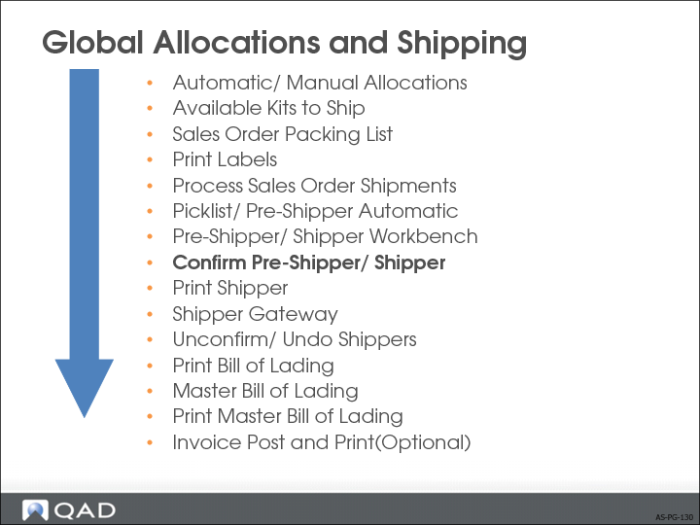
Pre-Shipper/Shipper Confirm
• Transform a pre-shipper into a shipper
• Record shipments of orders
• Create, print, and post invoices based on shipments (optional)
• Export a shipper as an Advance Shipping Notice (ASN)
• Inventory and financial effects occur when you confirm the pre-shipper/shipper
Pre-Shipper/Shipper Confirm
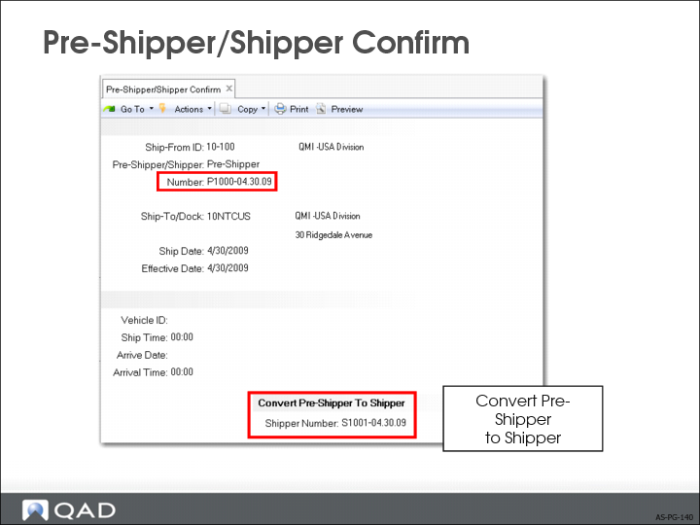
• Pre-Shipper is converted to a Shipper before the confirmation process
• The shipper number is assigned based on the Number Range Management (NRM) sequence ID from the shipping group of the shipment, or from Container/Shipper Control (7.9.24)
If the NRM sequence is an internal sequence (system generated), the system generates and displays the shipper number
If the sequence is external, the system prompts you for an entry and validates the results
• The system carries forward the new shipper numbers to all records linked to the converted pre-shippers, including containers, line items, and carrier detail records
Pre-Shipper/Shipper Confirm
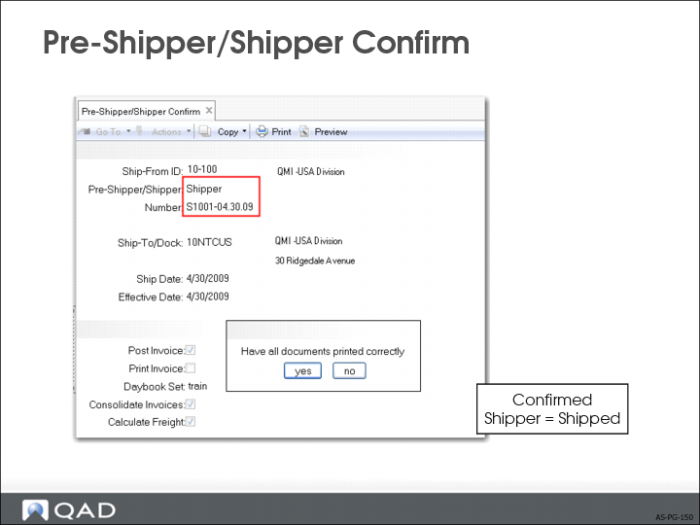
• Record shipments of orders and to do the following activities in the process:
• (Optional) Post and Print Invoice
• Export a shipper as an Advance Shipping Notice (ASN)
• In Cust Sched/Shipper Acct Control (36.9.7), set the field Maintain Trailer Amount to Yes to display the trailer amount maintenance frame during pre-shipper/shipper confirmation.
Print Sales Order Shipper
Shipper can also be Packing List.