Introduction to Best Pricing
Course Objectives
Introduction to Best Pricing
QAD Enterprise Applications supports automatic pricing in a number of key transactions. The simplest way to establish prices is by associating prices with items in Item Master Maintenance (1.4.1). However, this is often too inflexible to meet the needs of many companies. For greater flexibility, the system offers two pricing models based on price lists.
In QAD Enterprise Applications there are two pricing models:
• Best pricing
• List/discount table pricing
This training module covers the best pricing model.
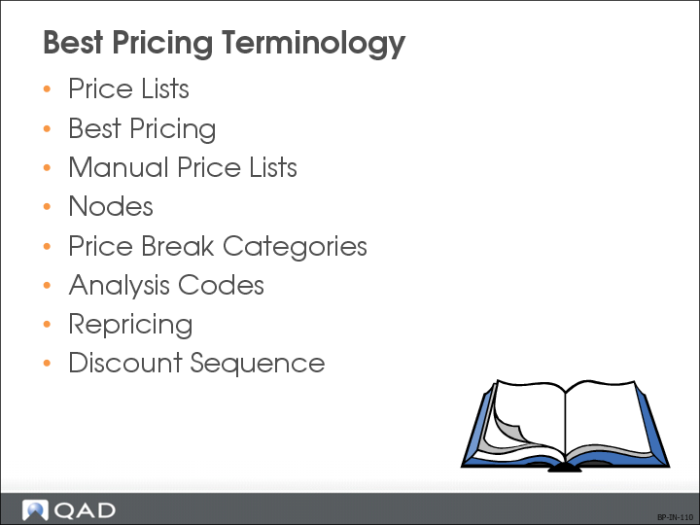
Best Pricing Terminology
Price Lists
Use Price List Maintenance (1.10.1.1) to set up the price lists the system uses to determine best pricing. The system looks for links between customer and item codes. If no links are found, it uses the default price from the Item Master. Thus, using price lists allows for multiple discount or promotional pricing schemes.
Best Pricing
SO/SQ/RMA Issues Pricing Menu (1.10.1) is used to establish price lists that follow the best pricing model.
Manual Price Lists
In order for a manual price list to be considered in the pricing of a sales order, the manual price list must be entered in Sales Order Maintenance (7.1.1) in the manual field.
Nodes
A node is a specific item or customer record that belongs to an item or customer analysis code.
Price Break Categories
Volume price breaks for multiple items are entered in Item Master Maintenance (1.4.1) and Price List Maintenance (1.10.1.1). Discounts can be calculated based on the quantity or amount ordered on multiple lines of a sales order or quote. Price break categories can also be used to tie the price or discounts for one item to one or more other items.
Analysis Codes
Use Analysis Code Maintenance (1.8.1) to create analysis codes for groupings based on similar characteristics, such as region, salesperson, or item number.
• Classify customers and products into groups
• Link analysis codes together to form sets
Note: Analysis codes in sales order pricing differ from those created with GL Report Writer.
Repricing
Sales Order Repricing (7.1.11) updates the sales order to the latest corresponding price list price. The ability to reprice is controlled by the user. Reprice sales orders so that quantities are added, across orders, to calculate quantity breaks.
Discount Sequence
When multiple price lists are combined based on settings in Price List Maintenance (1.10.1.1), the discount sequence controls the order of the discount amount allocation.
Pricing With Sales Orders and Purchase Orders
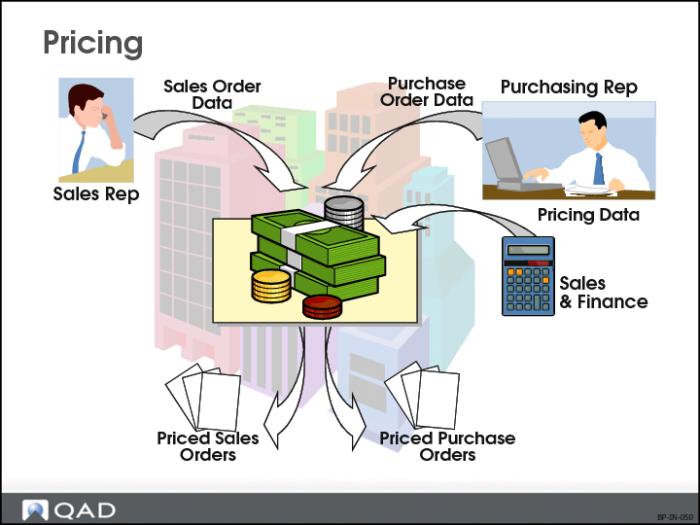
QAD Enterprise Applications determines prices when sales orders or purchase orders are entered use i ng pricing data that has been entered into the system in order to determine pricing. Many different factors need to be considered in the price determination process.
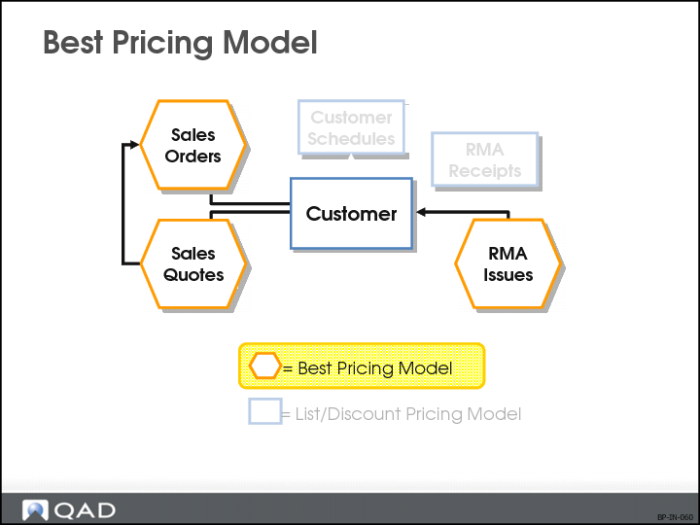
Best Pricing Model
Use for automatic pricing of:
• Sales orders
• Sales quotes
• Issue lines on SSM RMAs
Instead of matching price lists strictly through item or product line, the system can determine the best price using flexible categories of items and customers.
• Multiple discounts are considered
• Applicable discounts are combined