Create and View Analysis Codes
Before beginning to create categories with analysis codes, refer to Item Browse (1.6), or Customer Browse (2.1.2) to see a listing of item or customer numbers (nodes).
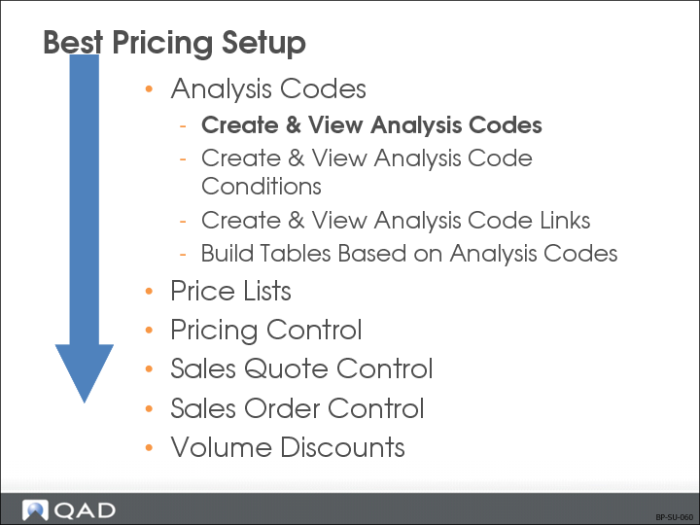
Creating analysis codes is the first step in using pricing functionality. They are used in conjunction with the SO/SQ/RMA Issues Pricing Menu (1.10.1).
Analysis Codes
• Allow grouping of customers or items into categories
• Are based on similar characteristics, such as region, salesperson, or item number
• Categories created by analysis codes impact pricing structure established for customers
• A combination of characteristics can be used to determine discounts and pricing
• Link analysis codes together to form analysis code sets
When an analysis code is assigned to a price list, the price list is restricted to the customers or items belonging to that analysis code. If customer code or item code field on a price list record is blank, all customers or items qualify for the price list.
Field Descriptions
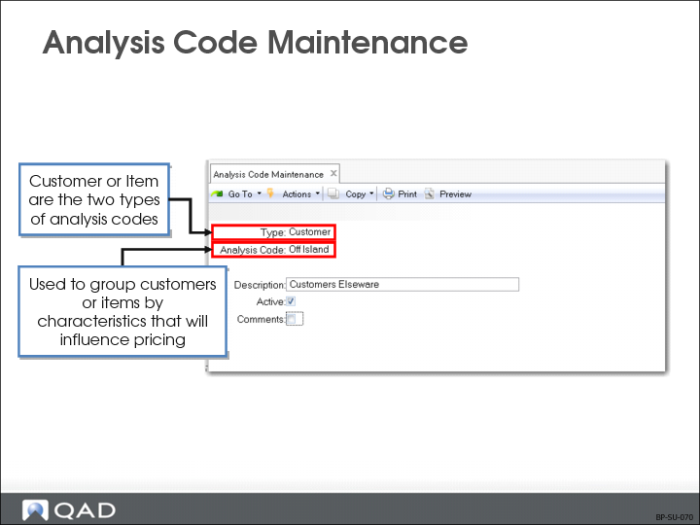
Type
Enter Item or Customer to specify analysis code type for which you want to build analysis code detail records.
Code
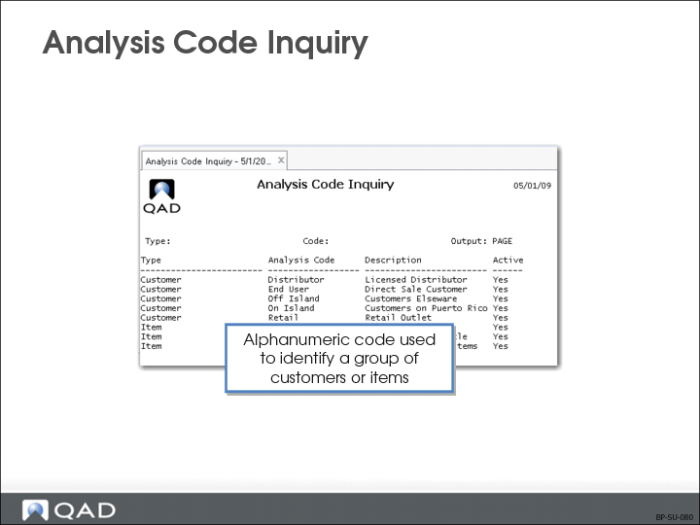
An alphanumeric code that will be used to identify a group of customers or items. Provides a means of grouping nodes (customers or items)
Description
Prints on most reports and inquiries, as space permits.
Active
Enter Yes or No to indicate if this is an active analysis code. If an Analysis Code is not active, you will get a warning when you create a price list with this analysis code.
Analysis Code Inquiry
Analysis Code Inquiry is primarily used to answer specific questions about analysis codes.
• Specify analysis code type to view analysis code detail records
• Enter the analysis code created previously in Analysis Code Maintenance (1.8.1)