Pricing Control
In addition to defining price lists and associating them with customers and suppliers, a number of control program settings affect how price lists are used in the system. These control programs are affected:
• Pricing Control (1.10.1.24)
• Sales Quote Control (7.12.24) and Sales Quote Accounting Control (36.9.9)
• Sales Order Control (7.1.24) and Sales Order Accounting Control (36.9.8)
Note: In QAD Enterprise Edition, financial control settings are updated separately from operational settings in Sales Order Accounting Control and Sales Quote Accounting Control. This supports detailed segregation of duties assigned with role-based security. In QAD Standard Edition, all control settings for an area are updated in one program.
Pricing Control
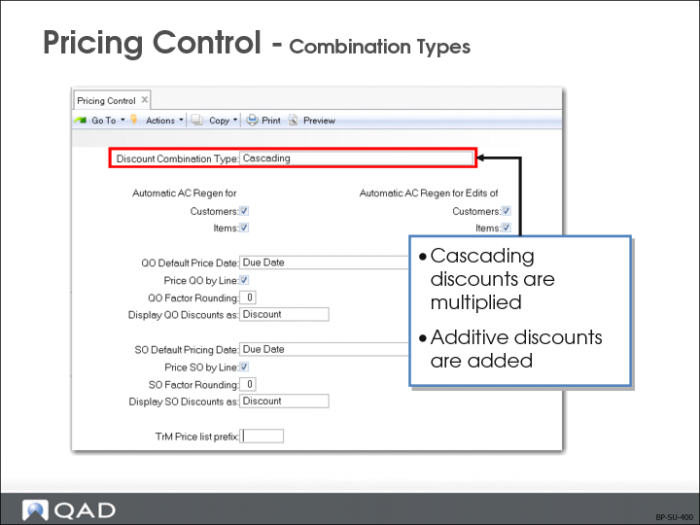
Discount Combination Type
This field applies to all modules within the system. If the Discount Combination Type is set to Additive, discount sequencing has no effect. It describes what the system does when multiple price lists apply
• Cascading (default) discounts are multiplied
• Additive discounts are added
Example: If a line qualifies for a 20% discount and a 30% discount, Cascading yields a discount of 44% (.7 * .8) and Additive yields a discount of 50% (20 + 30).
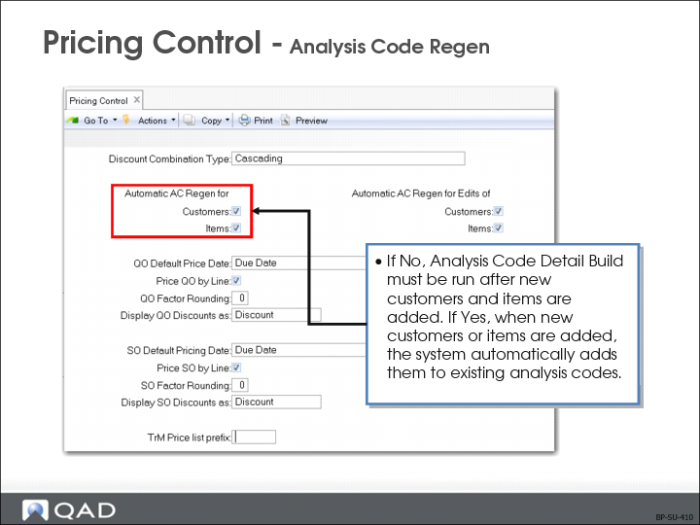
Automatic AC Regen
If this field is Yes and new customers and items are added, the system
• Does an automatic regeneration of analysis codes
• Examines existing analysis code rules and links to determine which analysis codes should apply
If this field is No, these analysis codes will not be determined until Analysis Code Detail Build (1.8.19) is run.
Note: At startup time, or when adding many new customers, it is faster to turn Automatic Regen off until all of the customers are added and run the Regen Utility once at the end. If a large number of analysis codes are in use, automatic creation of analysis codes can take a noticeable amount of time. Run the analysis code regen utility at scheduled times during off hours.
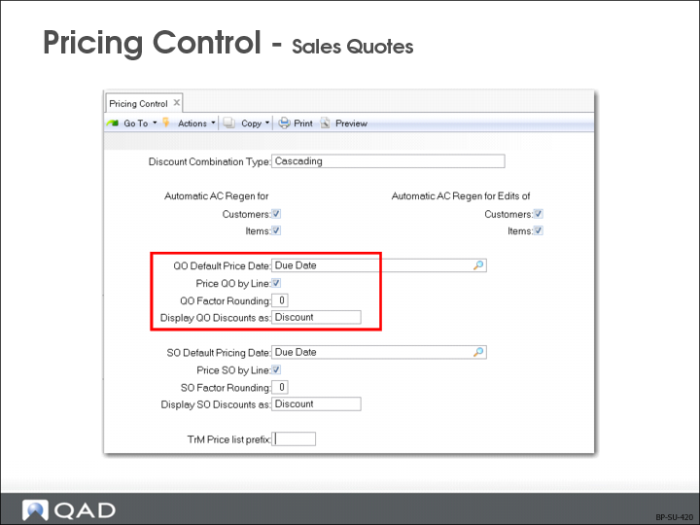
QO Default Price Date
Options are Due Date, Order Date (default), Required Date, Promise Date
• The date field specified on a quote header is used as the default pricing effective date
• With new sales quotes, pricing effective date defaults to the date specified in the control program
• The start and end effective dates on a price lists determine when its prices are valid
• System uses the pricing date on the quote header as the default pricing date on each line item to search for applicable prices for the line item
• On a sales quote, Order Date is used to refer to the field labeled Quote Date and indicates the day the quote is entered into the system
Note: Vary Pricing Date by QO Line in Sales Quote Control (7.12.24) determines whether the pricing date can be modified for each line item, or the header pricing date applies to all line items and cannot be changed.
Price QO by Line
Shows whether system should price each line as entered or wait until the end of the order. Because successive lines can affect lines already entered, price information can be updated
Example: When lines 1 and 2 are for the same item (or break category), the combined quantity can qualify line 1 for other price lists with better prices.
Note: If you expect this repricing to happen often, or if you do not need to know prices as you enter a quote or order, you can save time by telling the system to hold pricing decisions to the end of the order.
QO Factor Rounding
The number of decimals (default is 3) to round Discount factors for Display in
• Sales Order Maintenance (7.1.1)
• Sales Quote Maintenance (7.12.1)
This field is effective only when the Display SO discounts As field or Display QO Discounts As field is set to FACTOR
Note: This field only affects the display of the Discount Factor field.
Display QO Discounts as
Select the option (discount or factors) to display the quantity order discounts either by discount percentage or factor.
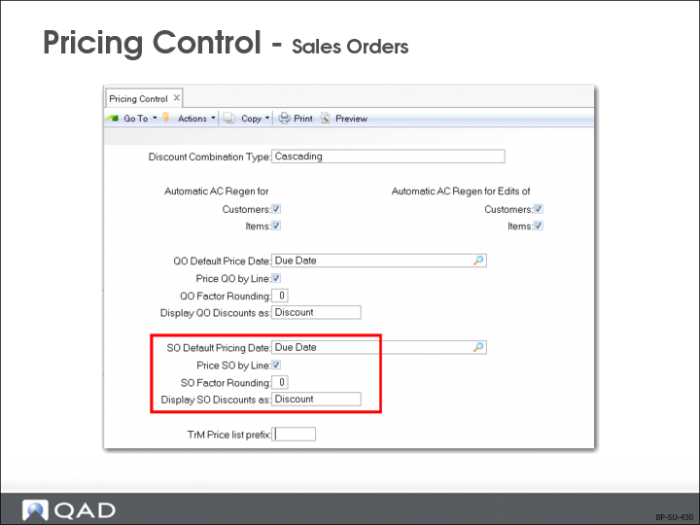
SO Default Pricing Date
Options are Due Date, Order Date (default), Required Date, Promise Date.
• The date field specified on a sales order header is used as the default pricing effective date
• When a new sales order is entered, pricing effective date defaults to the date in the control program
• The start and end effective dates on a price lists determine when its prices are valid
• System uses the pricing date on the order header as the default pricing date on each line item to search for applicable prices for the line item
Note: Vary Pricing Date by SO Line in Sales Order Control (7.1.24) determines whether the pricing date can be modified for each line item, or the header pricing date applies to all line items and cannot be changed.
Price SO by Line
Shows whether system should price each line as entered or wait until the end of the order. Successive lines can affect lines previously entered
Example: Price information can be updated when lines 1 and 2 are for the same item or break category. (For example, combined quantity can qualify line 1 for other price lists with better prices.)
Note: The setting in this field determines the initial setting in the Line Pricing field when a new sales order or RMA is entered in the system.
SO Factor Rounding
This field tells the system the number of decimals to round (default is 3) Discount factors for Display in Sales Order Maintenance (7.1.1) and Sales Quote Maintenance (7.12.1).
Effective only when the Display SO discounts As field or Display QO Discounts As field is set to FACTOR
Display SO Discounts As
This field shows the option (discount or factor) to display sales orders.
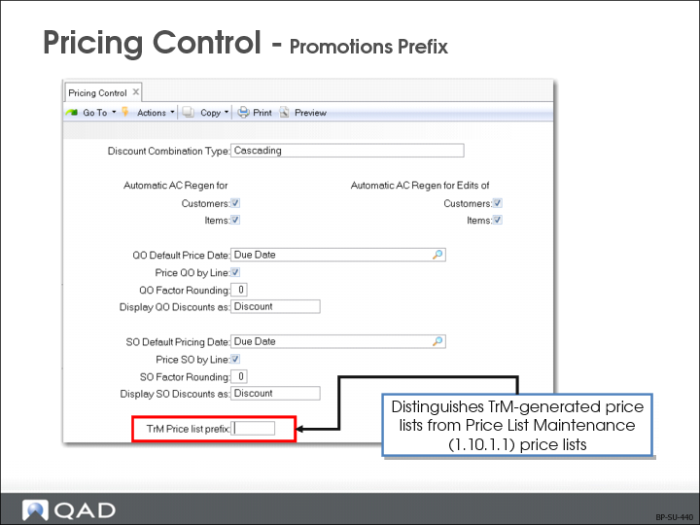
TrM Price List Prefix
This prefix distinguishes TrM-generated price lists from Price List Maintenance (1.10.1.1) price lists.
• When the Integrate with TrM field in Sales Order Control (7.1.24) is Yes, price list codes generated by TrM use the Promotions Prefix
• Has no effect when the Integrate with TrM field in Sales Order Control is No