Set Up Product Structure and Routing for Co-Products
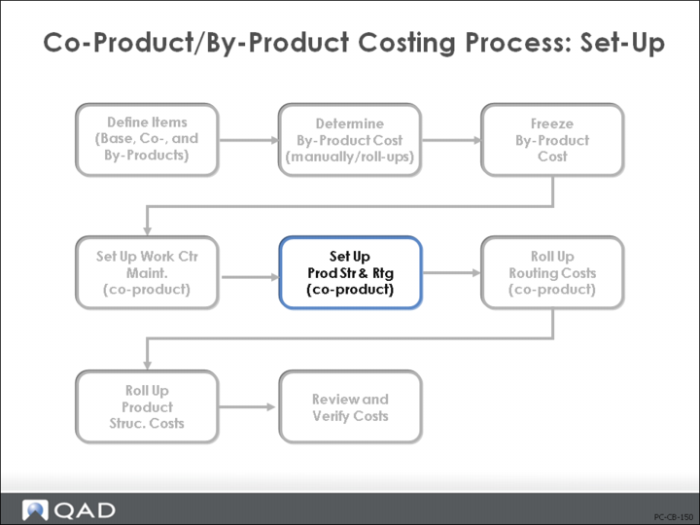
Use Process/Formula Maintenance (15.18) to create the process route, the formula or product structure and define the co/by-products for this base process.
Process/Formula Maintenance
Process/Formula Maintenance (15.18) is entered with the Base Process BOM/Formula Code.
The first set of screens allow you to enter the process route operations as you would for any route/process definition. Define the operations, the work centers, milestone or not, setup and run times, and any yield loss.
The second set of screens allow you to enter the components or ingredients, as you would with Product Structures or Formula Maintenance.
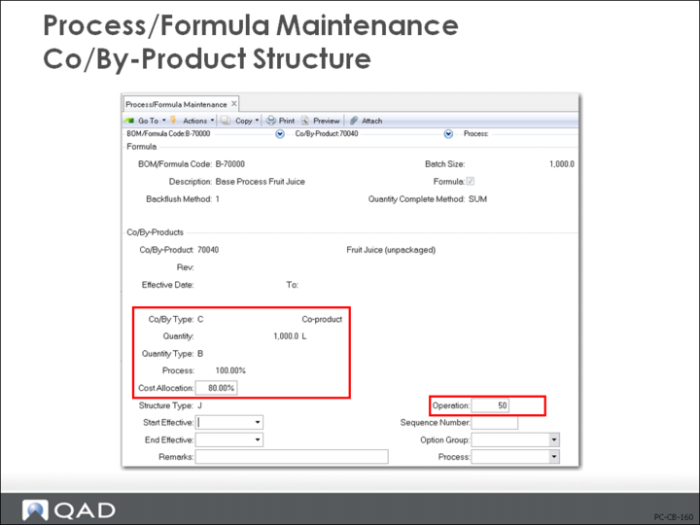
The third set of screens (shown above) allow you to enter the co/by-products.
For each co/by-product enter its item number, the Co/By-product type (C or B), and the expected quantity per batch and the quantity type
Set Quantity Type to B (batch), P (percent), or blank (per base process unit)
Cost Allocation (%)
Enter the percentage of base process cost to be allocated to this co-product. If co-product/by-product type is B, an allocation percentage cannot be entered.
Operation
Enter the operation number where the Co/By-Product is produced. The cost allocation percentages for the co-products should add up to 100 or costs will not track.
Based on work center/machine costs, the operation times, and the component material costs, the cost roll-up will determine the base process cost and how much is allocated to the co‑products.