Exercise 3: Cost Planning
In this exercise you will create a cost set to develop future costs for an item, then set up the cost set to become effective on a specific date in the future. You will also use the cost plan to project production costs when the new costs become effective.
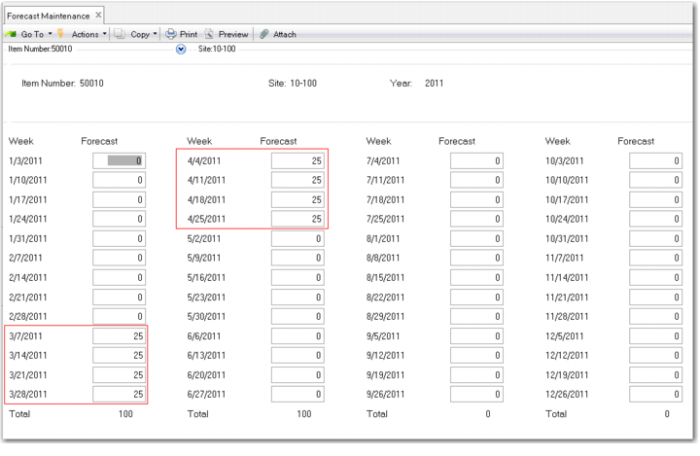
1 Use Forecast Maintenance (22.1) to create a forecast for item 50010 for March and April of next year. Forecast 25 per week for eight weeks. Your screen should look like this. This will create demand for MRP to use with the cost plan to show production costs and how they will change.
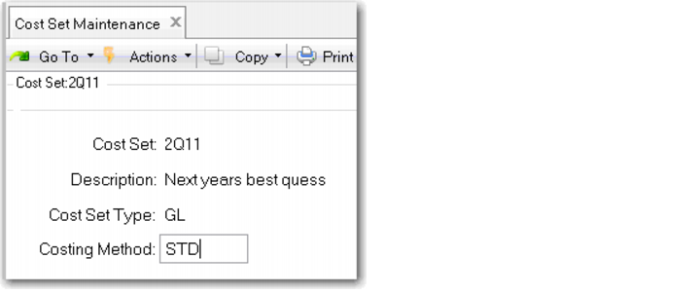
2 Create a new cost set, you might label it 2QYR, where YR is the last two digits of next year. Use Cost Set Maintenance (30.1) make the cost set type GL and the method standard.
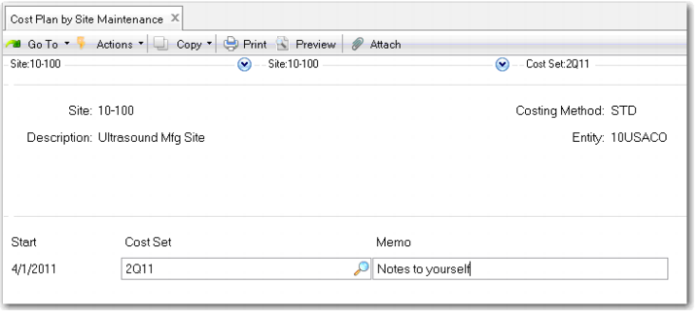
3 Create a cost plan for the second quarter of next year. Use Cost Plan by Site Maintenance (30.15.1). Make the start date 1 April of Next year.
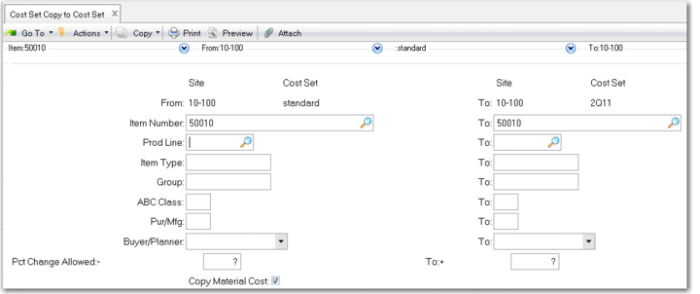
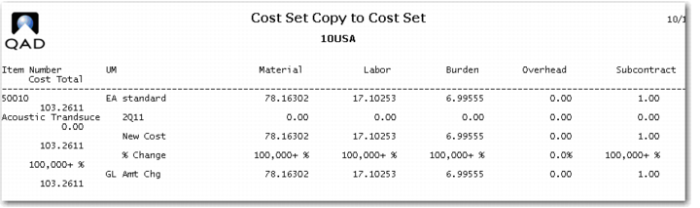
4 Copy a cost set for baseline costs. Use Cost Set Copy to Cost Set (30.3). Copy the costs for the 50010 Acoustic Transducer, from site 10-100, cost set Standard to site 10-100 cost set 2Q11. Put ?'s in the Percent Change Allowed fields.
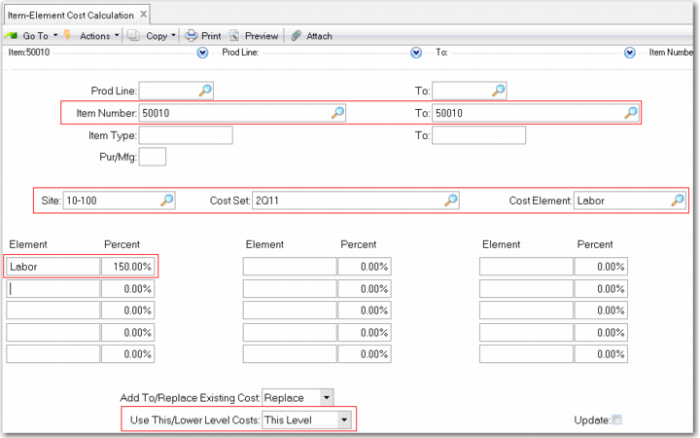
5 Adjust costs to reflect your best guess as to what they will be next year. Use Item-Element Cost Calculation (30.17.10). Run the calculation for site 10-100, cost set 2Q11, item 01020, cost element Labor, to be calculated as 150% of labor. Use This Level costs and leave Update unchecked. This will allow you to review the cost changes before updating them.
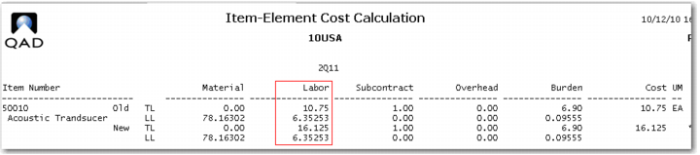
Your costs should look like this. If all is correct, re-run the calculation with the Update box checked. Note the This Level Labor is now 16.125 up from 10.75.
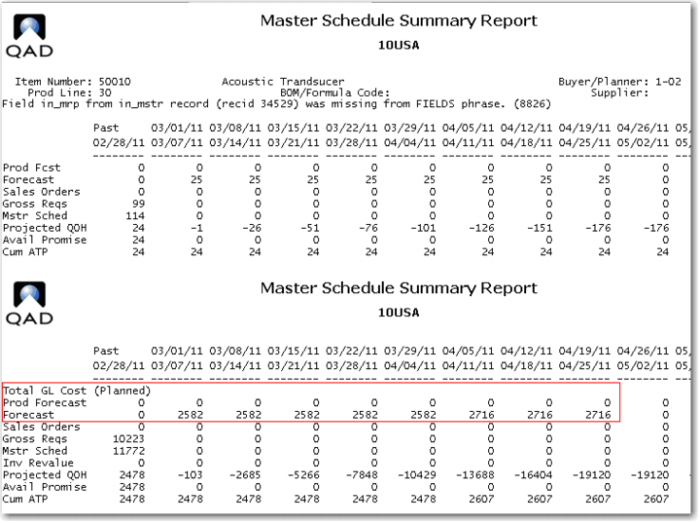
6 Use Master Schedule Summary Report (22.19) to see the results of your cost plan. Use item 50010 at site 10-100. Check Use Cost Plans, set the Start Date to 1 March of next year and the End Date to 30 April.
In the top frame you see your forecast. Note because you have not run MRP the forecast has not been exploded into planned orders. In the lower frame you see the planned GL cost based on the forecast.
Note that the first order due in April was released in March so it has the March cost. All the orders to be released in April have the new cost from the cost plan.
Use Cost Plan by Site Update (30.15.3) or Cost Set to Site Assignment (30.9) on the exact date the cost plan is to take effect to activate the cost set
Once a new GL cost is set you will also want to Revalue WIP (16.22) and Revalue Sales Order Costs (7.1.12).
Information Sources
Information sources that are particularly relevant to the Cost Management module are outlined below.
Simul Cost Element Report (30.13.3) and Cost Element Report (30.17.3)
Shows cost elements for cost sets selected according to user-specified parameters.
Simul Item-Element Cost Report (30.13.7) and Item-Element Cost Report (30.17.7)
Shows direct item costs by part number for cost sets selected according to user-specified parameters.
Simul Subcontract Cost Report (30.13.12) and Simul Subcontract Cost Inquiry (30.13.11)
Shows subcontract costs by routing code and operation for cost sets selected according to user-specified parameters.
Simul Work Center Rate Report (30.13.15)
Shows work center rates by work center for setup and run labor and burden cost elements for cost sets selected according to user-specified parameters.
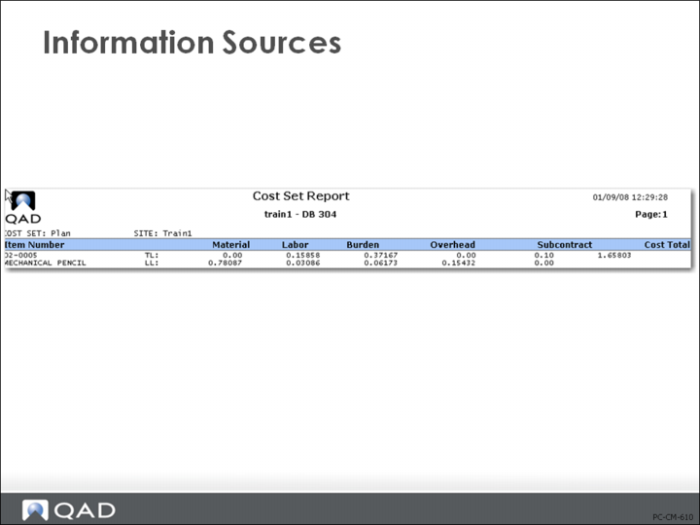
Cost Set Report (30.21)
Lists this-level and lower-level costs by category and total item cost for item numbers in cost sets at sites selected according to user-specified parameters.
Comparative Cost Set Report (30.22)
Lists costs by cost element category and total cost for each part number in a cost set selected according to user-specified parameters.