Business Considerations
There are several business considerations to look at before setting up QAD Enterprise Applications. This section does not discuss all potential considerations, but presents several to generate thought and discussion.
Netting Logic
Definition
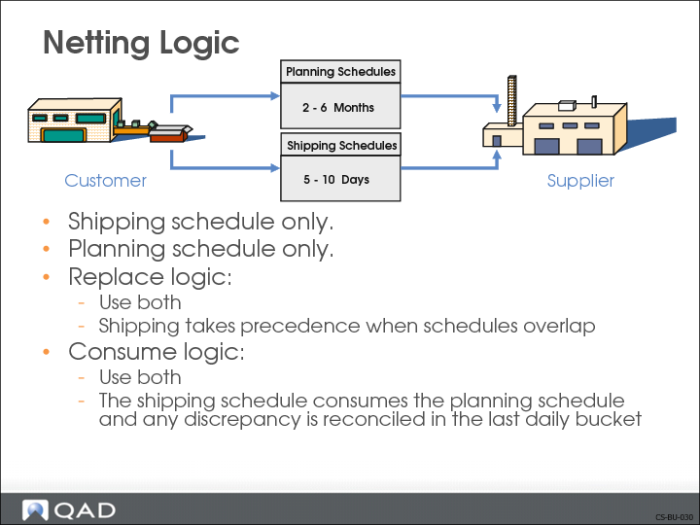
The method QAD Enterprise Applications uses to calculate the required ship schedule (RSS). Required Ship Schedule Update (7.5.5) uses netting logic to interpret quantities from the planning and shipping schedules and arrive at the correct input for MRP.
Why Consider?
• Customer sends both a planning and a shipping schedule
• Need to tell system how to handle the schedules when calculating the RSS
Functionality in QAD Enterprise Applications
• Determines which schedule to use to calculate the RSS
• Determines how to handle overlap in planning and shipping schedules, if customer sends both
Setup Implications
• Scheduled Order Maintenance (7.3.13) needs to reflect the netting logic used for this customer’s scheduled order
• Each schedule can have a different netting logic
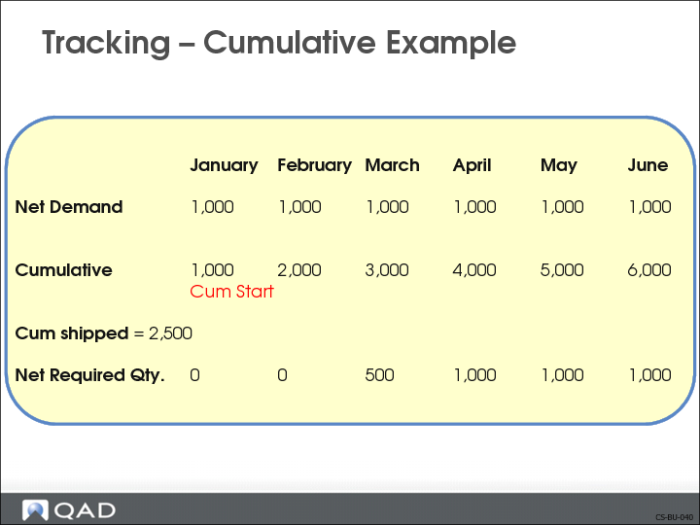
Tracking – Cumulative Example
Definition
Accounting method in which trading partners maintain totals of required and shipped/received quantities. There are two methods:
• Cumulative
• Non-Cumulative (based on net requirements)
Why Consider?
• Traditionally schedules in the automotive industry have been based on cumulative accounting
• Total schedule quantity determined for a period, often a year
• Effect of each shipment to a customer was calculated based on a cumulative total
• Today many businesses use release management to ship against specific requirements
• Original equipment manufacturers (OEMs) in the automotive industry use a schedule releasing method that does not rely on cumulative quantities
Functionality in QAD Enterprise Applications
• Monitor received/shipped quantities
• Quantities can be adjusted
Setup Implications
• Scheduled Order Maintenance (7.3.13) needs to be set up to reflect the accounting method
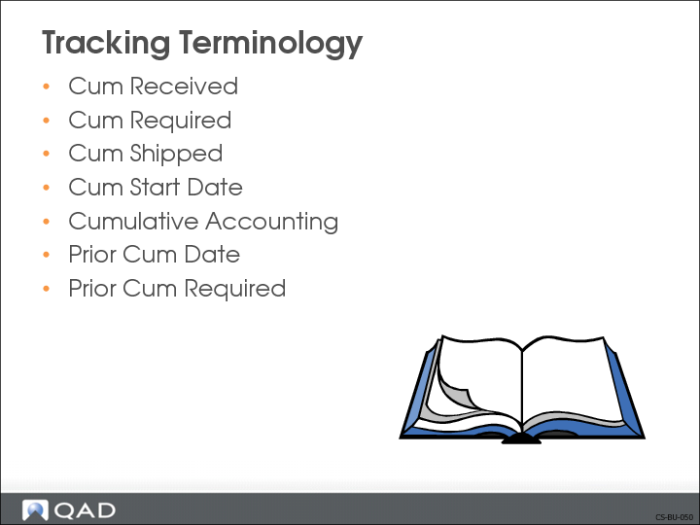
Tracking Terminology
Cum Received
The cumulative total received by the customer. Basically, the difference between Cum Shipped and Cum Received is the quantity of goods in transit at the time of schedule release creation. This can also cover goods that are the subject of a quality dispute or other disagreement.
QAD Enterprise Applications works from the viewpoint of Cum Shipped in demand calculations so that in-transit goods are not manufactured twice.
Cum Required
The gross cumulative quantity on order at any point in a customer schedule.
Cum Shipped
The cumulative total shipped by the supplier.
Cum Start Date
The date a scheduled order shipment began accumulating quantities.
Cumulative Accounting
A method of tracking shipments and receipts in which trading partners maintain running totals of required and shipped/received quantities.
Prior Cum Date
The up to and through date of a prior cumulative required quantity.
Prior Cum Required
The total quantity required prior to the date of release.
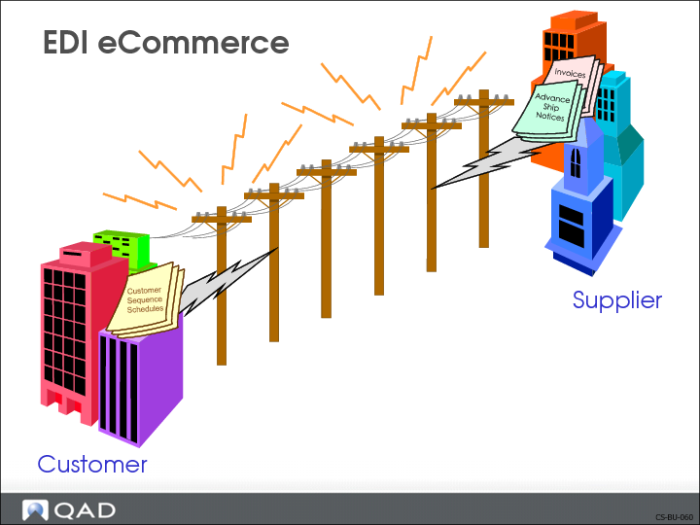
EDI eCommerce
Definition of EDI
An international protocol defining the means and methods for electronic transmission of documents between trading partners. Documents are transmitted in a highly structured format that can be processed by computer software.
Definition of eCommerce
ECommerce is the interface between QAD Enterprise Applications and third-party EDI communications or translator products called EC subsystems. ECommerce enhances the system’s ability to manipulate, analyze, edit, and reprocess EDI data.
Why Consider?
• Time saving
• Information processed faster
• Shortened response time
• Reduced data input
• Reduces errors
• Saves labor costs
• Reduces/eliminates paperwork, fewer people are needed
• Lower inventory levels
Functionality in QAD Enterprise Applications
• Support import of customer sequence schedules
• Support export of invoices or ASNs
Setup Implications
• EDI/eCommerce software and files need to be set up
Discussed in Training Guide: EDI eCommerce
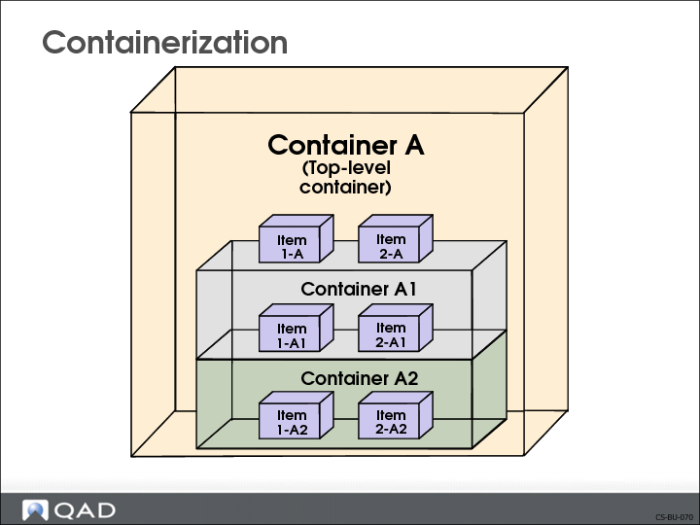
Containerization
Definition
A shipment method in which commodities are placed in containers, and after initial loading, are not rehandled until unloaded at the destination.
Why Consider?
Many businesses with fast paced, high volume shipping docks place finished goods into containers and warehouse the containers on-site. The containers and their contents are uniquely identified by a number assigned by the company.
For many automotive suppliers, an additional requirement is the ability to define the containers comprising a shipment. This is typically done at the end of the production sequence by attaching products to the containers. The containers are visible within the picking process and attached to the shipper document to satisfy requirements.
At the end of the production line, you can put the finished goods in containers and store them before shipping. At this point you can ship them to your customers by container or by a larger unit, such as a pallet of containers or a truckload.
You can track container to finished goods relationships throughout the shipping process
Functionality in QAD Enterprise Applications
• Package and store finished goods at the end of a production line and warehouse them in single-level containers before shipping
• Consolidate goods going to the same location
• Use shipping labels
Setup Implications
• Container item numbers need to be set up in Item Master Maintenance (1.4.1)
• Shipping label templates can be set up
• Single level containers set up in Container Workbench (7.7.1)
• Hierarchical containers set up in Pre-Shipper/Shipper Workbench (7.9.2)
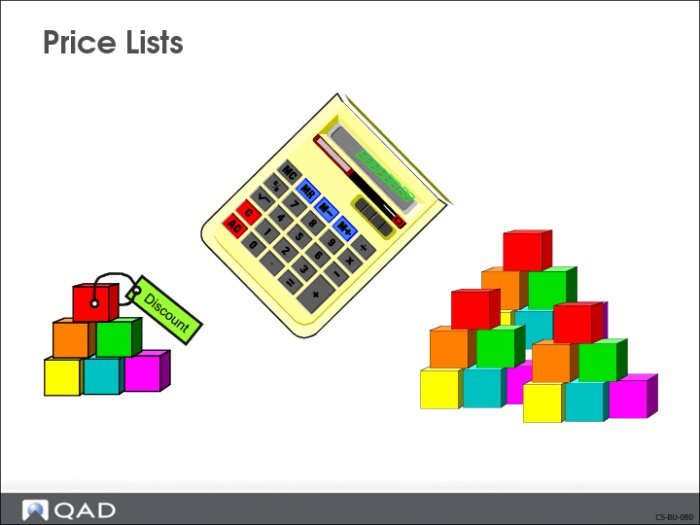
Price Lists
Definition
A price structure defining specific prices, discounts, and markups at different quantity levels. Can be stated in terms of company base currency or any other currency.
Why Consider?
• Provide a convenient tool for inputting item prices for customers, without having to perpetually maintain the scheduled order.
• Scheduled order references a price list
Functionality in QAD Enterprise Applications
• The price list is maintained separately, letting other departments maintain prices, without having to access the scheduled order line
• Each item needs to be input on the price list with its relevant price
Setup Implications
• Price lists need to be set up in Cust Schedule Price List Maint (1.10.3.1) with an amount type set to P (Price) to be used with customer schedules; there are no price breaks
• Scheduled Order Maintenance (7.3.13) needs to be set up to reflect the price list
Review
Course Overview