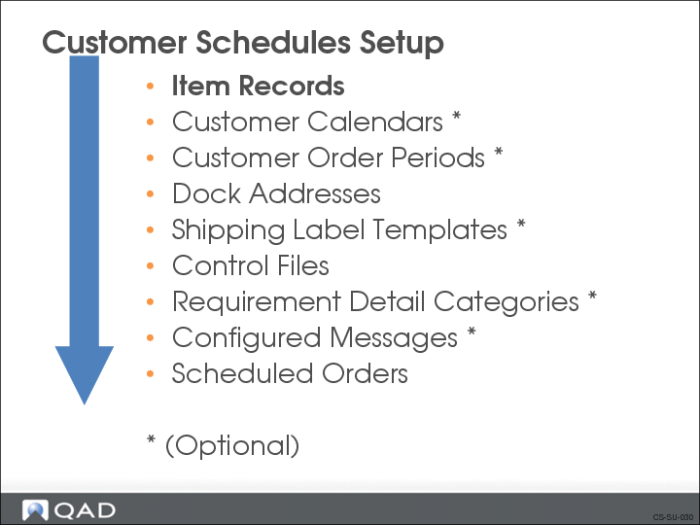
Item Records
Before creating a scheduled order, item records must exist for all items and products stored in inventory that you will be shipping. The Item Master contains records for all items, regardless of site. Item records hold the default information about items.
If you are using shipping containers, you must also set up container item numbers.
To add item records, use one of the following:
• Item Master Maintenance (1.4.1)
• Item Data Maintenance (1.4.3)
Customer Item Maintenance
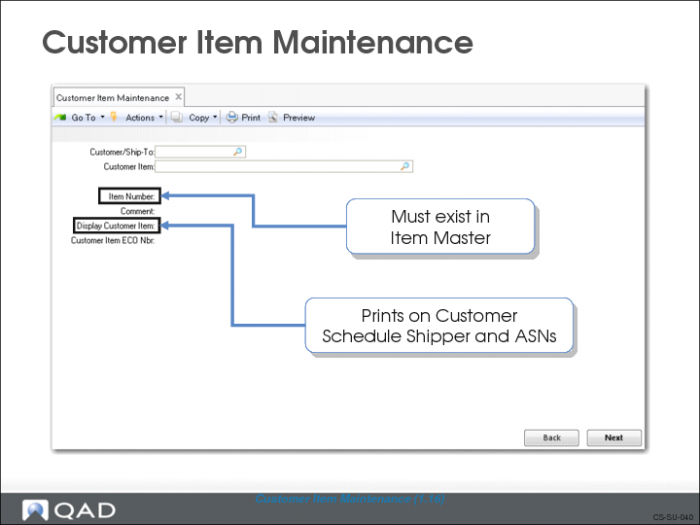
Use Customer Item Maintenance (1.16) to set up cross-references between:
• Your internal item numbers and your customer’s item numbers.
Note: On sales quotes and sales orders the item number can only be 18 characters long.
• Internal numbering systems, industry standard (UPC), or marketing catalog numbers
You can choose to have one or both item numbers appear on all sales and shipping paperwork. By leaving the Customer field blank, the cross-reference will apply to all customers
Field Definitions
Customer
The customer code or ship-to code.
Customer Item
The item number used by the customer.
Note: When EDI imports documents containing the customer’s item number, if they use spaces in the item number, the spaces are removed. For example, if the customer’ s item number is XZY 1234 AAC, you would enter XZY1234AAC.
Item Number
Your internal item number. This is the item number being cross-referenced to the customer’s item number.
Comment
Used for reference only.
Display Item
This shows how the customer wants their item number to print, for example, on bar code labels. If the customer uses spaces in their item number, you would enter the item number, with spaces. For example, using the same item number as entered in the Customer Item field, you would enter XZY 1234 AAC.
ECO
The customer’s engineering change number (ECO). This prints on the shipper.
Note: Customer item numbers cannot be the same as your internal item numbers.
Exercise: Maintain Customer Items
Customer Pacific Health Care Systems (10C1003) has its own internal item numbering system. Use Customer Item Maintenance (1.16) to create a cross-reference of the customer’s item numbers to your internal item numbers. There are three item numbers to be cross-referenced.
Customer Item | Your Item | Customer Display Item |
Pump | 03011 | Pump |
2.5LBottles | 03012 | 2.5LBottles |
4.5LBottles | 03013 | 4.5LBottles |
Use Customer Item Browse (1.17) to review the cross-references for each item.