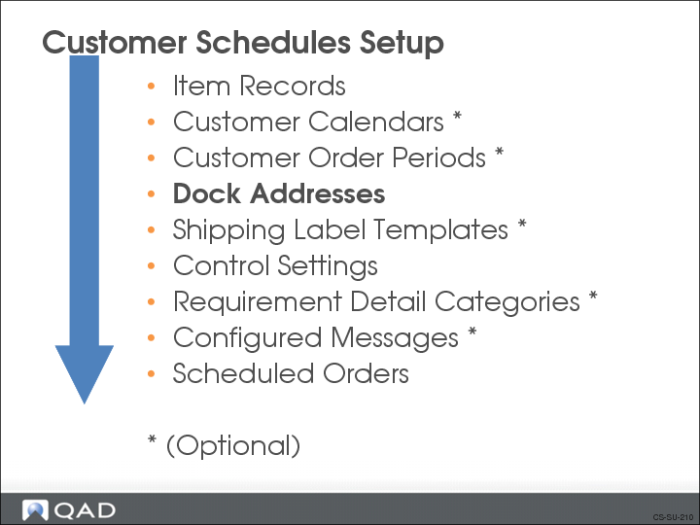
Dock Addresses
Sometimes a customer will have multiple delivery sites (such as stores, gates, or docks) at their ship-to location and request you ship to a specific dock. They may even have special docks set up to receive certain types of deliveries. QAD Enterprise Applications gives you the ability to set up one or more customer dock addresses.
The dock address is used as an alternate to the customer’s ship-to address.
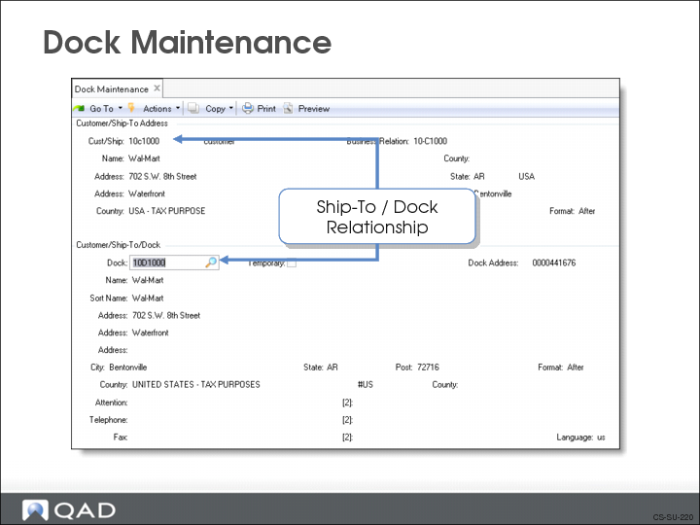
Dock Maintenance
Use Dock Maintenance (7.3.6) to set up individual dock addresses.
• Before defining a dock address, the ship-to address must exist
• A dock address on an order supersedes a ship-to address
• A ship-to address can have more than one dock address
• Tax calculations uses the ship-to address, not the dock address
• The dock address can be temporary or permanent
• Set the Temporary field to Yes to make it a temporary address
• Temporary addresses are deleted automatically by Closed AR Delete/Archive (27.23) when no other open records for that address exist
• Temporary dock addresses can be changed to permanent by changing the Temporary field to No
Note: Dock addresses must be unique throughout the system. That means you cannot use the same dock address for more than one customer.
You can use the dock address as the default ship-to for the order in Scheduled Order Maintenance (7.3.13).
Exercise: Create Customer Ship-To and Dock Addresses
1 Use Customer Ship-To Create (27.20.2.1) to create a ship-to address for the customer 10C1003.
Specify the Ship-to Code as 10C1003S and enter the following address information.
Address | 500 Windsor Way |
Zip/City | 90802/Long Beach |
State | CA |
Country Code | USA |
Language Code | US |
2 Create a dock for the customer’s ship-to address.
a Use Business Relation Modify (36.1.4.3.2) to create a permanent dock address.
Business Relation | 10-C1003 |
Address Type | Dock |
Address | 518 Windsor Way |
Zip/City | 90802/Long Beach |
State | CA |
Country Code | USA |
Language Code | US |
b Use Dock Maintenance (7.3.6) to create a dock named LB for the customer’s ship-to address.
Cust/Ship | 10C1003S |
Dock | LB |
Dock Address | Select the one with the above dock address |