Shipping Label Templates
QAD Enterprise Applications gives you the ability to print shipping labels (bar code labels). Shipping labels enable shipments to be received with bar code readers. In some supplier-customer relationships, shipping labels can replace shipper documents used as packing lists.
You can print shipping labels for:
• Single-item number containers (contains a single item)
• Master containers (for example, pallets) of single-item number sub-containers (each containing all the same item)
• Mixed content containers (different items on the same pallet)
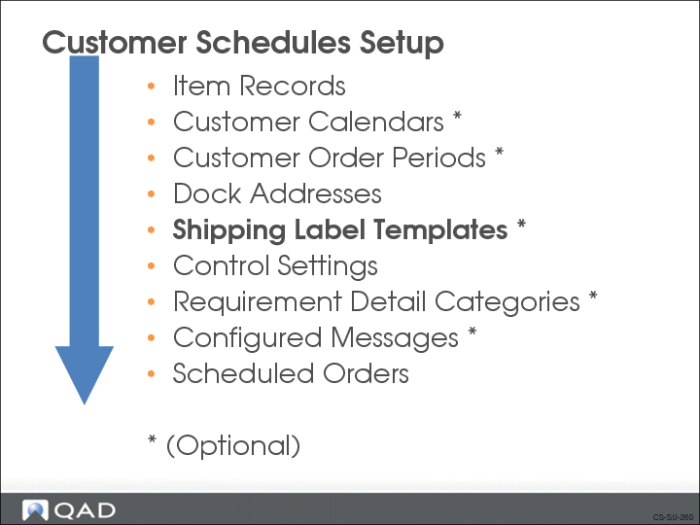
Creating shipping labels involves:
1 Creating the template files.
2 Assigning data prefixes and specifying the location of the template files.
3 Printing the shipping labels.
Creating the Template Files
To use bar code labels for shipments, you first need to set up a shipping label template file for each type of label required by each customer. The template files control:
• Data format
• Bar size
• Printed boundary lines
• Other label printing information
The template files are specific to your:
• Operation
• Customer’s bar code reading equipment
• Industry
To create the template files you can select from a wide array of bar code label design software. The software package provides its own requirements for creating the template.
Assign Data Prefixes and Template Files
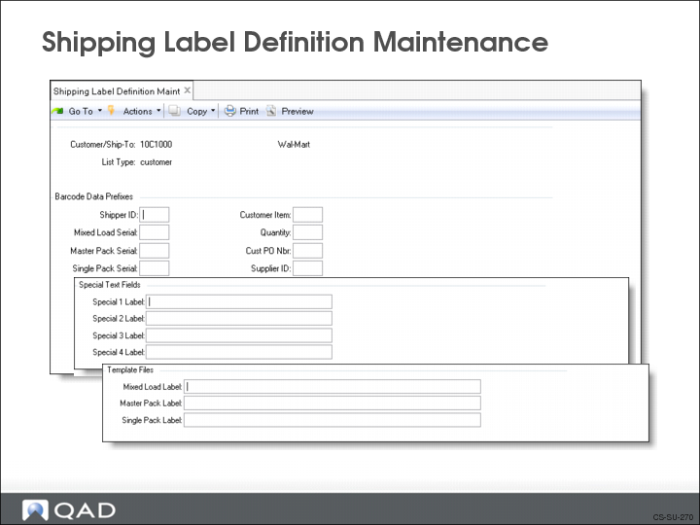
You assign data prefixes and specify the location of the template files in Shipping Label Definition Maintenance (7.3.11).
Printing
Printing bar code labels requires you have either a bar code label design package (which converts data inputs and controls the printed output) or that you enter the printer control codes in the Bar Code Control frame of Printer Setup Maintenance (36.13.2).
Shipping Label Definition Maintenance
Note: Shipping Label Setup is a technical setup handled by local IT staff. The following is provided as general background information.
Use Shipping Label Definition Maintenance (7.3.11) to enter data prefixes and to specify the location of the template files. There are three frames you use to enter data:
• Barcode Data Prefixes
Enter alphanumeric values for the system to use to create the correct bar code prefix for the customer’s bar code receiving readers
• Special Text Fields
Enter text for the system to print on the label such as shipment or receiving instructions
• Template Files
Specify a template file containing the template values and link it to a label type (mixed, master, or single)
• Template values correspond to an order’s field values. (For example, template value 000003 corresponds to customer item number.)
• The system converts these template values to bar code label formats in Shipping Label Print (7.7.7)