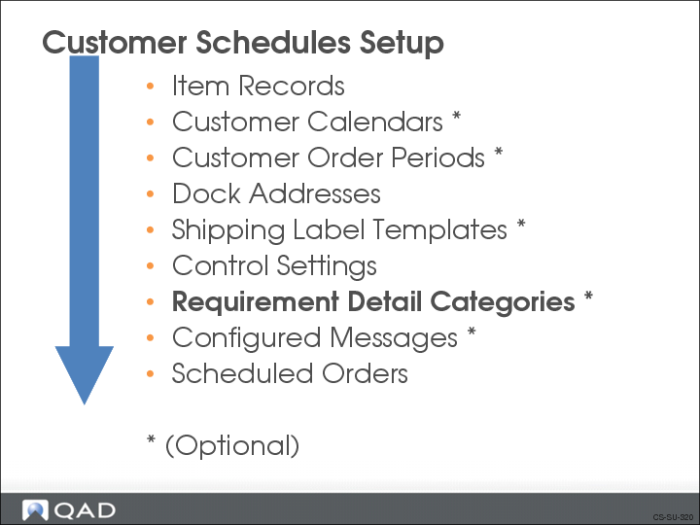
Requirement Detail Categories
You can create requirement detail categories that contain special information associated with the schedules such as:
• Special markings required by the customer for items shipped
• Specific information needed on bar code labels for packaging
• Requirements tied to authorization numbers such as release authorization number (RAN), kanban number, pull signal with a number
Each schedule can have multiple sets of requirement detail categories. You add requirement detail categories to a schedule in:
• Customer Plan Schedule Maintenance (7.5.1)
• Customer Ship Schedule Maintenance (7.5.2)
Note: If you use a noncumulative accounting procedure for Release Management, you need to set up categories to use for requirement detail pegging.
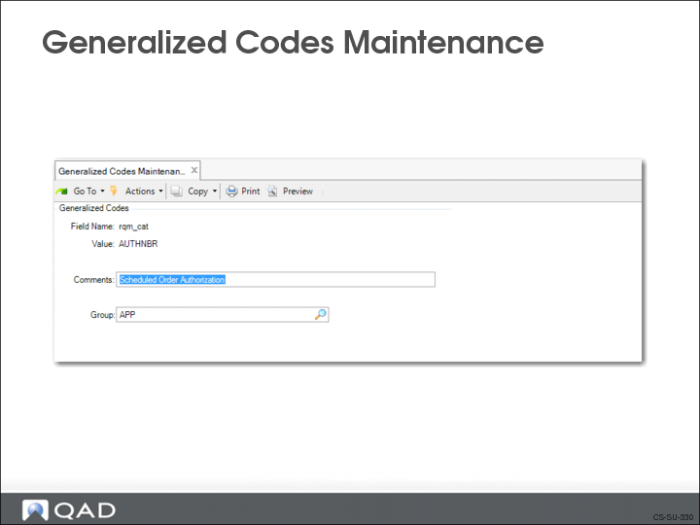
Generalized Codes Maintenance
Use Generalized Codes Maintenance (36.2.13) to set up requirement detail categories.
• The field name is rqm_cat
• You create the categories based on the type of requirement detail you receive; for example, packaging information
Customer Plan Schedule Maintenance
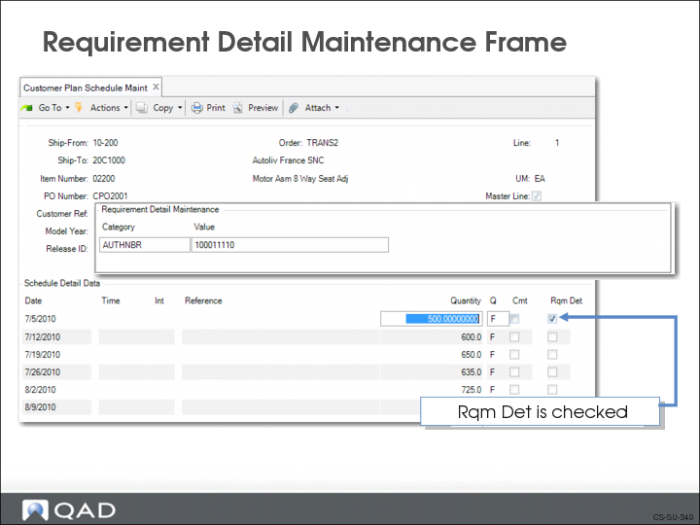
You attach requirement details to a schedule in the Requirement Detail Maintenance frame of:
• Customer Plan Schedule Maintenance (7.5.1)
• Customer Ship Schedule Maintenance (7.5.2)
This frame displays when Rqm Det is checked in Schedule Detail Data, as shown in this slide.
The category AUTHNBR (authorization number) is significant to the system.
• During document import, if it does not exist the system creates it
• If authorization numbers are received during import, the system checks the database to verify that the numbers are unique, based on business rules
All other categories are for your reference.