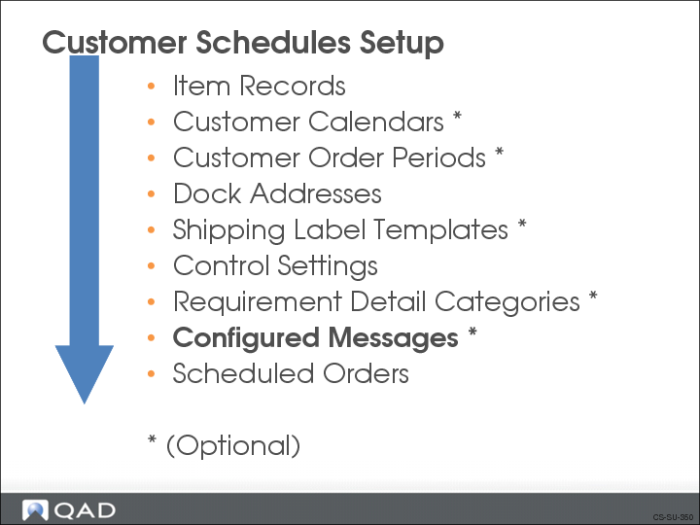
Configured Messages
QAD Enterprise Applications configured message functionality lets you verify the structure and content of newly created shippers.
• Able to verify both automatically created shippers and manually created shippers
• Alerts you to potential shipping problems that need to be corrected before shipment
• Able to taylor conditional error processing to meet specific business rules
Note: Configured messages are currently only implemented for shippers.
When defining configured messages, you determine:
• The error conditions and assign the level of severity
• The sequence in which the system checks for errors
• Which conditions require a message to display and the type of message (informational, warning, or error)
• Which conditions do not need to display a message
• If the message is to be a generic message (all shippers) or customer specific
Even though shipper verification with configured messages is optional, its use is recommend since the verification process gives you the ability to identify initial problems with shippers. The shipper is typically used to create an ASN. Since transmission of the ASN is often time critical, being aware of a problem with the shipper before shipment is vital.
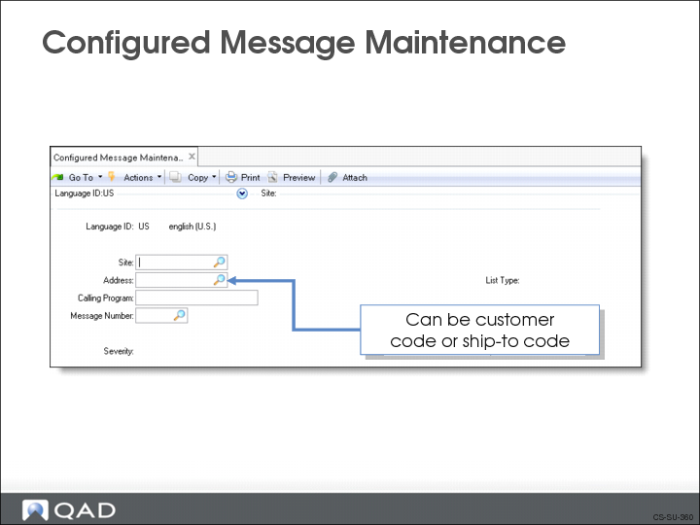
Configured Message Maintenance
Use Configured Message Maintenance (36.4.6.13) to define the:
• Customer
• External execution file that contains the verification process used to confirm that the shipper’s structure and content are valid
• Calling program
• The message to display if the shipper fails verification
• Sequence to have the system check for errors
You set up configured messages based on the language code (Language ID), site, and/or address.
Field Definitions
Language ID
Enter a valid, active language code for selecting the appropriate message language.
Site
Optionally enter a site to be associated with the messages.
Address
Optionally enter a customer defined in Customer Create (27.20.1.1) or ship-to code defined for a customer in Customer Ship-to Create (27.20.2.1).
Calling Program
Currently, the only valid entry is rcvrfsh1.p, the shipper verification program.
Message Number
Enter the appropriate system message number identifying specific message text.
Execution File
You can use one of the five sample verification programs that come with QAD Enterprise Applications
Execution File | Description |
rcvrfc01.p | Sample container quantity verification program, |
rcvrfi01.p | Sample item containerization verification program. |
rcvrfc02.p | Sample container empty verification program. |
rcvrfc03.p | Sample containerization level verification program. |
rcvrfi02.p | Sample container has same order/line verification program. |
You can also use custom, user-defined programs
• For consistency, standard messages should be used when writing your own custom Progress programs
• These are accessed using the include file mfmsg.i
• Pass the message number and a severity indicator to display the message
Severity Level
You have five options:
Option | Explanation |
0 | No message displays. |
1 | An informational message displays. |
2 | A warning message displays. |
3 | An error message displays, along with “Please re-enter”, and processing stops. |
4 | An error message displays, and processing stops. |
Important: When verifying shippers, do not use severity level 3. Verification is a noninteractive process run after the shipper is created, without opportunity to re-enter data. Use severity level 4, which does not include “Please re-enter.”