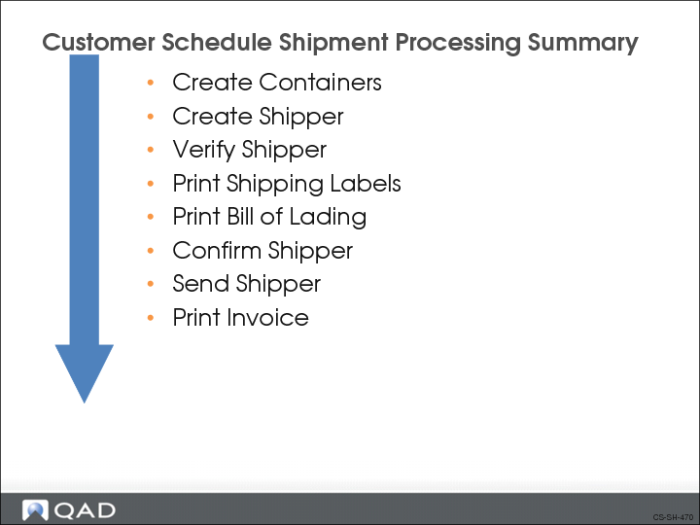
Print Invoice
Invoices itemize what a customer owes you for the products you shipped. An invoice contains three sections:
• Header – order number, date, addresses, terms
• Line Items – item number, quantity, ship-to site
• Trailer – line item totals, taxes, freight
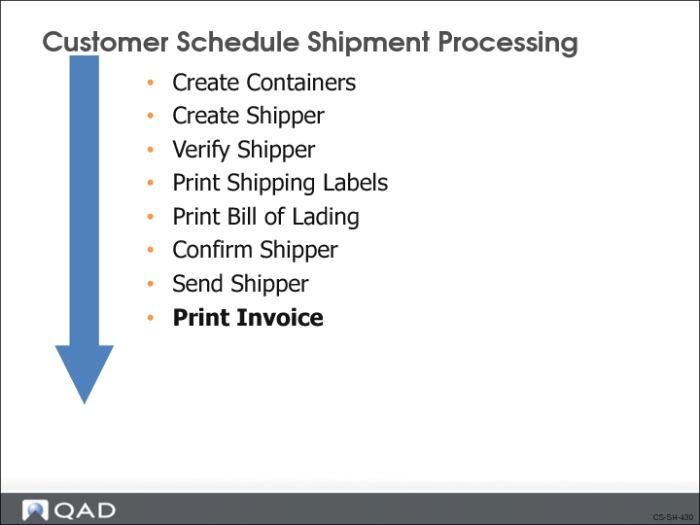
Processing the shipper flags the order as ready for invoicing. You have two options for invoicing:
• Print an invoice and send the printed invoice to the customer
• Electronically transmit the invoice to the customer
The Print Inv Hist field in Trading Partner Parameters Maintenance (35.1) determines if invoices can be printed (Yes) or not (No). If invoices are neither printed nor transmitted, the customer pays against the ASN. The EDI Inv Hist field in Trading Partner Parameters Maintenance determines if invoices are sent using EDI (set to Yes).
If a customer requests a printed invoice and the order is set for auto-invoicing, the shipper confirmation process creates an invoice using the Shipper ID number as the invoice number. It then closes the invoice. This is equivalent to the standard printing and posting of an invoice and
• Lets you make several daily or weekly shipments without requiring specific invoicing tasks
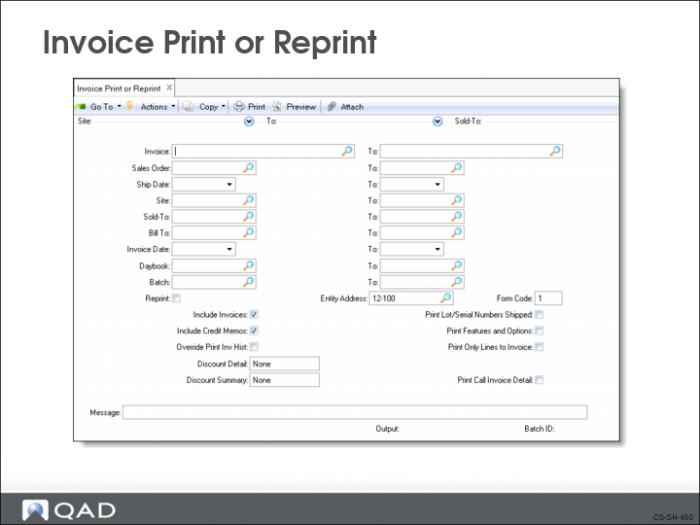
• Gives you the option to print closed invoices at the end of the day, week, or month. Use Invoice Print or Reprint (7.13.12) to print closed invoices
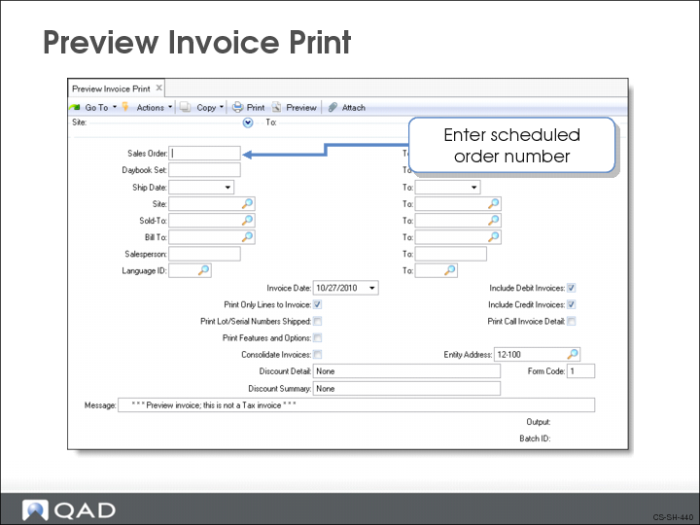
Preview Invoice Print
Use Preview Invoice Print (7.13.3) to print a single invoice or a range of invoices. After printing the invoices, you post them by running Invoice Post and Print (7.13.4).
Note: You could have printed an invoice as part of the shipper confirm process by checking the print invoice selection.
Invoice Print or Reprint
Use Invoice Print or Reprint (7.13.12) to print a single closed invoice or a range of invoices.
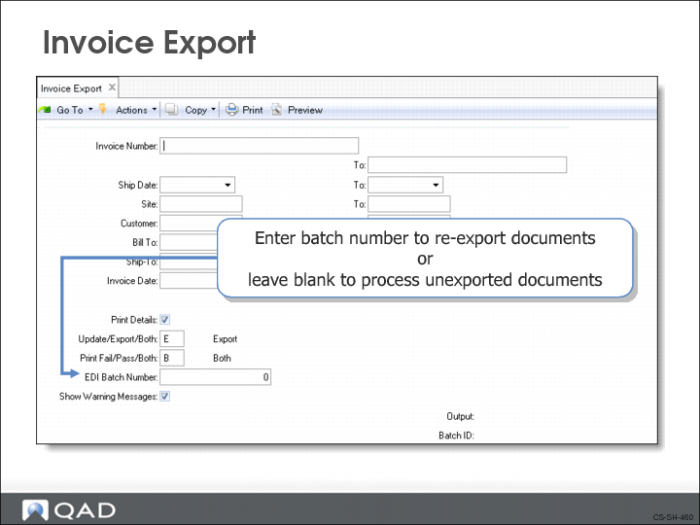
Invoice Export
Use Invoice Export (35.4.3) to electronically transmit single, multiple, or cumulative invoices to a customer.
To export an invoice using EDI, the EDI Inv Hist field should be set to Yes in Trading Partner Parameters Maintenance (35.13.10) and in Scheduled Order Maintenance (7.3.13).
Customer Schedule Shipment Processing Summary
Course Overview