Introduction to QCS
Customer Sequence Schedules
The Customer Sequence Schedules (QCS) functionality enhances the current Customer Schedules module.
• Allows you to receive and process shorter term, detailed customer sequence schedules
• Sent by an Electronic Data Interchange (EDI) or EDI eCommerce
• Document type 866
What Customer Sequence Schedules Do
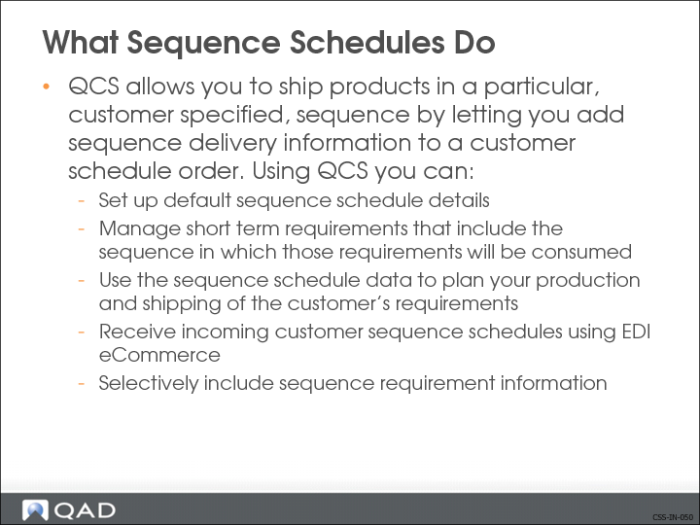
QCS allows you to ship products in a particular, customer specified, sequence by letting you add sequence delivery information to a customer schedule order. Using QCS you can:
• Set up default sequence schedule details
• Customize the default sequence schedule information for individual customer/ship-to
• Dates, times, items, quantities
• Destination information
• Packing order
• Manage short term requirements that include the sequence in which those requirements will be consumed
• Use the sequence schedule data to plan your production and shipping of the customer’s requirements
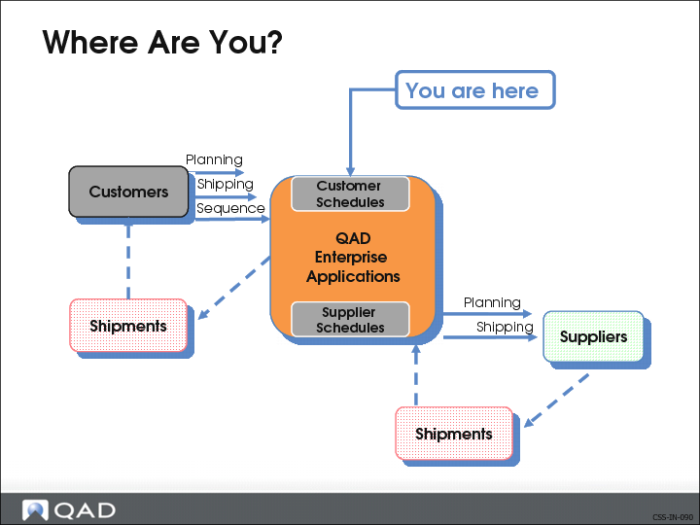
Where Are You?
Receive incoming customer sequence schedules using EDI eCommerce.
Selectively include sequence requirement information on:
• Picklist/Pre-Shipper
• Shipper
• Invoice
• Advanced Ship Notice (ASN)
• Required Ship Schedule (RSS)
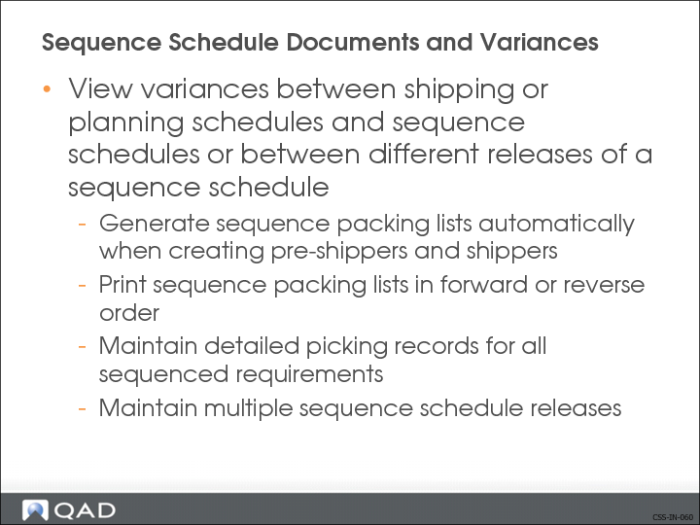
View variances between shipping or planning schedules and sequence schedules or between different releases of a sequence schedule.
• Generate sequence packing lists automatically when creating pre-shippers and shippers
• Print sequence packing lists in forward or reverse order
• Maintain detailed picking records for all sequenced requirements
• Maintain multiple sequence schedule releases
Customer sequence schedules is part of the customer schedules functionality found in QAD Release Management.
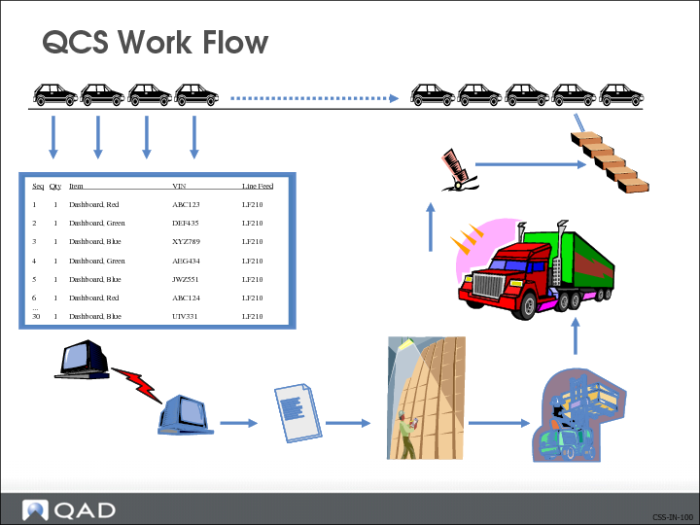
QCS Workflow
Some customers need a particular delivery sequence in order to facilitate the consumption of the parts by their own assembly process. Standard customer schedules did not meet this requirement
This type of shipping is becoming increasing popular with customers requiring larger subassemblies that are similar, but differ in color, size, or other optional features such as Sun Roof, Dashboards and Seats. Many companies that operate in just-in-time (JIT) environments regularly provide detailed customer sequence schedules to their key suppliers. These sequence schedules:
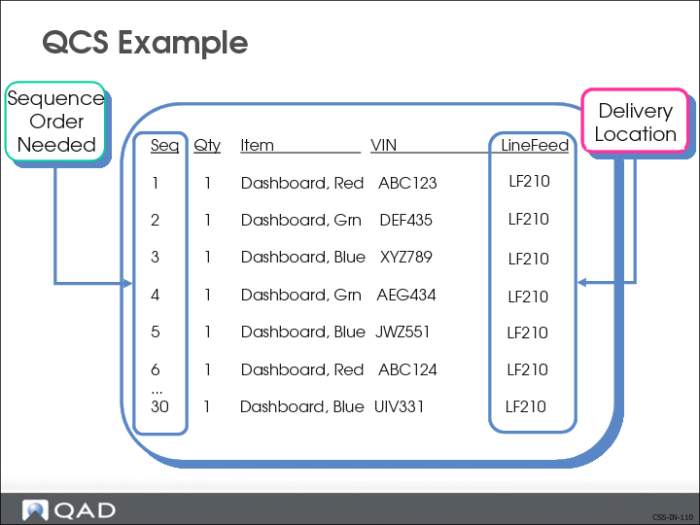
• List requirements in the order needed by the customer to build their products
• Can specify a delivery date and time
• Can specify a dock and assembly line-feed delivery location
For example, in a JIT manufacturing environment such as automotive, the supplier would provide subassemblies that are similar, but different in color, size, or other optional features (such as seating, sun roofs) directly to the original equipment manufacturer (OEM). The OEM schedules the production of the vehicles, including colors and options. These requirements, as well as the order (sequence) in which they are required, are sent to the supplier in a production sequence schedule or 866 document.
Suppliers receiving these customer sequence schedules need accurate and timely visibility into customer production line activity. They use the sequence schedule requirements to plan the manufacturing and delivery of the correct parts, in the correct sequence, to their customers. The sequence information also alerts them to any fluctuations in customer production.
QCS Example
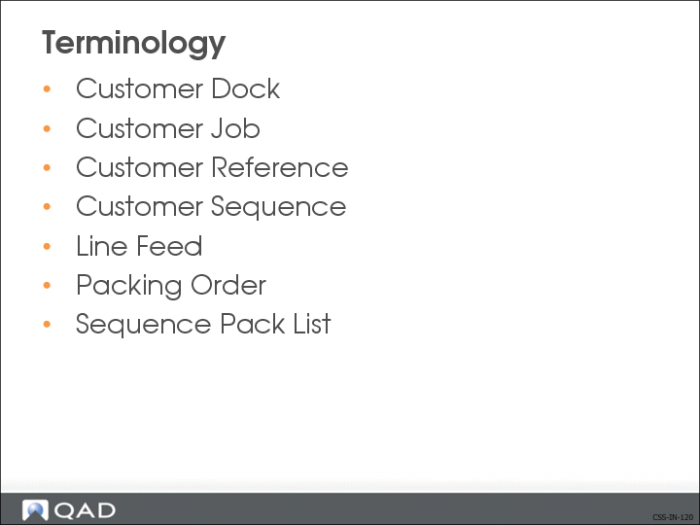
Terminology
Customer Dock
Identifies dock location within the customer’s site for material to be delivered
Customer Job
Customer supplied Id that identifies customer’s production process. It can contain alphanumeric values, such as a date (02/07/2012)
Customer Reference
Identifies the customer’s end item
• VIN (automotive)
• Serial Number
• Used as an ID to track sequences
• Must be unique
Customer Sequence
Customer supplied ID that identifies order of assemblies in their production process. It can contain alphanumeric values; for example, A001, A002, B001
Line Feed
Identifies location within customer’s site for material to be delivered.
Packing Order
Indicates how the material is to be packed according to the customer’s preference. There are two types:
• Forward
Reverse (first on top)
Sequence Pack List
New document that accompanies pre-shipper (total quantity). It displays items in sequence and facilitates material handling, staging, and shipping
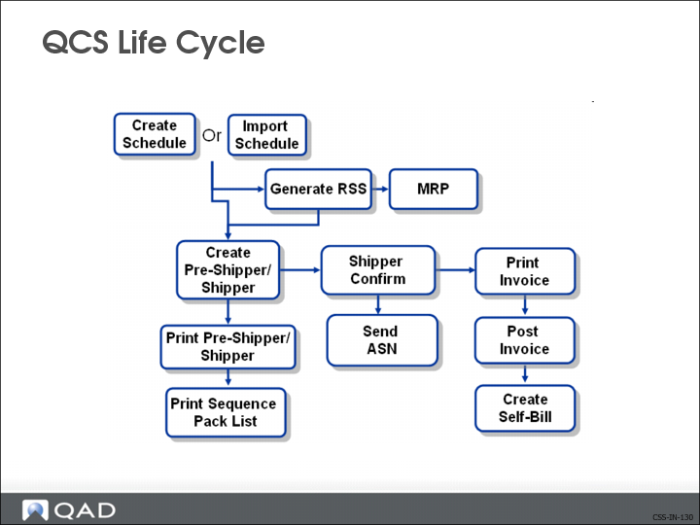
QCS Life Cycle
Processing QCS
The typical procedure for processing a customer’s sequence scheduled order is:
1 Create a sequence scheduled order for a customer.
2 Import the sequence schedule release from the customer.
• Long term planning schedule outlining the customer’s requirements (dates, quantities)
• Short term shipping schedule outlining what to ship day-to-day (optional)
3 Create the RSS to determine the required quantities for the customer’s sequenced scheduled order.
4 Using information from the RSS, determine the planning requirements for the sequence scheduled order.
5 Pick items being shipped.
6 Ship the ordered items.
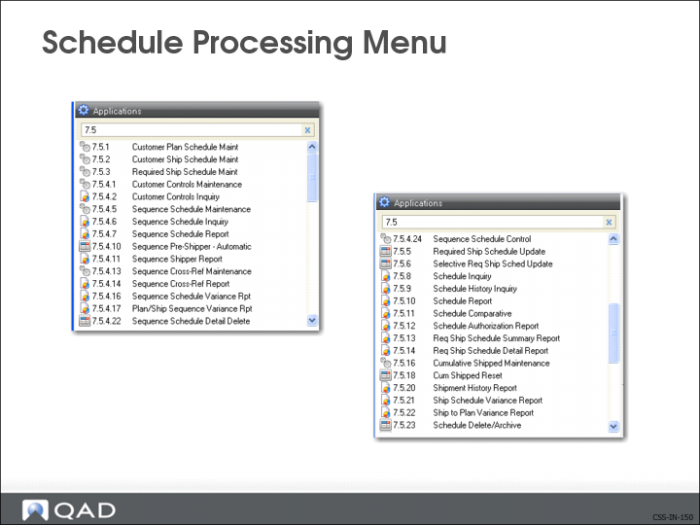
Schedule Processing Menu (7.5)
Access to the QCS functions.
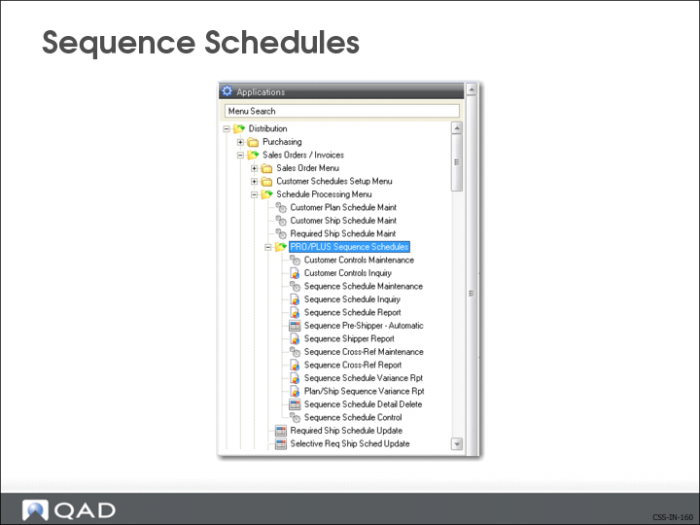
Sequence Schedules
Use the Sequence Schedules menu to access the QCS functions.
Review Questions:
1 What kinds of shipments demand Sequence Schedules? (Large subassemblies with optional features)
2 What are the advantages of QCS over standard Customer Schedules? (shorter lead times, greater detail)
3 What technology is required to transmit Sequence Schedules? (EDI)
4 What document type is transmitted? (866)
5 Can picklists include Sequence Schedules? (Y)