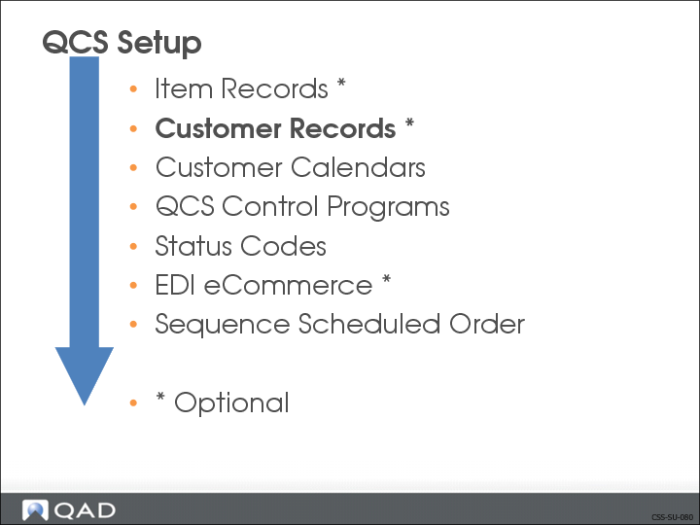
Customer Records
A customer record must exist for each of your customers. The system uses this information to identify the customer and to determine how to process the customer’s order.
Customer Maintenance (2.1.1)
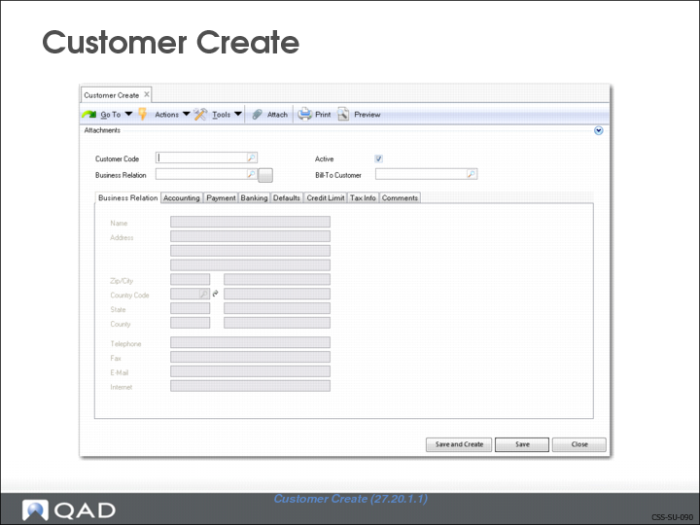
Use Customer Create (27.10.1.1) to set up and maintain customer records. Customer records contain information about the customer such as:
• Address (from the associated Business Relation)
• Bill-To Address
• Payment Information
• Defaults
• Credit Data
• Bank Information
• Tax Information
• Comments
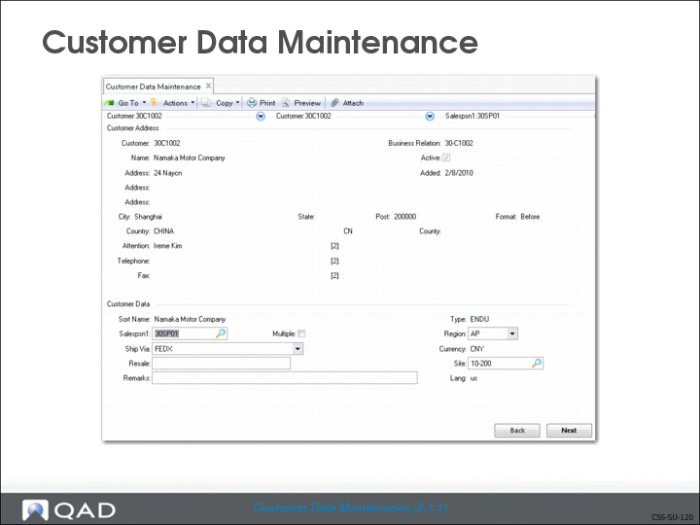
Customer Data Maintenance (2.1.1)
• Must be completed before you can use new customer record defined in Customer Create.
• Provides additional operational values, such as:
• Site
• Shipping information
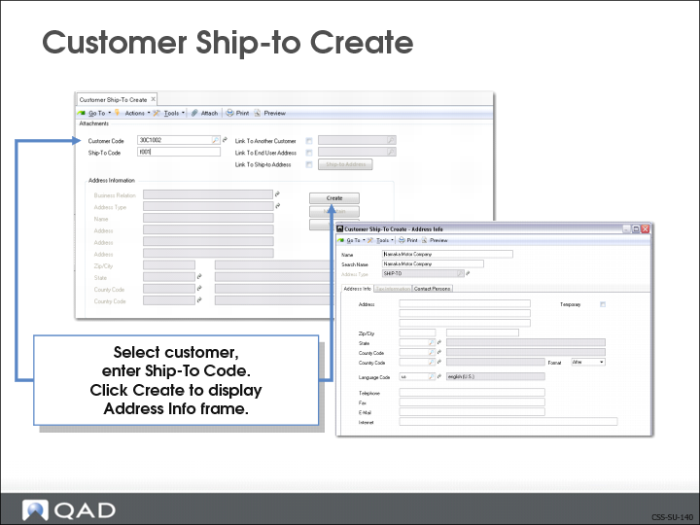
Ship-To Address
• Sold-to customer receives order by default, unless you assign a different ship-to
• Can set up alternate ship-to addresses in Customer Ship-to Create (27.20.2.1)
Exercise: Create Ship-To Address
Namaka want to receive the shipments at a location different from the corporate offices.
Since Nakama is an existing customer, the customer address has already been defined as part of AR setup. However, you do need to set up a ship-to address.
Use Customer Ship-to Create (27.20.2.1).
1 Create the Ship-To Addresses for the Namaka plant.
Field | Data |
Customer Code: | 30C1002 |
Ship-to Code: | f001 |
2 Click Create.
3 Enter the following values in required fields in the Address Information frame:
Field | Data |
Zip/City: | 90024 Los Angeles |
State: | CA |
Country Code: | USA |
4 Click Save.