Integration with Enterprise Financials: Backend
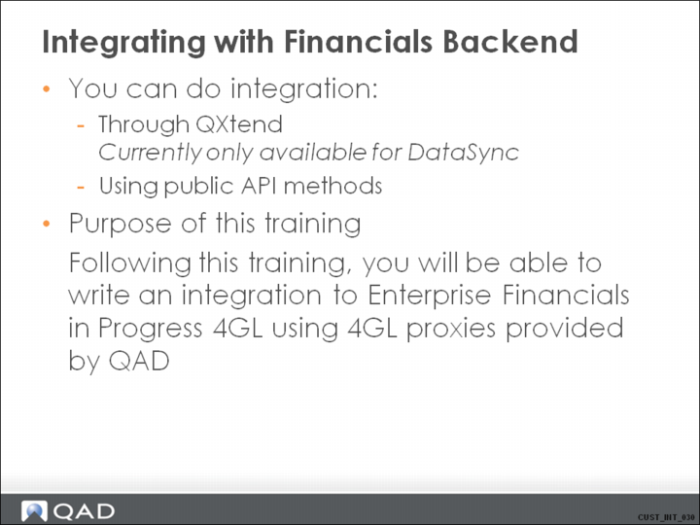
Integrating with Financials Backend
Refer to the QXtend training for information on how to set up and configure data sync for Financials data using QXtend.
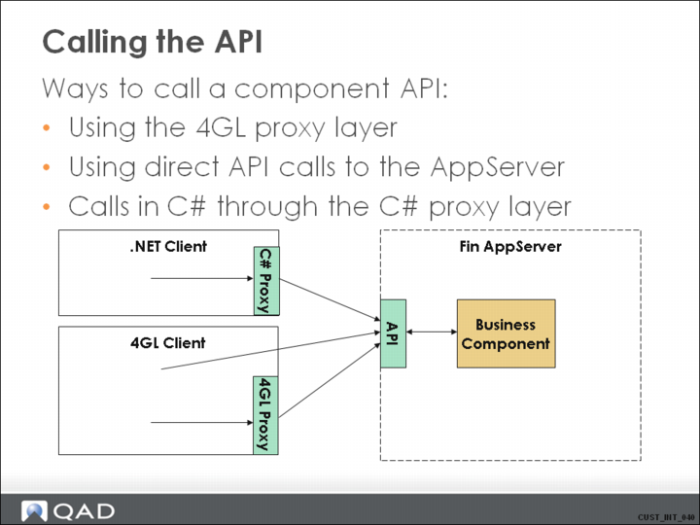
Calling the API
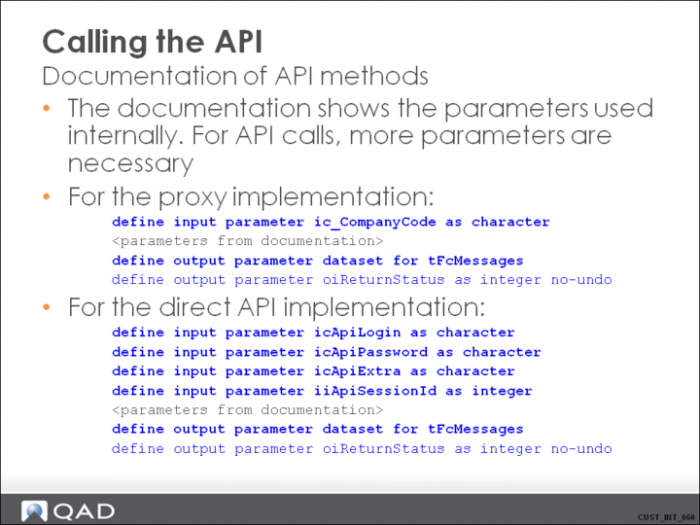
Refer to Calling API Documentation for more detailed information and sample code.
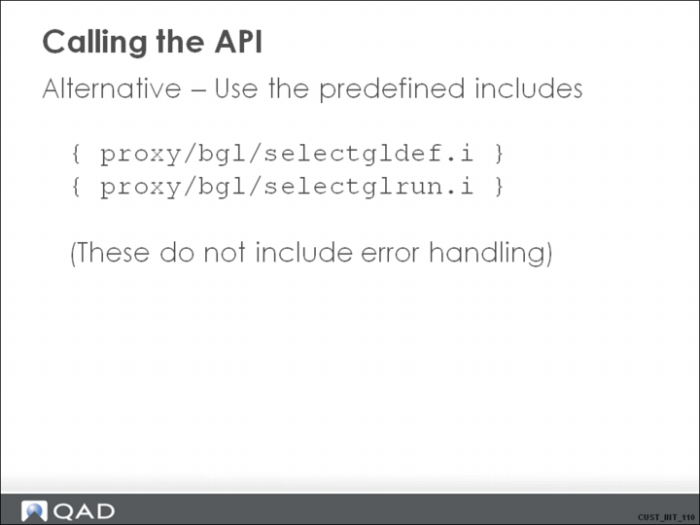
Calling the API 2
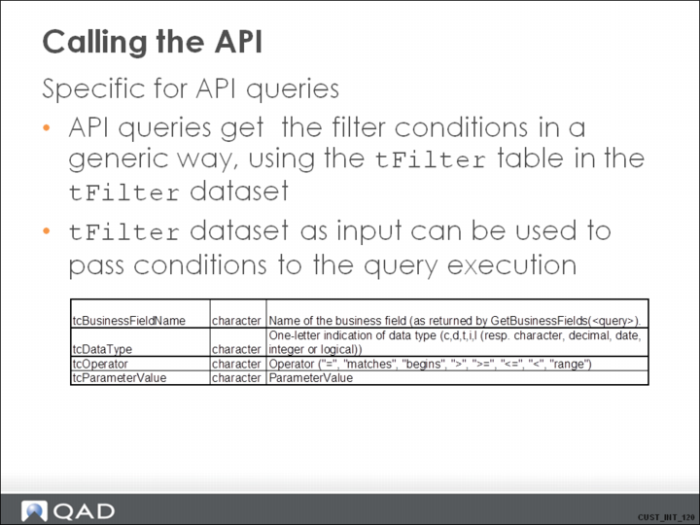
Calling the API 3
Calling the API 4
Calling the API 5
Calling the API 6
Calling the API 7
Calling the API 8
Calling the API 9
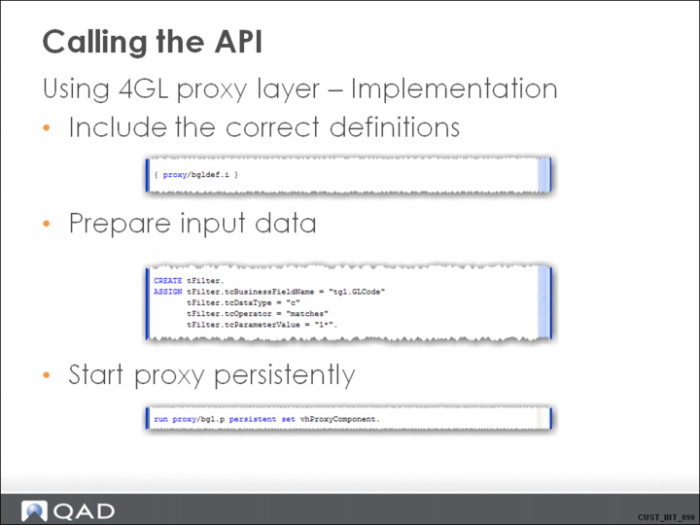
For example:
create tFilter.
assign tFilter.tcBusinessFieldName = "iiCompanyID"
tFilter.tcDataType = "i"
tFilter.tcOperator = "="
tFilter.tcParameterValue = STRING(9144).
create tFilter.
assign tFilter.tcBusinessFieldName = "icGLCode"
tFilter.tcDataType = "c"
tFilter.tcOperator = "="
tFilter.tcParameterValue = "2200".
create tFilter.
assign tFilter.tcBusinessFieldName = "icDomainCode"
tFilter.tcDataType = "c"
tFilter.tcOperator = "="
tFilter.tcParameterValue = "domain1".
Calling the API 10
With:
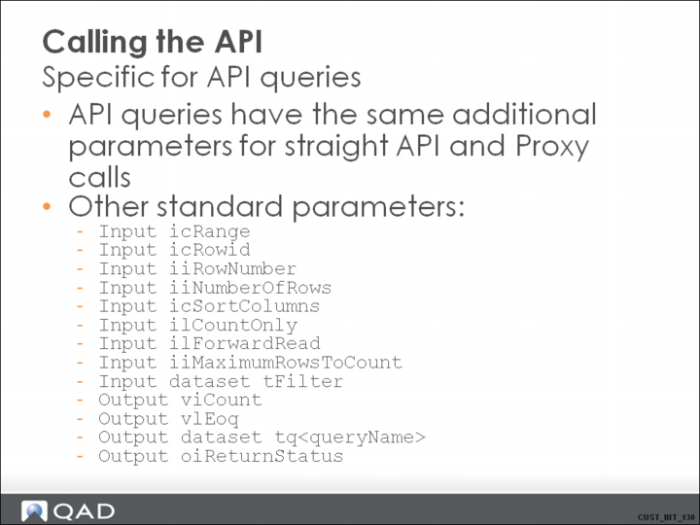
• icRange: The range to read: “A” (all), “F” (first) or “L” (last).
• icRowid: Start reading with this rowid (reposition first before start reading) (if = '' then start at beginning).
• iiRowNumber: The number of the row to start reading (if = 0 then start at beginning).
• iiNumberOfRows: The number of rows to read (if = 0 then all is read).
• icSortColumns: Comma-separated list of field on which the result list needs sorting.
• ilCountOnly: Default false. If true, only count, so the result dataset is not filled in, and only the viCount is returned.
• ilForwardRead (default true): Read forward through the query
• iiMaximumRowsToCount: Stop counting after number of rows (if = 0, NO COUNTING occurs).
• Dataset tFilter: The condition for the query (see HTML documentation for the specific query).
• viCount: The number of records counted.
• vlEoq: End of query reached. This is true if the last record matching the conditions was read from the database.
• Tq<QueryName>: The result dataset.
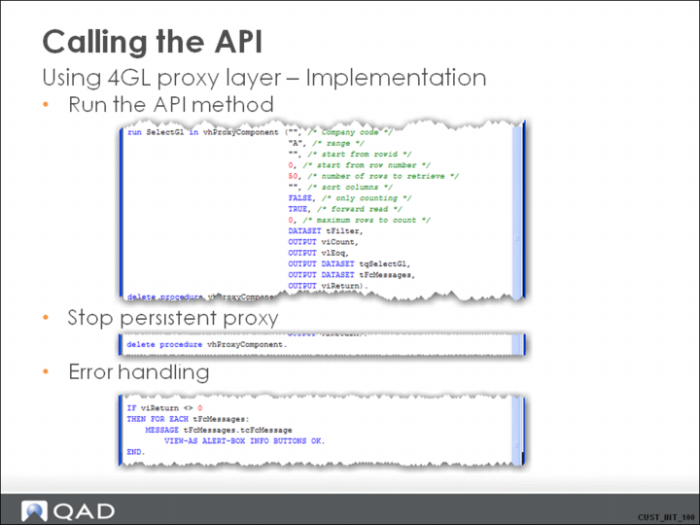
For example:
run SelectGl in vhProxyComponent ('', /* Company code */
'A', /* range */
'', /* start from rowid */
0, /* start from row number */
50, /* number of rows to retrieve */
'', /* sort columns */
FALSE, /* only counting */
TRUE, /* forward read */
0, /* maximum rows to count */
DATASET tFilter,
OUTPUT viCount,
OUTPUT vlEoq,
OUTPUT DATASET tqSelectGl,
OUTPUT DATASET tFcMessages,
OUTPUT viReturn).
Calling the API 11
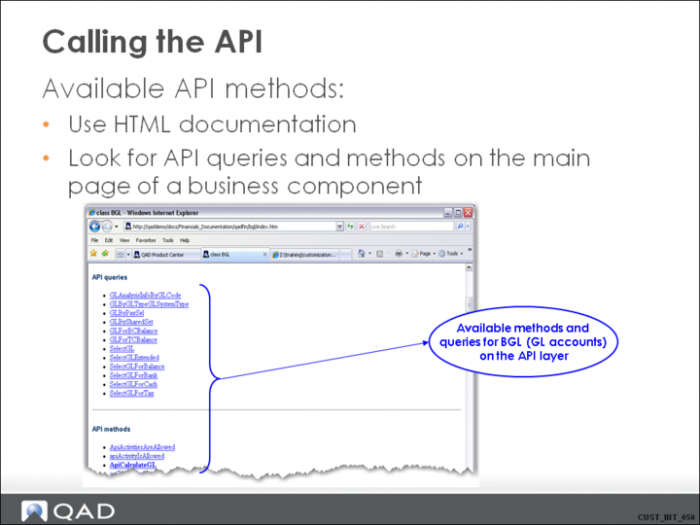
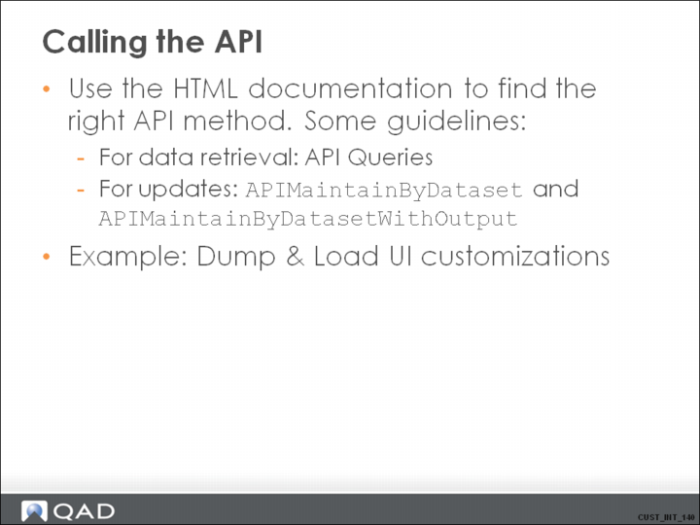
Use the HTML documentation for the classes to find the right method or query.
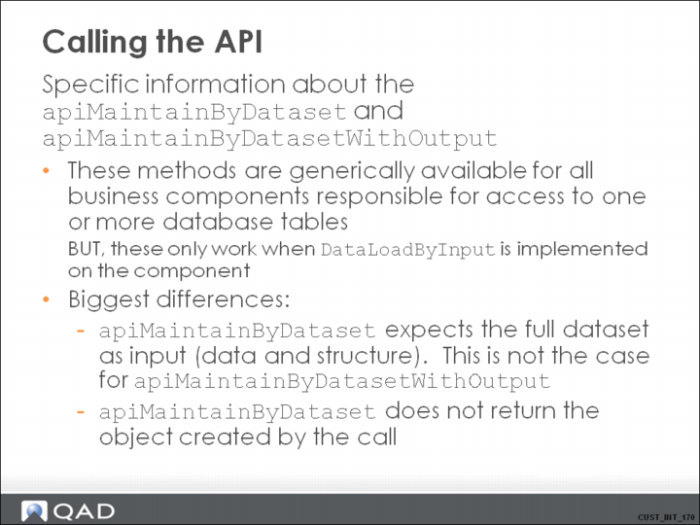
ApiMaintainByDataset is typically used for updates. This method has the object dataset as an input parameter. It generically creates data that is not found in the database, and updates the data it finds (using the alternate key: the object dataset is not expected to have ID fields filled in). It does not delete data.
The ApiMaintainByDatasetWithOutput method is the same method that is used for QXtend inbound integration, and the XML daemon. This method works only if the component has the DataLoadByInput method implemented. This can be checked in the HTML documentation, by looking at the code.
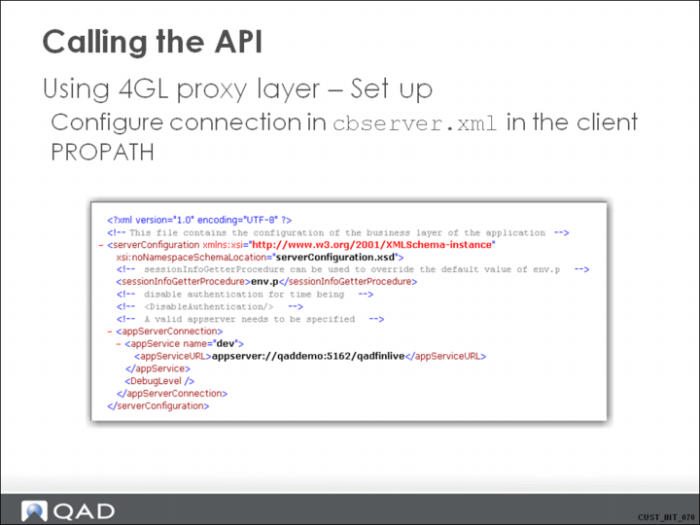
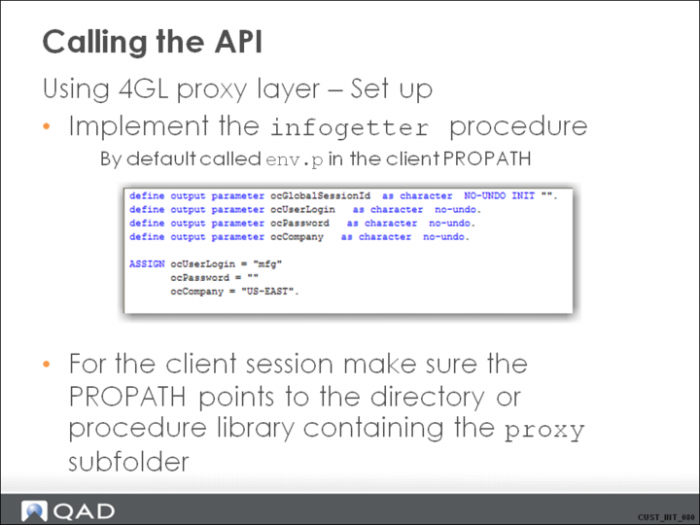
See the Solutions document for a description of what to do as preparation for API calls (cbserver.xml and env.p files).
Calling the API 12
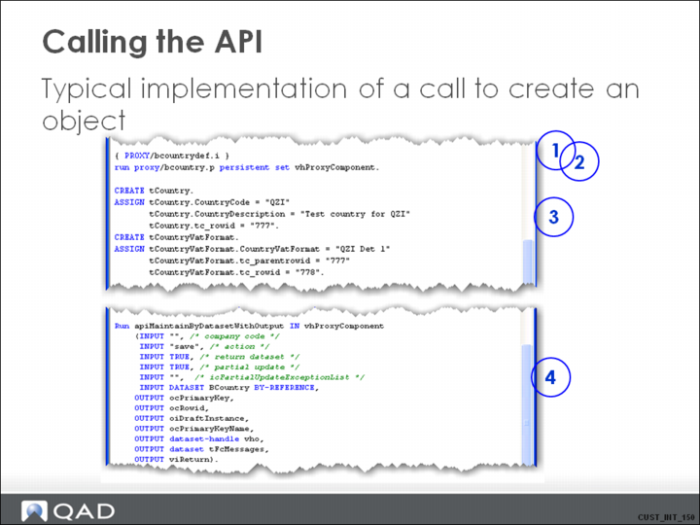
This example uses the apiMaintainByDatasetWithOutput method to create a Country object on the Financials business layer.
The following needs to be done on the client caller to implement this:
1. Include the definitions for everything required on the client side proxy call.
2. Run the proxy method persistently.
3. Create the records that hold the information of the country object that needs to be created. Remark the tc_rowid and tc_parentrowid. These fields need to be filled in because this is how the backend knows what information belongs together. In this simple sample, we are creating only one object. Of course, it is possible to create a whole set of objects in one call.
4. Run the ApiMaintainByDatasetWithOutput method.
Calling the API 13
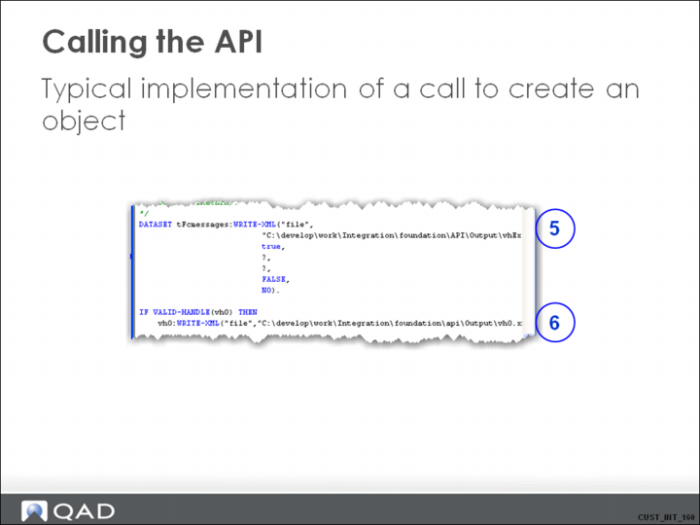
5. Use the information in tFcMessages to look for any exception messages coming back from the business logic.
6. Use the output dataset to look for the exact data that was written to the database for the new object.
Calling the API 14
apiMaintainByDataset:
• Expects an input dataset that exactly matches the structure of the object dataset.
• Automatically detects if the object needs to be created or modified based on the alternate key values.
• Expects the full object data. Automatically deletes child records that exist in the database, but do not exist in the input dataset.
• Cannot be used to delete specific detail lines (child records).
• Cannot be used to add specific detail lines.
• Does not return the created/modified/deleted objects. It only returns a result via the oiReturnStatus.
apiMaintainByDatasetWithOutput:
• If ilPartialUpdate is true:
• Expects an input dataset that can be a subset of the object dataset what concerns the structure.
• For modification of objects, the data passed to the method does not need to be complete. The bare minimum is the alternate key fields of the main table in the object.
• If fields are passed with value ? (unknown value / null), they are not updated in the database (exception can be made by using icPartialUpdateExceptionList).
• Value of “tc_rowid” is taken into account for deletion of child records. If the tc_rowid is “D”, the logic tries to delete the record.
• This method returns the object dataset if ilReturnDataset is set to true.
Calling the API 15