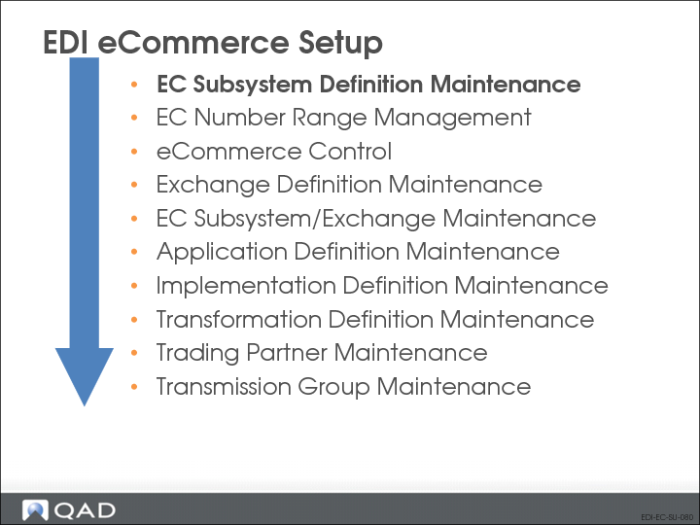
Defining EC Subsystems
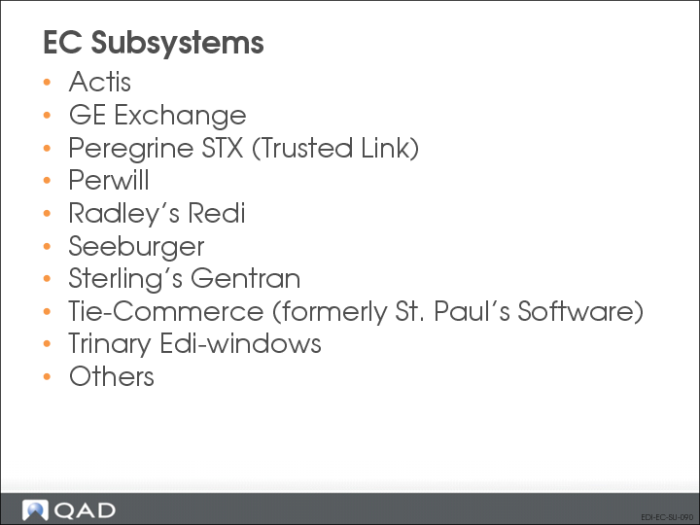
EC Subsystems
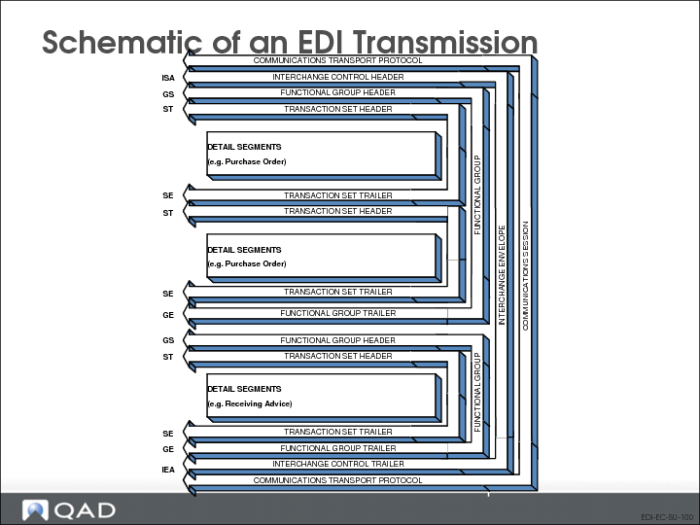
Schematic of an EDI Transmission
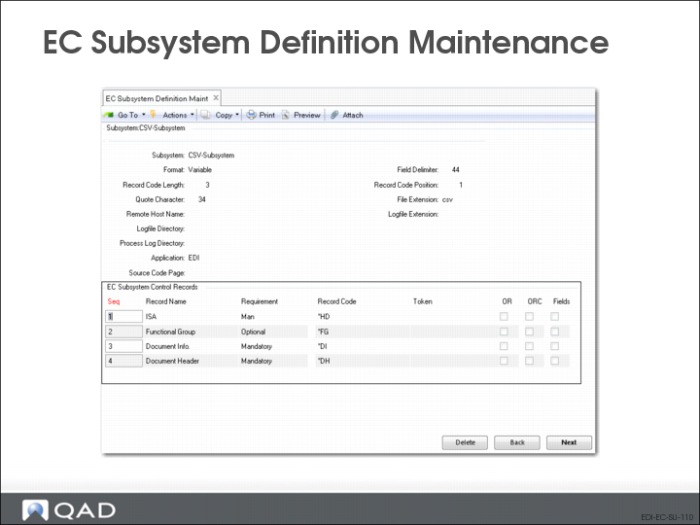
EC Subsystem Definition Maintenance: Basic Information
Use EC Subsystem Definition Maintenance to define the format and content of the control records exchanged between an EC subsystem and QAD Enterprise Applications. The values you enter must correspond to those used in the SNF file by the EC subsystem you are defining.
The program consists of three frames. Use the first frame to define basic EC subsystem data.
EC Subsystem Data Frame
Create a separate EC Subsystem Definition Maintenance record for each direction—inbound and outbound. The combination of subsystem and direction is a unique identifier, so you can use the same subsystem name for both.
Subsystem
Enter up to 20 characters to identify an EC subsystem that exchanges data with your system. Use any name that makes the subsystem easy to identify. For example, if you use the same subsystem for both imports and exports, you might add the suffix “In” or “Out” to the end of the subsystem name.
Format
Specify whether the fields in the records used by the EC subsystem are fixed or variable lengths. Enter a question mark (?) to indicate XML format.
Field Delimiter
If you specify variable-length fields for this EC subsystem, enter the ASCII code for the character the EC subsystem uses to separate fields.
Record Code Length
Enter the number of characters the EC subsystem uses to indicate the type of record it is sending. This value must be between 1 and 20.
Record Code Position
Enter the number of the character position where the record code begins.
Enter zero to indicate that the record code is in the last position in the document.
Quote Character
Enter the ASCII code for the quote character used by the EC subsystem. If no quote character is required, enter zero.
File Extension
Enter the three-character file extension that the EC subsystem uses to identify its inbound files. For outbound files exported by your system, the system appends this extension to identify the files to the EC subsystem. The name of the file is based on data you define in Transmission Group Maint.
Additionally, the load function uses this extension to determine which EC subsystem definition to use for interpreting control records.
Remote Host Name
If this EC subsystem runs automated activities on a host computer, enter the name of that host computer. For example, you might run an e-mail program on this system to process messages containing exported files.
To specify the program to be run on the remote host, use the Processing Program field in the Transmission Group record for the transmission group that accesses this host.
Logfile Extension
If the computer specified in Remote Host Name creates a log file related to its processing activities, enter its file extension.
Logfile Directory
If the computer specified in Remote Host Name creates a log file related to its processing activities, enter the directory that contains the log file.
Process Log Directory
Enter the complete path to the directory where the system creates log files when processing documents using this subsystem. The system verifies that this is a valid directory. This defaults from eCommerce Control, if a value is specified.
Process log files can be used for two purposes:
• As a record of what took place during a processing session, including warning and error messages.
• As source information for system-generated e-mail messages. When processing errors occur, the system automatically notifies the user by adding the process log file to an e-mail message, provided that e-mail system and address information is defined in User Maintenance. Additionally, it sends status information from the log to other e-mail addresses specified for individual location cross-reference records in Trading Partner Maintenance.
Unless it is blank, the subsystem definition value overrides the eCommerce Control value. If both are blank, logging is disabled, and process control functions do not create permanent log files. Instead, the system creates temporary log files in the user’s startup directory. After sending process status e-mail messages, the system deletes the temporary logs.
Direction
Specify whether this EC subsystem definition is for inbound or outbound records. In eCommerce, direction is always relative to your system—inbound for imports and outbound for exports.
Each EC subsystem must have separate definitions for inbound and outbound records.
Application
Enter a code representing the application to which this subsystem definition applies. The default is EDI.
Source Code Page
Optionally, specify the code page required by inbound files. This field defaults from eCommerce Control.
During import processing, the system converts the data to the system code page using the specified code page.
This field is not validated. Be sure that the value you enter is included in the Progress file DLC/convmap.cp. Otherwise, the conversion program returns an error.
Parsing Program
For an inbound subsystem definition, optionally specify the Progress program name of a procedure that runs before the system attempts to load the imported document.
A primary use of this field is to specify a program that sets default token values in situations where the inbound document does not provide such values.
Example: When you import bank statements for use by QAD Financials, the inbound document does not provide values required for the control record to set the tokens. Parsing Program can reference a program that rewrites the incoming document to an SNF file that provides a record code on each line. When it reads this file, the system can use these record identifiers to correctly interpret the document so that it loads without errors.
Control Records
Use the second frame to define the control records for this EC subsystem.
Seq
Seq
Enter a sequence number identifying the order in which control records are received from or sent to the EC subsystem.
Record Name
Enter the name of this control record.
Requirement
Specify whether this control record is mandatory or optional for the receiving system—your system for inbound documents or the EC subsystem for outbound documents. When mandatory records are not included in a document being processed, the system generates an error.
Record Code
Enter the alphanumeric code the EC subsystem uses to define this type of record.
Token
A token is a critical variable used to populate the exchange file master record during the load process. It provides such information as the trading partner identifier or the document type. Tokens determine the specific way data is transformed between the EC subsystem and your system.
If applicable, enter the name of the token associated with this record. Valid tokens are:
• tp-id (mandatory for transformation processing)
• tp-document-id (mandatory for transformation processing)
• tp-document-nbr
• tp-message-nbr
• tp-func-grp-nbr
• tp-interchange-nbr
• tp-address
• tp-site
• app-table
• app-table-index
• app-table-value
• app-document-id
• app-document-vers
• app-address
• app-site
To assign multiple tokens to one field, separate them with commas.
The system treats any other values in this field as reference information.
Omit Record
Enter Yes to prevent the system from writing this record to the output file.
Omit Record Code
Enter Yes to prevent the system from writing the record code to the output file. To prevent the record itself from being added to the file, set Omit Record to Yes.
Note: The Omit Record and Omit Record Code fields apply to exported files only. You cannot edit them in subsystem records for imported documents.
Fields
Enter Yes to display an additional frame that lets you enter or edit the fields contained in this record.