Session Report (35.7)
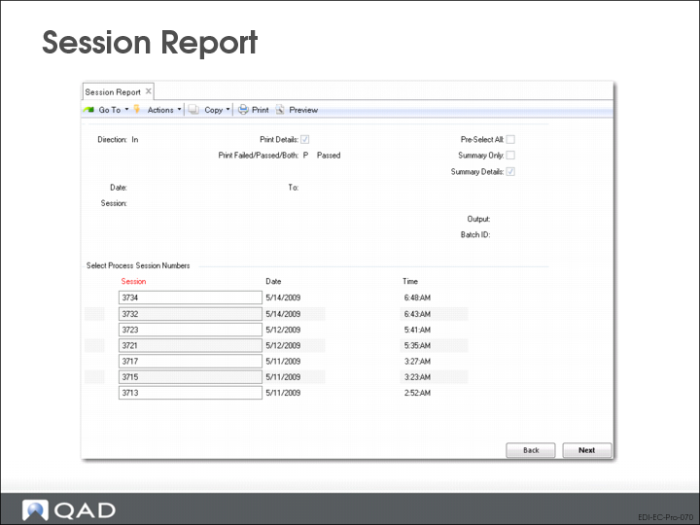
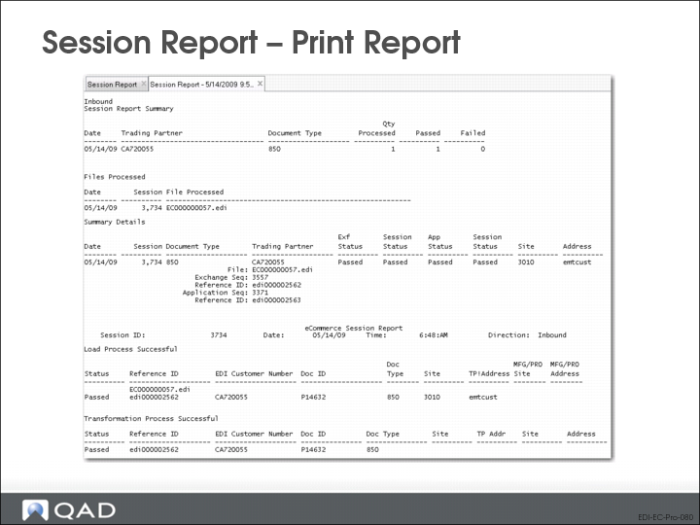
• The Session Report shows the status of document imports or exports at each processing step
• Use the report to analyze where problems occurred, then resolve the problems either at the source or in the data repository
Direction
Direction of the document transfers to be included in this report.
Print Details
Yes = include error messages on the report. No = report includes only the status code for each document processed during the session
Pre-Select All
Yes = all sessions selected when displayed in the selection list
No = sessions still display, but none are initially selected
Session
Session numbers of the process sessions to be included in this report.
• Separate multiple entries with commas
• Selected sessions are marked with an asterisk (*)
Pass/Failed/Both
Optionally limit the selection as specified.
Sample Session Report
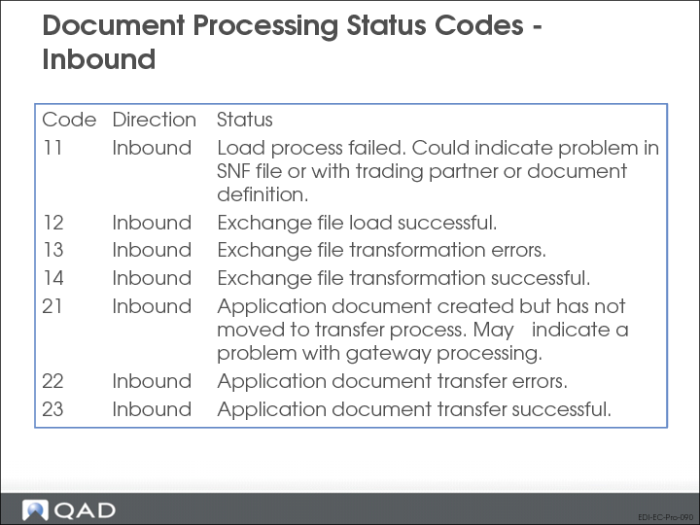
Document Processing Status Codes - Inbound
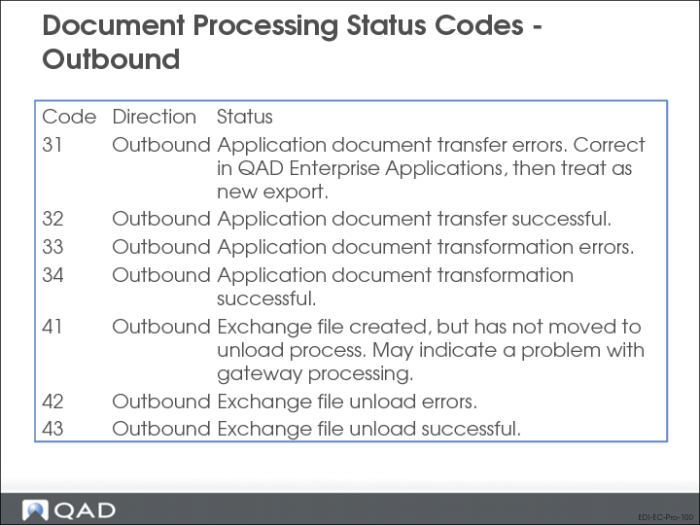
The system assigns a status code to each document at each step of the process:
Once you know the status of the document, which tells you where in the process any errors occurred, you can use one of the document repository inquiry or report programs to display the error messages and identify the causes of specific problems.
Document Processing Status Codes - Outbound