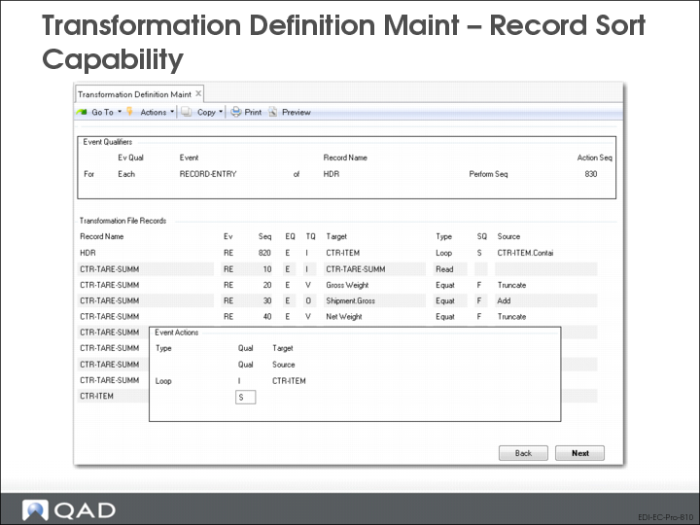
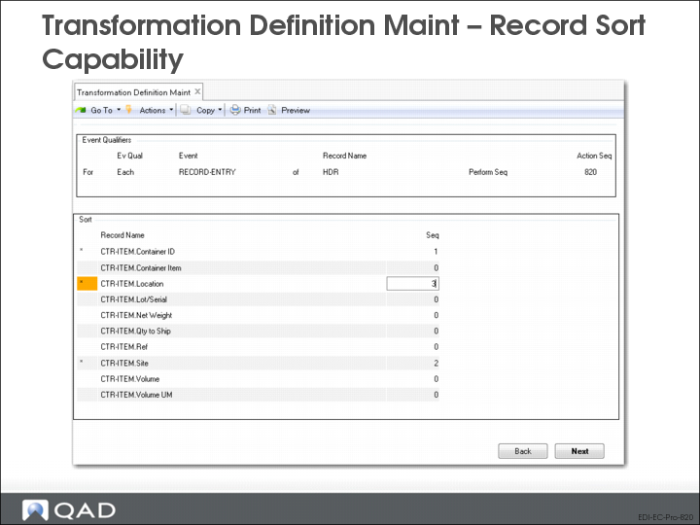
Transformation Definition Maintenance: Record Sort Capability
Transformation Definition Maintenance: Editing Records
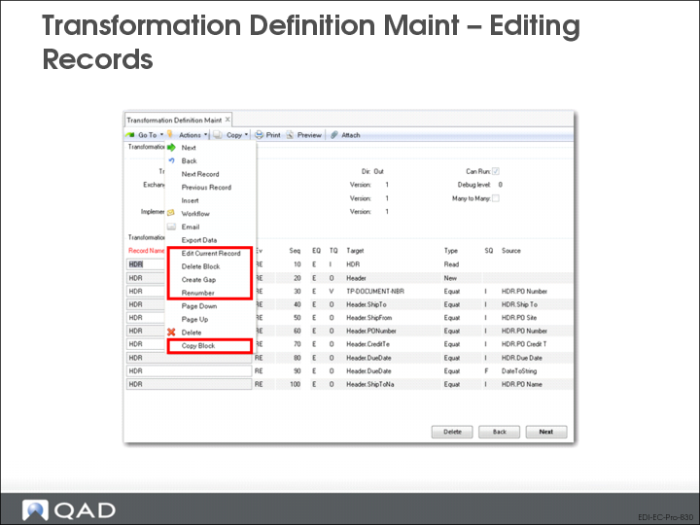
Transformation Definition Maintenance includes editing options that let you—among other actions—modify current event records without deleting and re-entering them, as required in earlier product versions. These options are available in both QAD .NET UI and character user interface when focus is on a record in the Transformation File Records frame.
• In QAD .NET UI, choose an option from the Actions menu.
• In the character UI, use the appropriate keyboard shortcut:
• Edit Current Record: Esc-e
• Delete Block: Esc-d
• Create Gap: Esc-g
• Renumber: Esc-r
• Copy Block: Esc-c
Note: If you have Standard Edition with the Windows (GUI) interface, use similar shortcuts, substituting Shift for Esc.
Edit Current Record
Use this option to update a transformation map event. You can change the event type, qualifier, target, source, and sequence. If the event action calls a function, you can reset the parameter values or change to a different function.
Delete Block
The system displays a selection range for the current record. The defaults cover all the action event sequence numbers for the record. Leave the fields as-is to delete all the events for the record, or modify them to delete just the range of events you want to remove.
Create Gap
The system prompts you to specify the length of the gap in sequence numbers to be created after the selected event. For example, if focus is on event action sequence 60 and you set the Create Gap Of field to 100, the system adds 100 to all the subsequent events in the current record. So, if the next sequence numbers were 70, 80, 90, the system would set the sequence numbers for the record to 60, 170, 180, 190, and so on.
Renumber
The system prompts you for an Interval—the new starting sequence number for each record in the transformation map, as well as the increment between event sequences. The system disregards the current sequences and begins each record with the specified value. For example, if you set Interval to 5, the system renumbers the events in each record as 5, 10, 15, 25, 35, and so on. You can perform this same function using Transformation ReNumber Utility (35.17.3).
Copy Block
Use this function to copy a specified range of event actions to the current transformation map or any other map in the system.
The system prompts you for the range of sequence numbers you want to copy. The default range is from the current event through the last one in the record. You then specify the destination of the copied events. The defaults represent the current record and transformation map. Use the arrow keys to scroll through valid destinations.
The new events start with the specified Destination Sequence; the system maintains the increments between the source events when assigning new sequence numbers. For example, if you copy sequence numbers 10, 15, 20 and specify a Destination Sequence of 21, the new events would be numbered 21, 26, 31—maintaining the original increment of 5 between events.