Domain Creation Process Flow
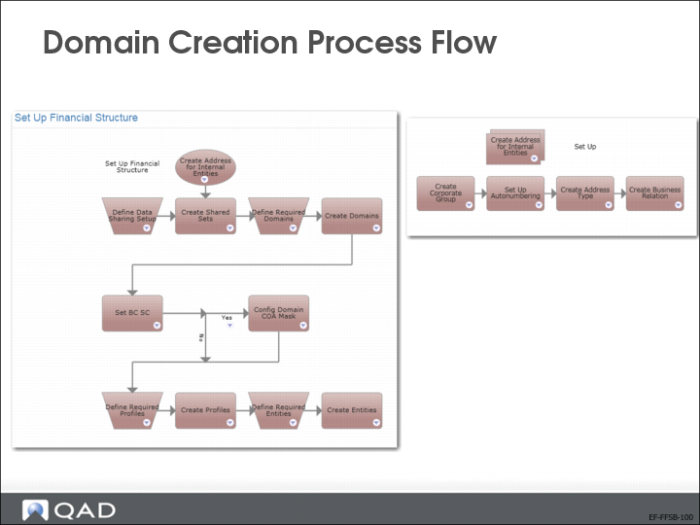
When you have defined system-wide data and shared sets, you can start to set up domains. The process maps above display the steps involved in creating domains.
Domain Create
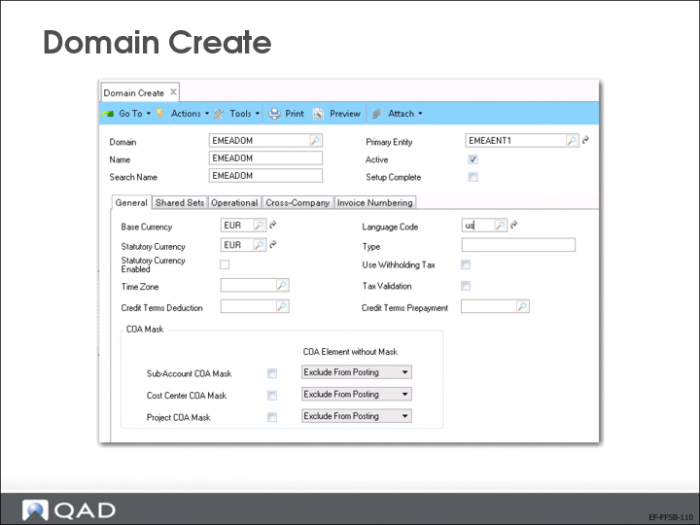
Use Domain Create (36.1.1.1.1) to define domain data, including the base currency, statutory currency, and shared set codes. You can specify values in fields, such as Primary Entity, after the entities have been defined.
Select the Setup Complete field after all the necessary domain data has been set up and you consider the settings permanent. After selecting the Setup Complete field and saving, the shared set codes, linked entities, and the base currency cannot be modified. The domain is only available to operational functions after its setup is complete.
Link Domain to Shared Sets
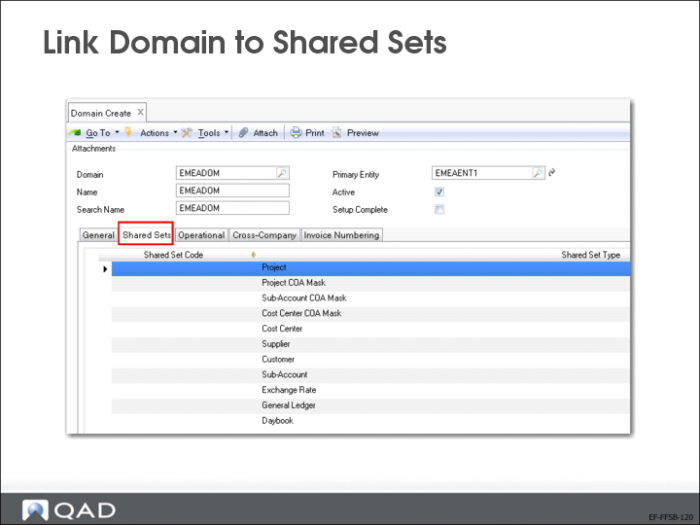
On the Shared Set tab in the domain record, specify a code for each shared set type. You can modify the domain shared set data until the domain setup is confirmed.
Each entity in the domain will use the same shared sets.
Domain-Level Data
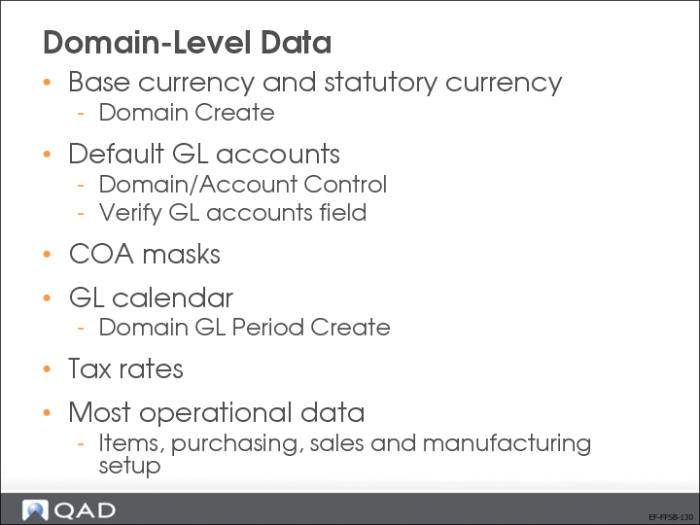
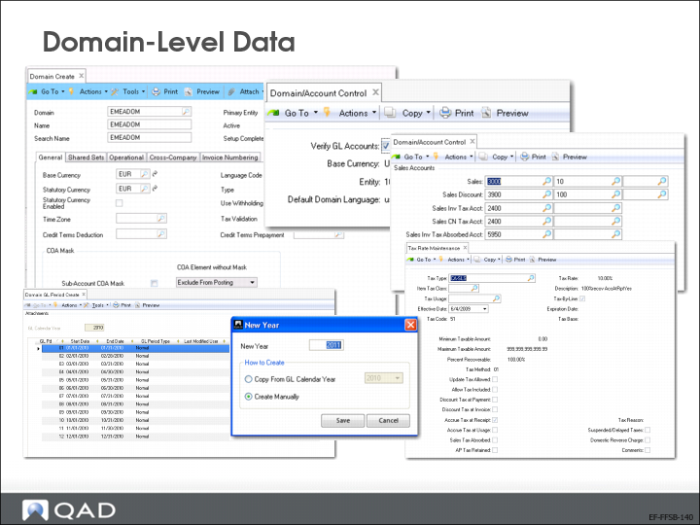
In Domain Create (36.1.1.1.1), define the domain base currency, and, optionally, the statutory currency.
After the chart of accounts is set up, you must use Domain/Account Control to define the default GL accounts, and to set the Verify GL accounts field to Yes to ensure that transactions are posted correctly. Later sections in this guide describe the use of COA masks to validate GL account combinations.
The GL calendar and the tax calendar can differ. You define these calendars in Domain GL Period Create (25.4.1.1) and Tax Period Create (25.4.4.1) respectively. You can copy the tax period from the GL period if they are the same.
Tax rates, which you define in Tax Rate Maintenance (29.4.1), are the only tax elements that are stored at domain level.
Most operational data is defined at domain level such as items, purchasing, sales and manufacturing setup.
Account defaults and control, GL periods, and tax rates are set up at domain level. Use Domain/Account Control (36.9.24), Domain GL Period Create (25.4.1.1), Tax Period Create (25.4.4.1), and Tax Rate Maintenance (29.4.1) to configure this data.