Security Setup
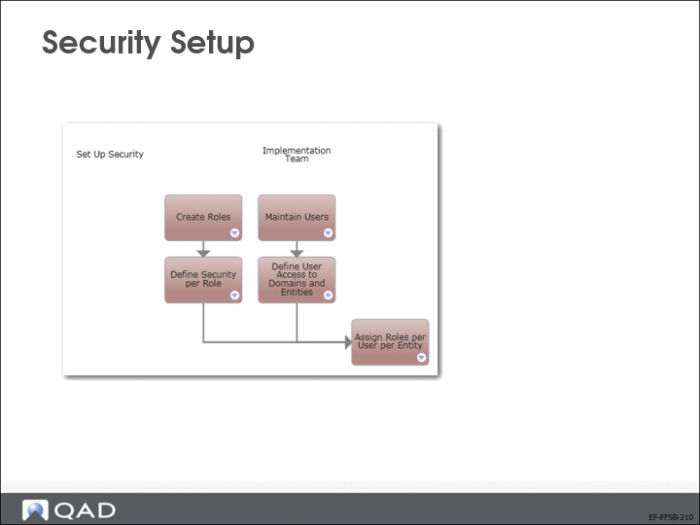
After defining a new entity, you must define user security and access. To set up security, you must define three main elements:
• Users
• Roles
• Permissions
The configuration for the three areas must be linked in a fourth step.
Roles
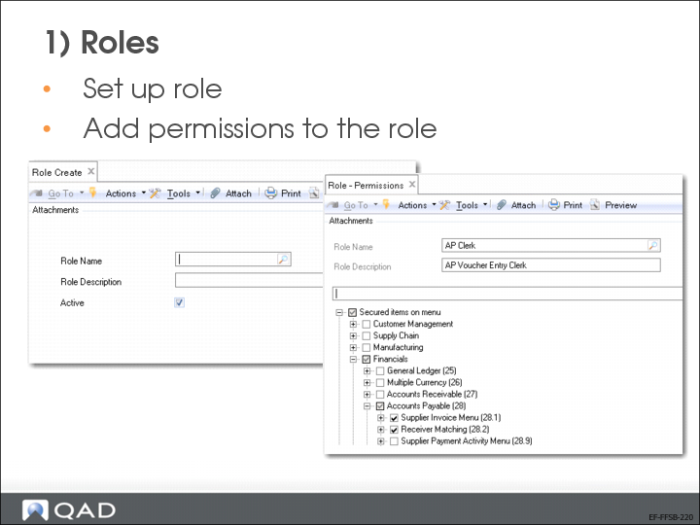
In Role Create (36.3.6.1), enter a name and description to create a new role.
During implementation, you can create inactive roles by clearing the Active field. An inactive role cannot be referenced in any functions other than Role Create.
Users
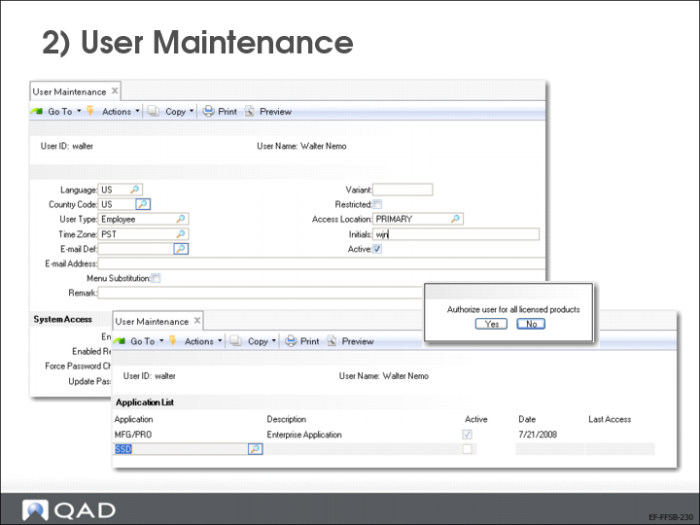
In User Maintenance (36.3.1), define a user ID. If you enter or modify the user name, the following message will display:
“You can delete the user at this step only if the user has never logged into system.”
User Access
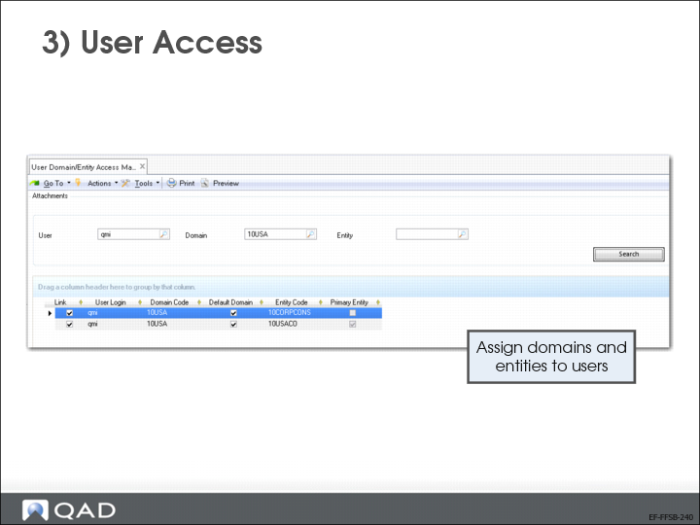
Go to User Domain/Entity Access Maintain (36.3.4) to set up the user access.
Select the user and click Search. A new window will display. Link a user to an entity by selecting the field in the Link column.
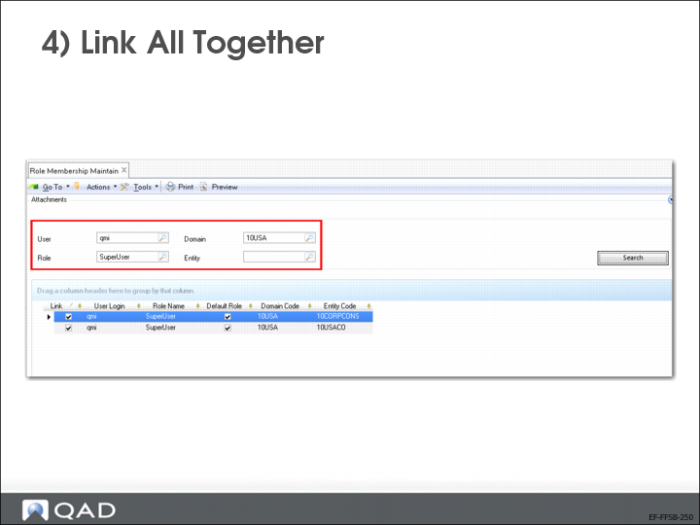
Link All Together
Go to Role Membership Maintain (36.3.6.6)
Select either a user, role, domain, entity or a combination, then click Search. Link a user to a role for the entities that the user has access to.
A user can have different roles in each entity.