Customer Invoice Record
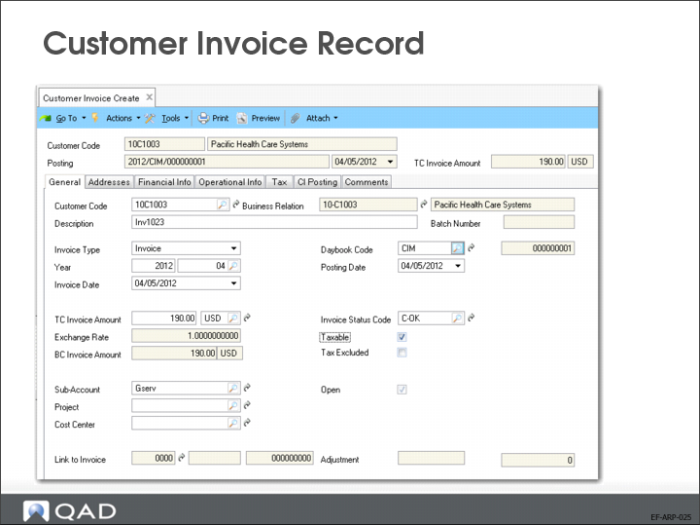
The Customer Invoice function is used for two purposes:
1 Viewing and modifying invoices and credit notes created by Invoice Post and Print (7.13.4). Most of the information on these sales-related invoices defaults from the associated sales order and is set during invoice post. You can modify only a small subset of fields (more details are provided on this later).
2 Creating invoices for miscellaneous customer charges or credit notes. For this type of manual invoice, you must specify fields that are automatically populated during invoice post.
General Tab
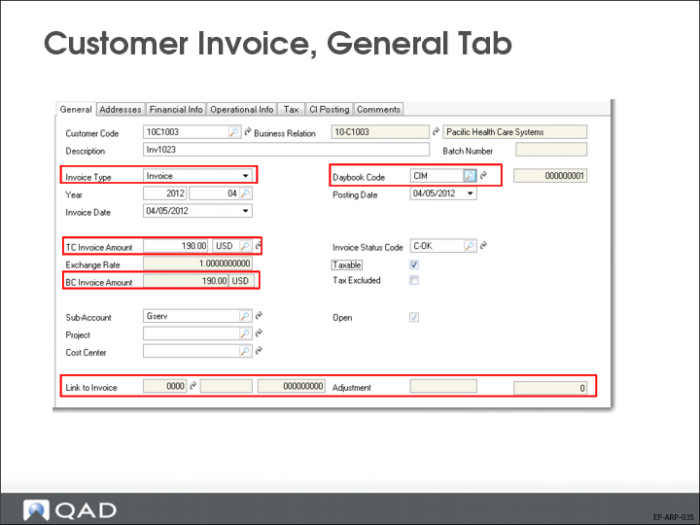
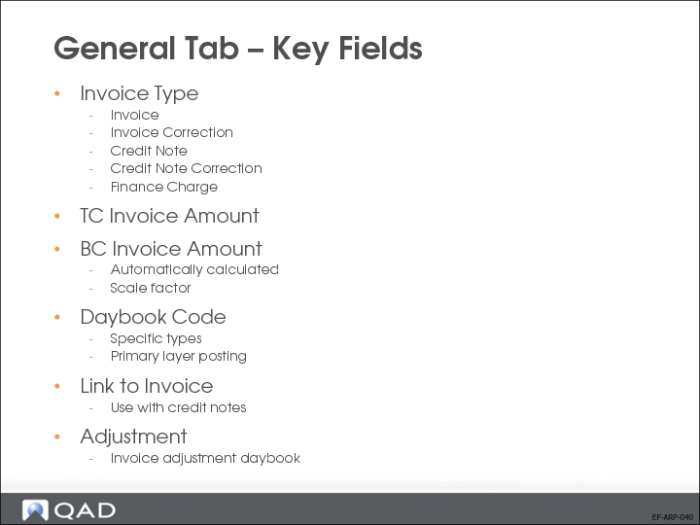
BC Invoice Amount
Automatically calculated using the correct accounting type exchange rate
Scale factor: Calculate actual exchange rate by multiplying defined exchange rate by scale factor (for use with a greatly inflated currency)
Link to Invoice
Use with credit notes to link to existing invoices. When you link to an invoice, the system creates an automatic invoice adjustment.
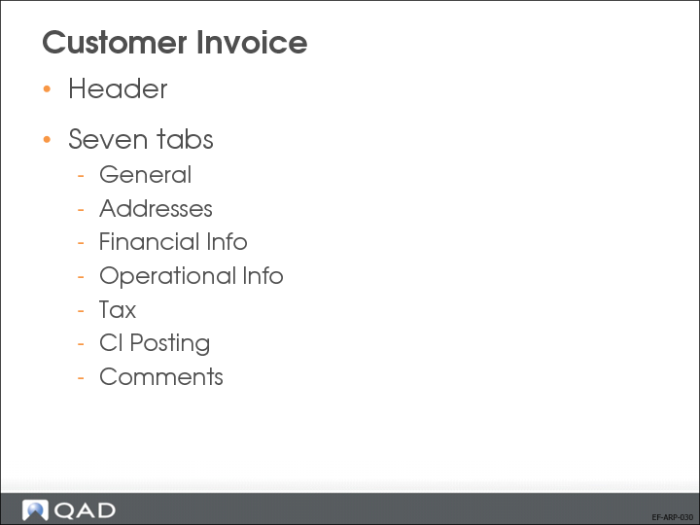
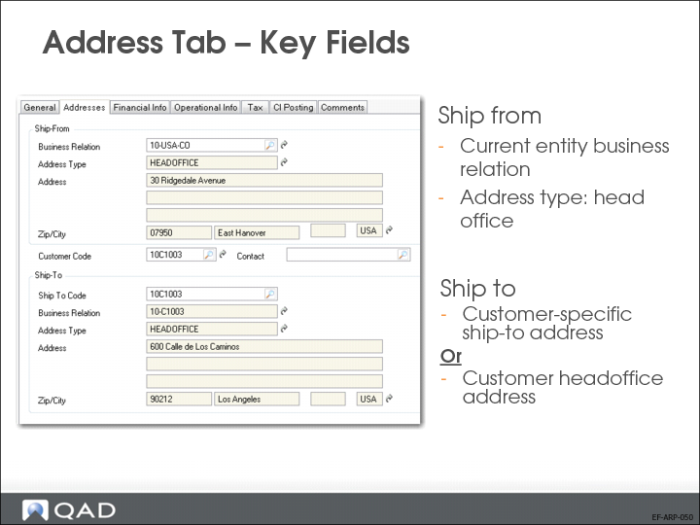
Address Tab—Key Fields
Use the Addresses tab to specify the Ship-From address, which identifies one of your inventory sites, and the customer ship-to address.
The address on the General tab is the bill-to address for the invoice.
All fields in this tab display read-only information for sales-related invoices, except for the Sold-To Customer Code.
The system uses the Ship-From and Ship-To addresses to select the correct tax environment for tax calculation.
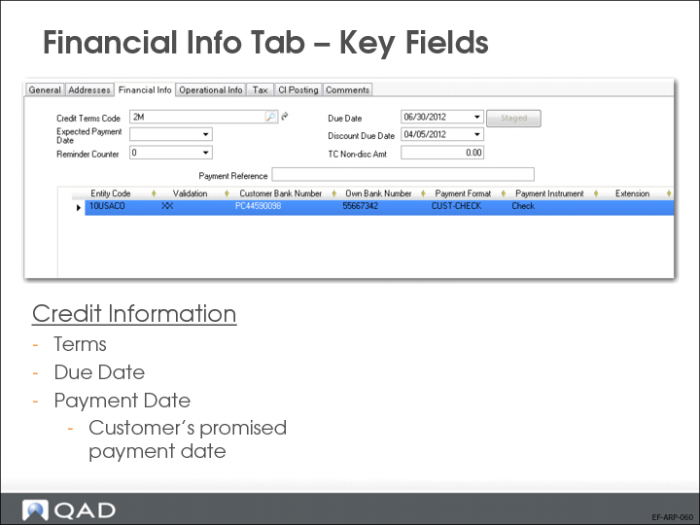
Financial Info Tab—Key Fields
Credit Terms Code
Specify the credit terms that apply to this invoice. Credit terms determine invoice due dates and any settlement discounts on early payments. Credit terms also determine if multiple payments are made in stages based on invoice percentages.
When the credit terms code is changed, the invoice due date is recalculated.
Credit terms default from the customer record. Credit terms for sales-related invoices default from the associated sales order.
When you specify a credit terms code that has been defined with stages, you can view and update the staged terms by clicking Staged.
Due Date and Discount Due Date
These fields display the date when payment is due and the last date a discount applies, calculated by the system based on the credit terms and the invoice date. You can modify the due dates without affecting the credit terms.
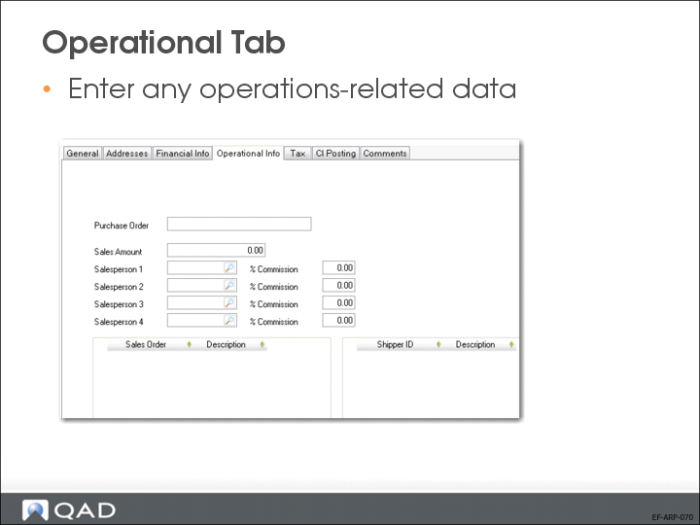
Operational Tab—Key Fields
The Operational Info tab displays data for sales-related invoices only. In this case, details about the originating sales order are displayed for reference. For a sales-related invoice, only the Sales Amount used for calculating commission can be modified. For a manually created invoice, you can specify a purchase order number, sales amount, and salesperson.
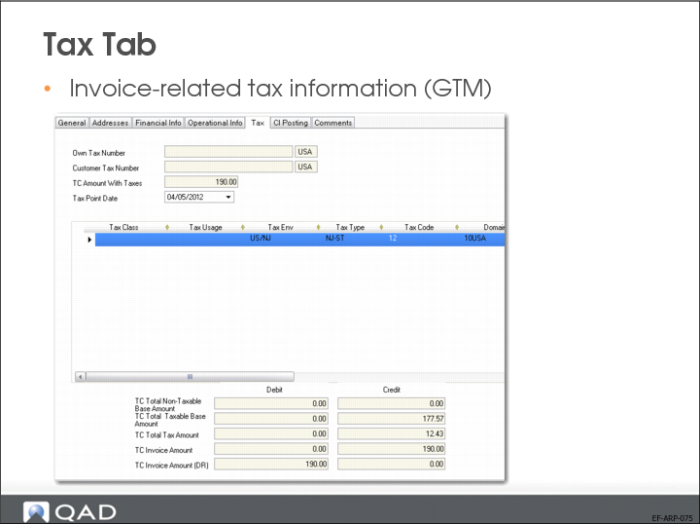
When the invoice is taxable, the system calculates tax information and displays it on the Tax tab. This information is read only for sales-related invoices, and reflects the tax amounts generated based on the order tax details.