AP Payment Process
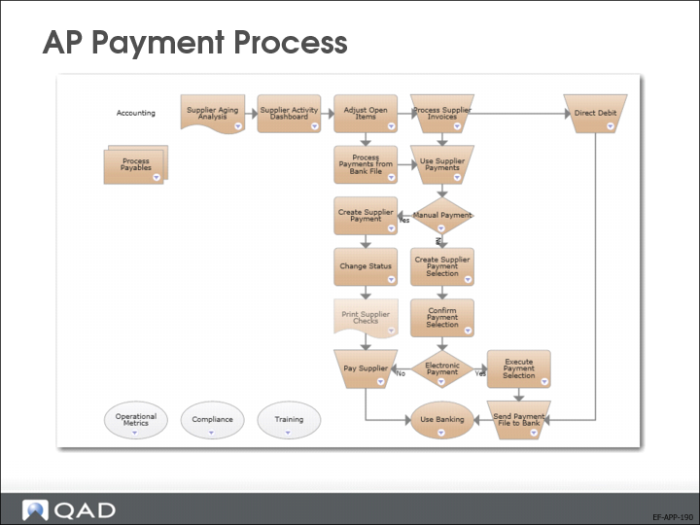
The AP payment functions automate the payment process. The supplier payment functionality in QAD Enterprise Financials processes paper and electronic payments through an approval cycle, with each stage generating its own posting.
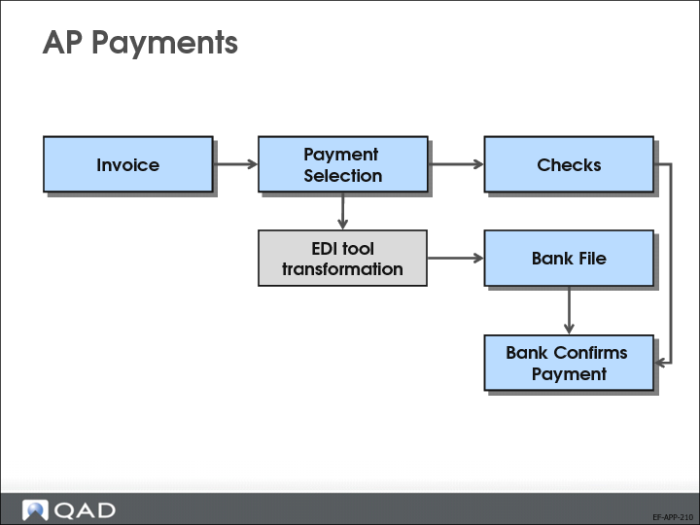
You can create and transfer payments in electronic format to your bank, with each payment file formatted according to their requirements.
When you configure bank account information and payment format defaults for a supplier, these defaults are automatically used in every payment to that supplier.
AP Payments
In QAD Enterprise Financials, you process supplier payments in the same way as customer payments. You can use Supplier Payment Create (28.9.3.1) to create manual AP payments for paper-based documents.
You can use Supplier Payment Selection Create (28.9.4.1) to create electronic AP payments containing electronic files for transfer to your bank.
AP Payment Flow
Supplier payments are associated with status codes that are used to manage the payment process through final collection and updating of accounts. Process the payment by changing the payment status from one status to the next in the sequence that meets your business requirements. Different payment instruments follow different status sequences. The number of statuses needed depends on your particular implementation. At a minimum, there must be two statuses: Paid and Void. Typically, a For Collection status is required for payments sent to the bank. You can use the Initial status to register initial payments.
Use Supplier Payment Status Create (28.9.1.1.1) to set up payment statuses for each stage in the payment sequence, and you move the payment from one status to the next by changing its status. Each status change generates a posting that updates supplier accounts. The default accounts used in supplier payments are the supplier payment and supplier control accounts.
The setup procedure for supplier payments includes:
• Defining bank accounts and payment formats. Define as many payment formats as you have different types of supplier payments. The system retrieves your bank account details and the formats required for payments from the account information you define on the Banking tab of the supplier record.
• Defining Supplier Payment accounts to associate with payment statuses.
• Defining a Supplier Payments daybook to contain the postings generated by the status transitions.
• Creating a set of payment statuses to match the stages through which you want to process the payment.
• Defining payment groups for managing the selection process.
• Creating a supplier payment.
Supplier Payment Groups
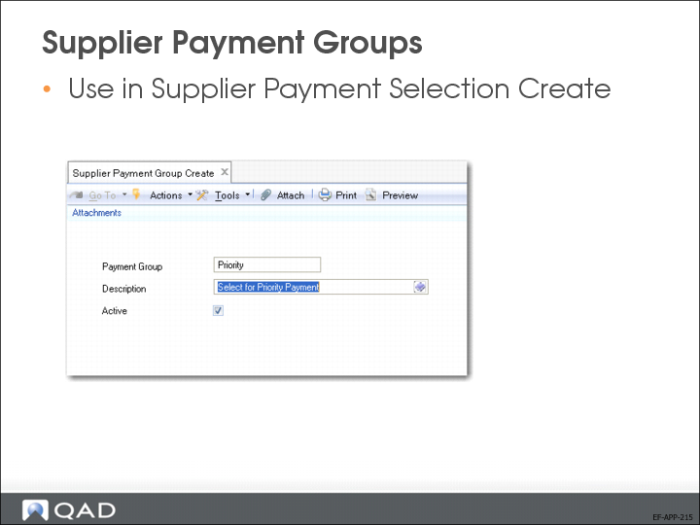
Use Supplier Payment Group activities (28.9.1) to create, modify, view, and delete codes for grouping payments. You can select payments for processing by payment group code in Supplier Payment Selection Create (28.9.4.1).
Checks
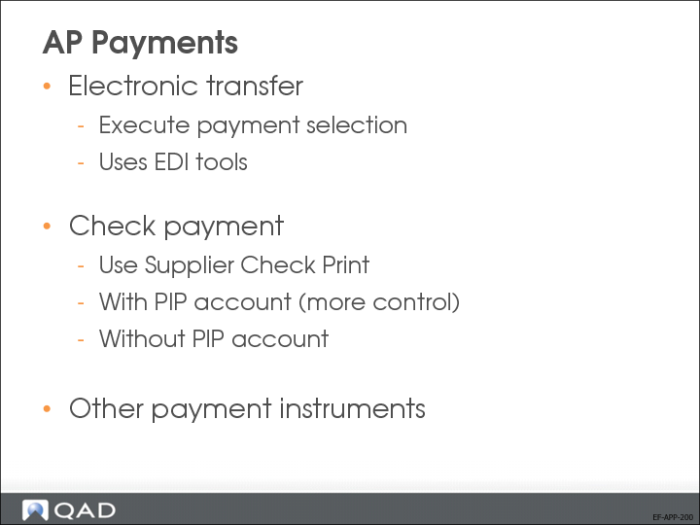
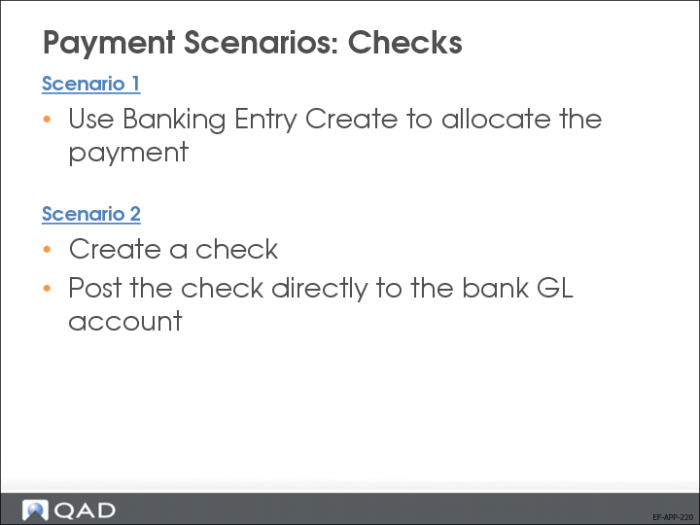
Supplier check payments can be handled in different ways:
• Allocate the check directly in Banking Entry Create (without creating a supplier payment record for the check).
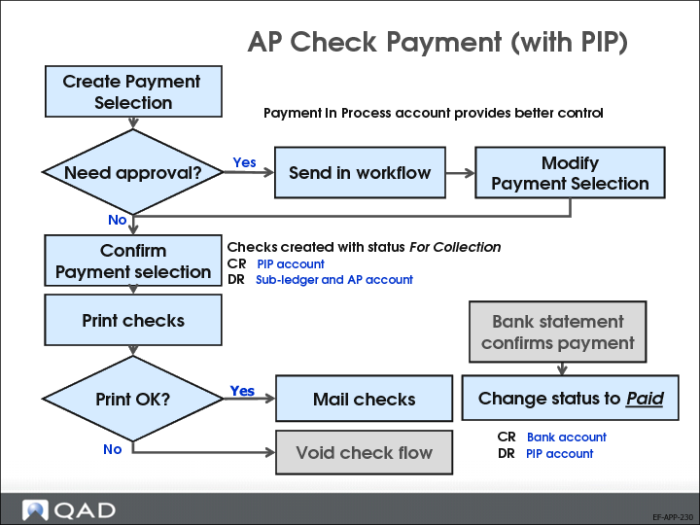
• Post the check to the bank GL account using a PIP (Payment in Process) account for ease of reconciliation, and, optionally, use Banking Entry Create to allocate the check.
AP Check Payment (with PIP)
Create, approve, and confirm the supplier payment selection.
Print the supplier checks and send them to your suppliers
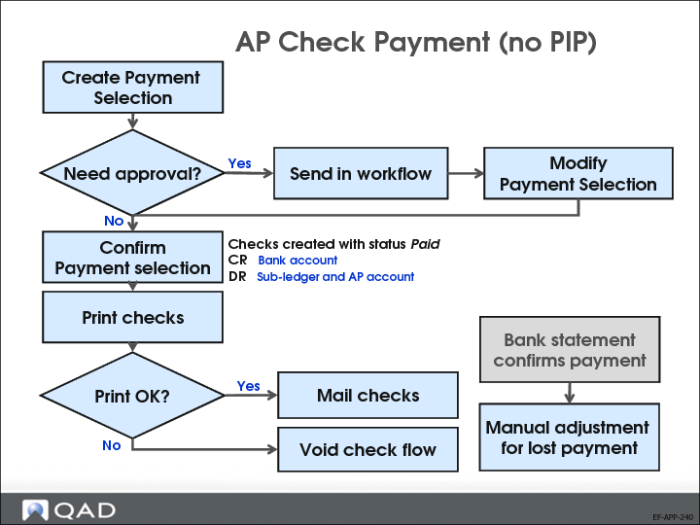
AP Check Payment (no PIP)
The Supplier Payment Selection Confirm step posts directly to the bank GL account.
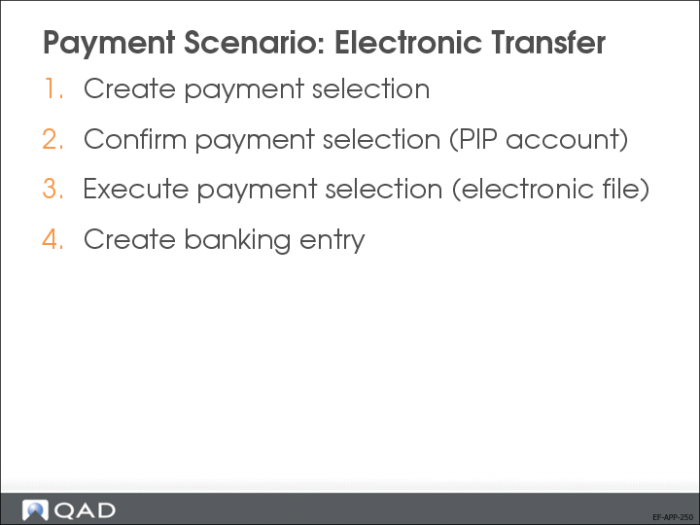
Electronic Transfer
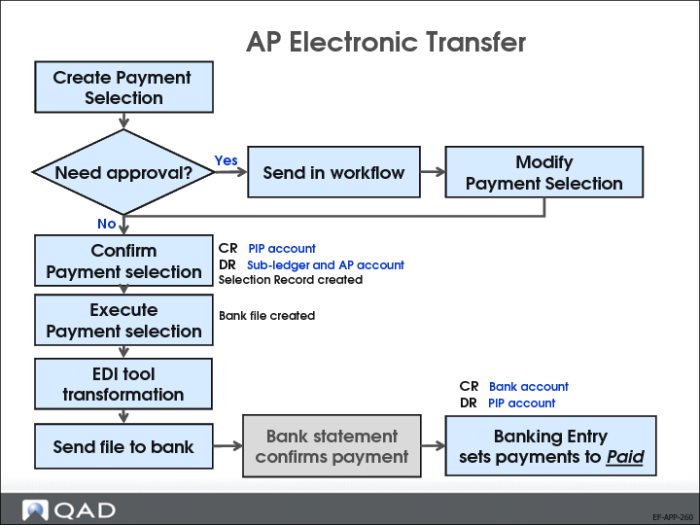
Create, confirm, and execute the electronic payment selection.
• Use Supplier Payment Selection Execute (28.9.4.6) to create the electronic payment file.
• Use Supplier Payment Selection Re-Execute (28.9.4.7) to recreate this file, if needed.
AP Electronic Transfer
The use of a PIP account is mandatory in this process.
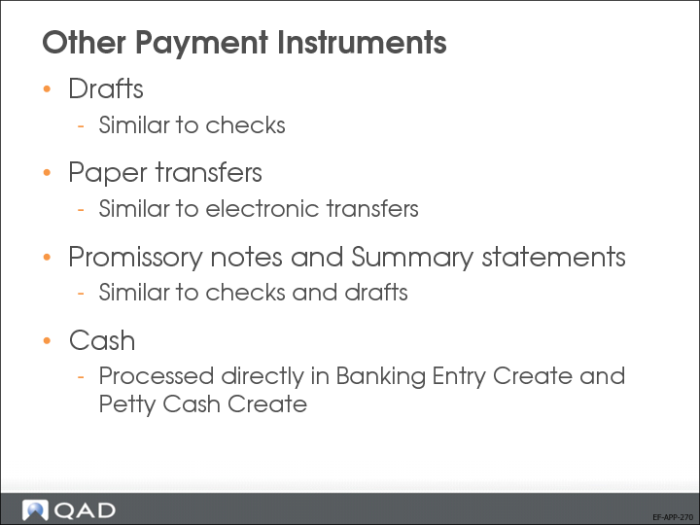
Other Payment Instruments
The system has a number of predefined payment instruments other than check or electronic payment:
• Draft
The draft or bill of exchange is a negotiable security signed and dated by its issuer (the bank). It contains an unconditional order or instruction to pay a fixed amount to the supplier on the agreed due date. Once signed, the draft is considered a collection instrument. Its form, content, and legal consequences are governed by law.
• Paper transfer
The transfer payment instrument is an order for payment that you submit to your bank. The bank ensures that the amount is transferred to the supplier’s bank account. Transfers are in paper format.
• Promissory note
The promissory note is a promise to pay the supplier, instead of an unconditional payment order. The promissory note carries more risk for the beneficiary and has fewer legal consequences for the issuer if payment is defaulted summary statements: You send summary statements to the supplier. Factoring companies and banks that provide credit card services use summary statements.
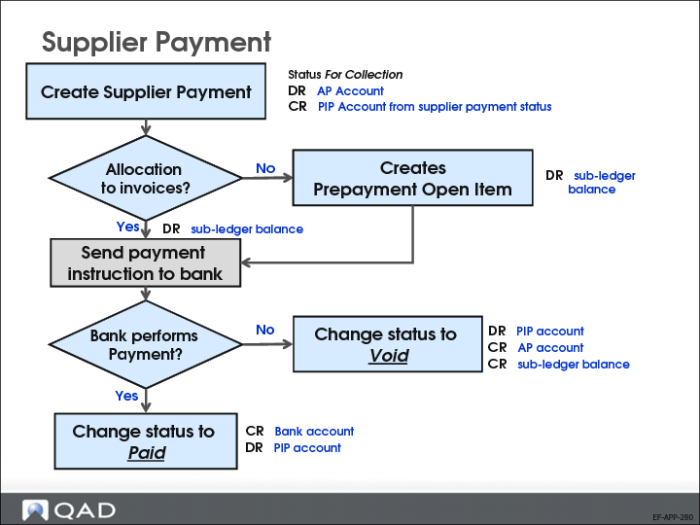
Supplier Payment
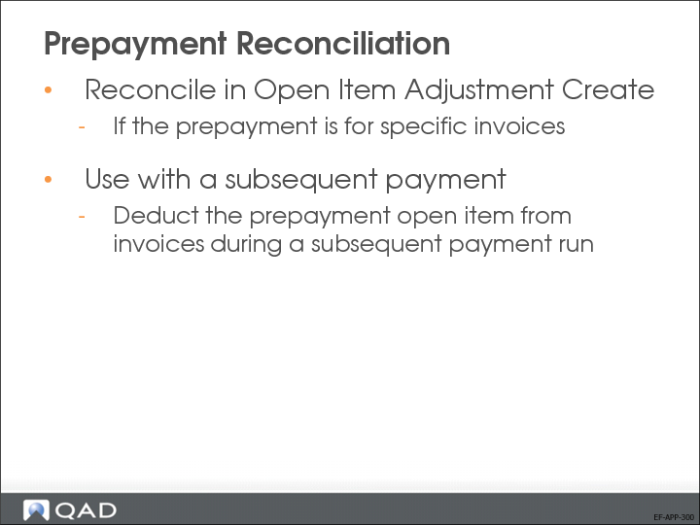
The supplier payment functionality is also used to create prepayments.
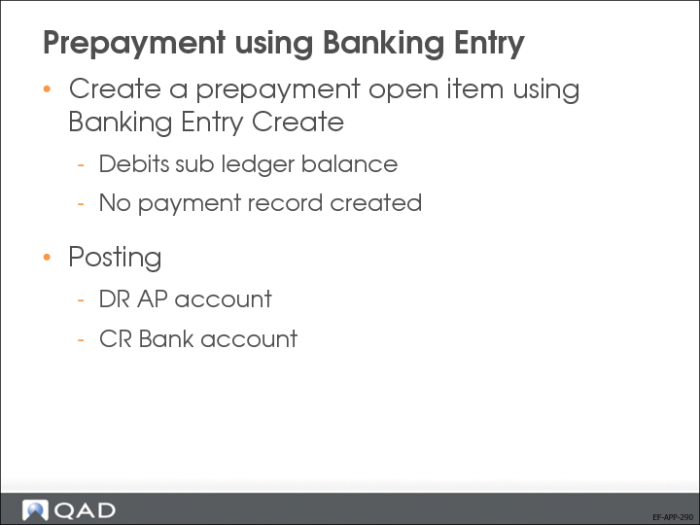
Prepayment using Banking Entry
You can also create prepayments directly in Banking Entry Create (31.1.1).
When creating a new prepayment in Supplier Payment Selection Create, you can enter a reference for the prepayment in the Reference field. The Reference field is only editable when creating new prepayments. It is used to distinguish between prepayments if the same supplier has several prepayments relating to different orders.
Review the Accounts Payable reporting options.