Netting and Open Items
Overview
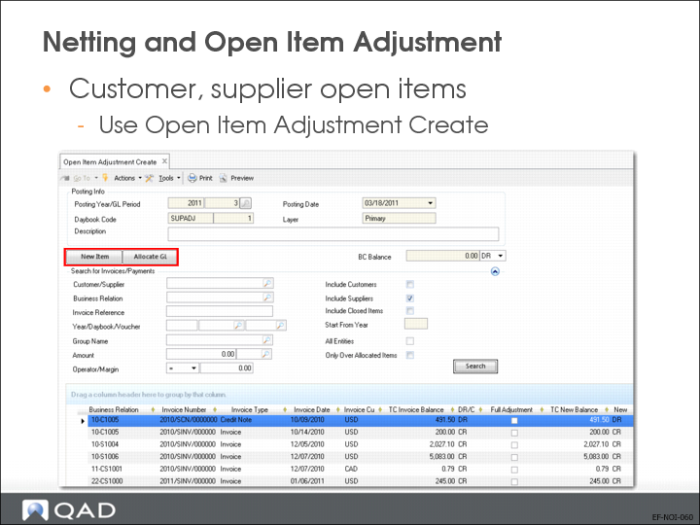
Use Open Item Adjustment Create (25.13.5) to reconcile unpaid or incorrectly paid invoices and credit notes. In addition, you can record prepayments and adjustments, change the value of an existing open item, or create a new open item. All open item adjustments are recorded in the primary layer.
If the Customer/Supplier Compensation Allowed field is selected in the entity and in the business relation, you can adjust customer and supplier open items belonging to the same business relation directly against each other.
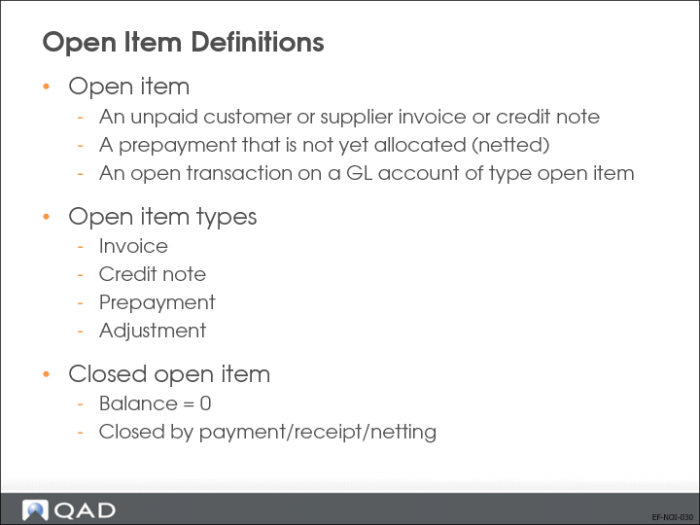
Open Item Definitions
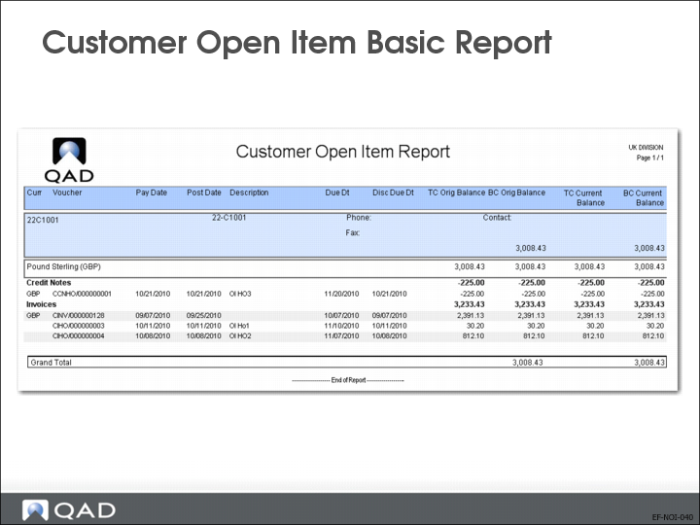
Reports
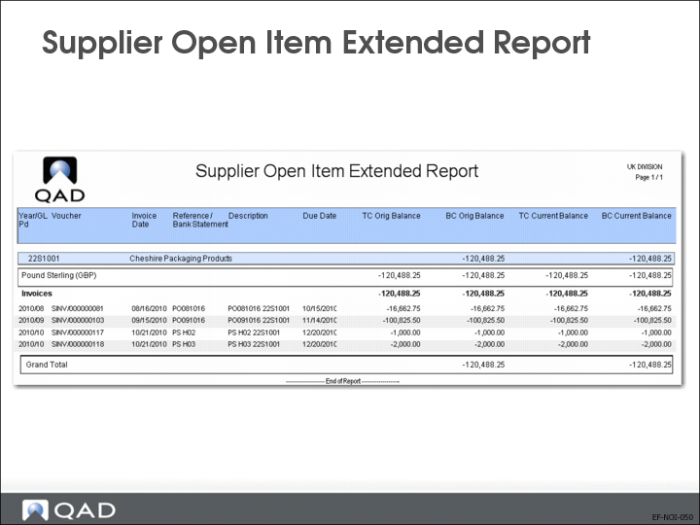
Supplier Open Item Extended Report
Netting and Open Item Adjustment
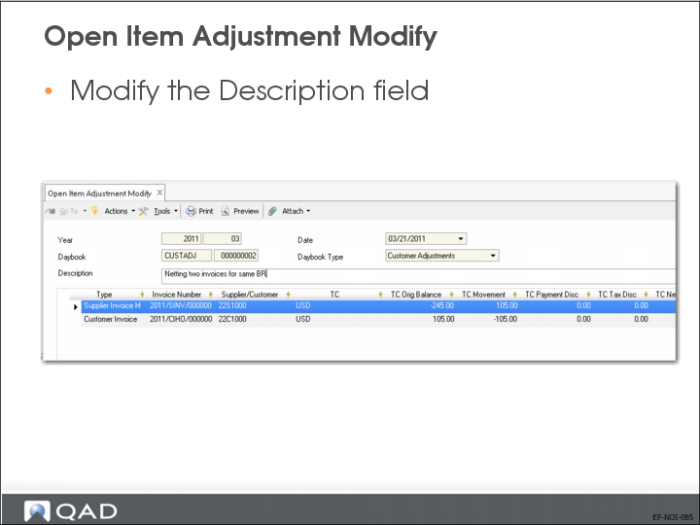
The Description field lets you enter a reason for the open item adjustment. For customer adjustments, the description displays in the Activity, Invoices, and Payment tabs of the Customer Activity Dashboard (27.18.1). For supplier adjustments, the description displays in the Activity, Invoices, and Payment tabs of the Supplier Activity Dashboard (28.18.1).
Netting and Open Item Adjustment—Continued
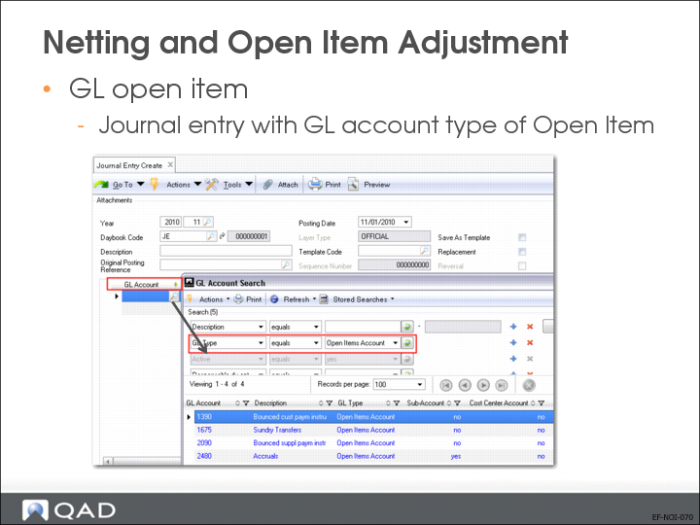
Create a new open item or allocate to an existing open item.
Customer/Supplier Netting
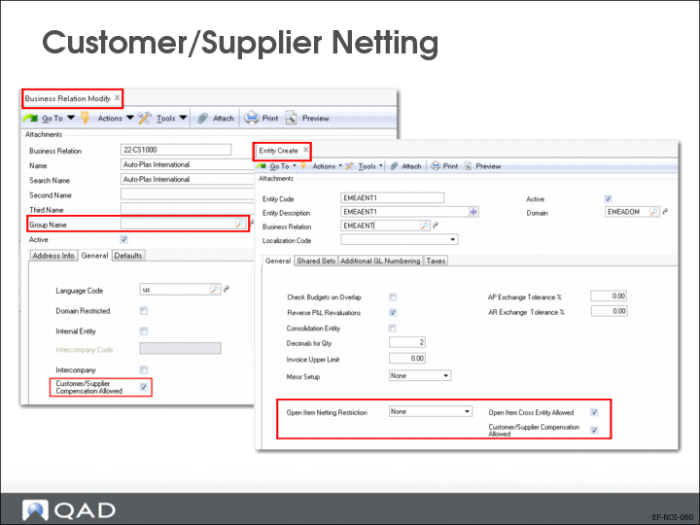
Netting settings in the entity record let you control the level of flexibility provided in Open Item Adjustment Create (25.13.5) for the netting of transactions. In addition, customer and supplier compensation settings at entity and business relation level control whether you can net credits and debits for customers and suppliers that belong to the same business relation.
The entity record includes three fields that let you control open item adjustment.
Open Item Netting Restriction
This field provides three options for the netting of open items across business relations.
• None. This option does not impose restrictions on the netting of open items across business relations. It is the least restrictive setting, and is the default.
• Single Business Relation. This option restricts the netting of open items to items that belong to the same business relation. It is the most restrictive setting.
• Related Business Relations. This option restricts the netting of open items to items from business relations that belong to the same corporate group.
Important: A business relation with a blank corporate group is not considered to be related to a business relation that has a corporate group assigned. Similarly, two business relations, each with blank corporate groups, are not considered to be related.
Open Item Cross Entity Allowed
Select this field to enable open items to be adjusted across entities. This field is enabled by default.
When this option is enabled, you can use Open Item Adjustment Create (25.13.5) to display and net items from other entities.
When an open item adjustment includes cross-entity transactions, the entities involved must have compatible netting control settings. If the entities have different control settings, the most restrictive setting is applied.
For example, if one entity has a netting restriction of Single Business Relation, the whole open item adjustment must be for a single business relation. If there is a conflict with the most restrictive control setting, an error is displayed and the open item adjustment cannot be saved.
If this option is disabled, the All Entities field in Open Item Adjustment Create (25.13.5) is disabled for editing, and you cannot display and net items from other entities.
Customer/Supplier Compensation Allowed
Specify how the system treats open items during payment processing when a customer and supplier belong to the same business relation. This option is enabled by default.
When customer and supplier compensation is enabled at entity level and an open item adjustment involves transactions from two different entities, customer and supplier compensation must be enabled for both entities in order for the adjustment to be saved. In addition, the corresponding Customer/Supplier Compensation Allowed field must be enabled for the business relations involved in the adjustment. This restriction applies regardless of the entity’s netting restriction or whether the customer and supplier compensation is cross-entity.
When customer and supplier compensation is disabled at entity level, you cannot net items from customers and suppliers with the same business relation. This setting overrides the Customer/Supplier Compensation Allowed setting at business relation level for customers and suppliers.
The values of two business relation fields affect open item adjustments: Group Name and Customer/Supplier Compensation Allowed.
Group Name
Specify the corporate group to which the business relation belongs. When the entity Open Item Netting Restriction field is set to Related Business Relations, you can only use Open Item Adjustment to net transactions from business relations that belong to the same corporate group.
Note: A business relation with a blank corporate group is not considered to be related to a business relation that has a corporate group assigned. Similarly, two business relations, each with blank corporate groups, are not considered to be related.
Customer/Supplier Compensation Allowed.
Select the field to allow open items for customers and suppliers that belong to that business relation to be netted against each other.
When customer and supplier compensation is enabled at entity level, the Customer/Supplier Compensation Allowed field must be enabled for the business relations involved for an adjustment to be saved.
When customer and supplier compensation is disabled for the entity, this overrides the customer and supplier compensation setting for the business relation if compensation is enabled here.
Open Item Adjustment Modify
US Exercise: Netting and Open Item Adjustments
In this exercise, you will:
• Net invoices and credit notes for the same customer.
• Net invoices and credit notes against a GL account.
• Net invoices and credit notes for the same business relation.
Use the following parameters in Open Item Adjustment Create (25.13.5) if needed:
• Entity: 10USACO
• Daybook: CUSTADJ for customer adjustments and SUPADJ for supplier adjustments
• Sub-account: use the default or else use Gserv
• Cost center: use the default or else use Adm
• For all other fields, use the lookup and choose from the list.
1 Use Open Item Adjustment Create (25.13.5) to create adjustments for customer 10C1005, Rockland Industrial Company:
• An invoice of value $30.20 USD (full adjustment, new balance = $0).
• An invoice of value $812.10 USD (partial adjustment, new balance = $617.30 USD).
• A credit note of value $225.00 USD (full adjustment, new balance = 0).
2 Create adjustments for supplier 10SC1005 (daybook SUPADJ).
• An invoice of value $200.00 USD (full adjustment, new balance = 0).
• A credit note of value $491.50 USD (full adjustment, new balance = 0).
• Balance of $291.50 USD to account 1670.
3 Create adjustments for business relation Auto-Plas International 22-CS1000 as follows:
Customer 22C1000: An invoice of value $105.00 USD (full adjustment, new balance = 0).
Supplier 22S1000: An invoice of value $245.00 USD (partial adjustment, new balance = $140.00 USD).
4 Verify the results using Open Item Adjustment View (25.13.6).