Example
In this example, GL Open Item Reconciliation (25.15.2.13) is used to reconcile unallocated lines to an existing open item.
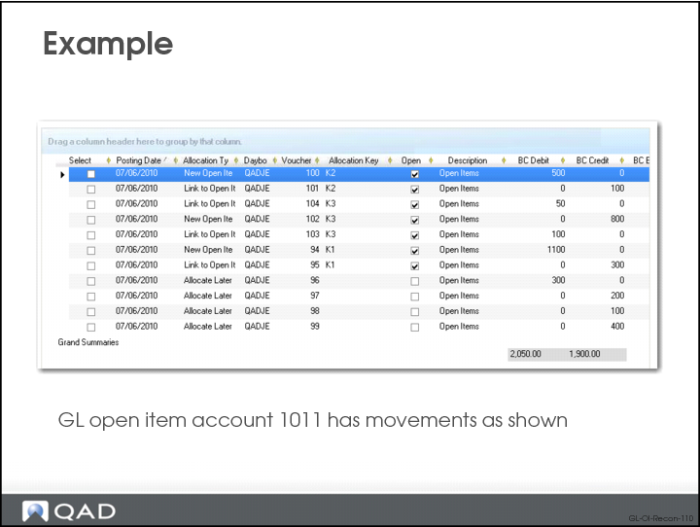
GL open item account 1011 has the following transactions:
Line | Allocation | Allocation Key | BC Debit | BC Credit |
1 | New Open Item | K2 | 500 | |
2 | Link to Open Item | K2 | | 100 |
3 | Link to Open Item | K3 | 50 | |
4 | New Open Item | K3 | | 800 |
5 | Link to Open Item | K3 | 100 | |
6 | New Open Item | K1 | 1100 | |
7 | Link to Open Item | K1 | | 300 |
8 | Allocate Later | Blank | 300 | |
9 | Allocate Later | Blank | | 200 |
10 | Allocate Later | Blank | | 100 |
11 | Allocate Later | Blank | | 400 |
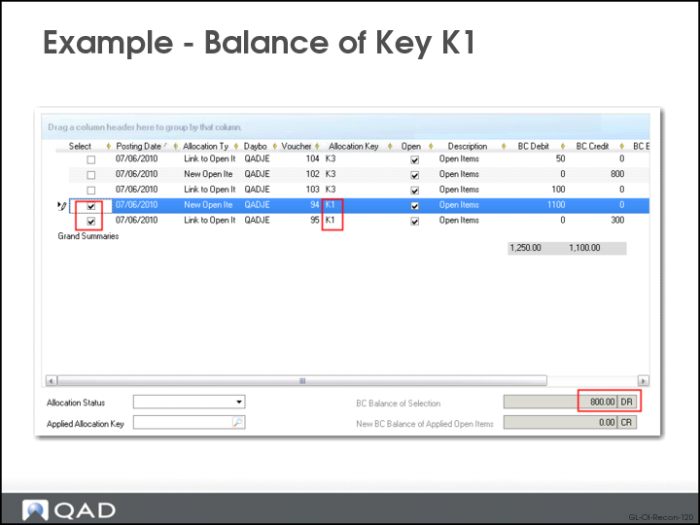
By selecting the transactions that belong to each allocation key, you can see the base currency balance for each key. The following table displays the balance of the allocation keys:
Allocation Key | BC Debit | BC Credit | BC Balance |
K1 | 1100 | 300 | 800 |
K2 | 500 | 100 | 400 |
K3 | 150 | 800 | -650 |
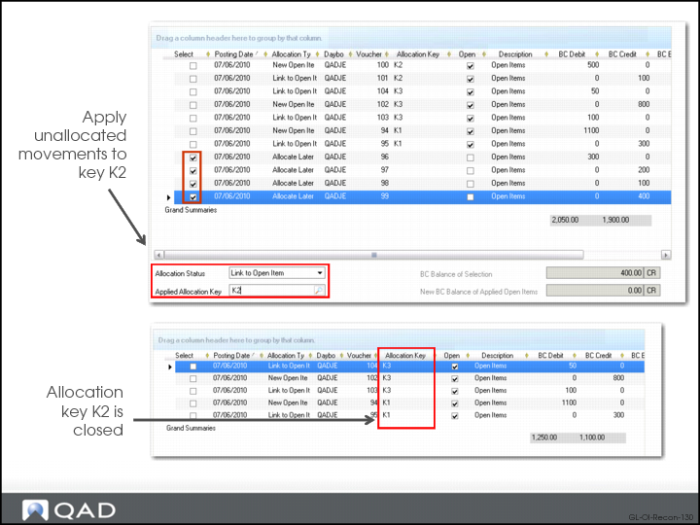
You then use GL Open Item Reconciliation (25.15.2.13) to reconcile the lines without an allocation key. You select the four unallocated lines in the grid.
In the Allocation Status field under the grid, select Link to Open Item and specify K2 in the Applied Allocation Key field.
As a result of the reconciliation, allocation key K2 is closed, and the following are the outstanding balances for the open allocation keys on the account:
Allocation Key | BC Debit | BC Credit | BC Balance |
K1 | 1100 | 300 | 800 |
K3 | 150 | 800 | -650 |