Mirror Accounting
Overview
Mirror accounting is used in several European accounting systems to ensure that inventory transactions are reflected immediately in the income statement, as well as in the balance sheet. This lets you analyze purchases and inventory movement in the general ledger in internal management reports.
You can apply mirror accounting to inventory control transactions only, or to work order transactions as well.
Business Requirement
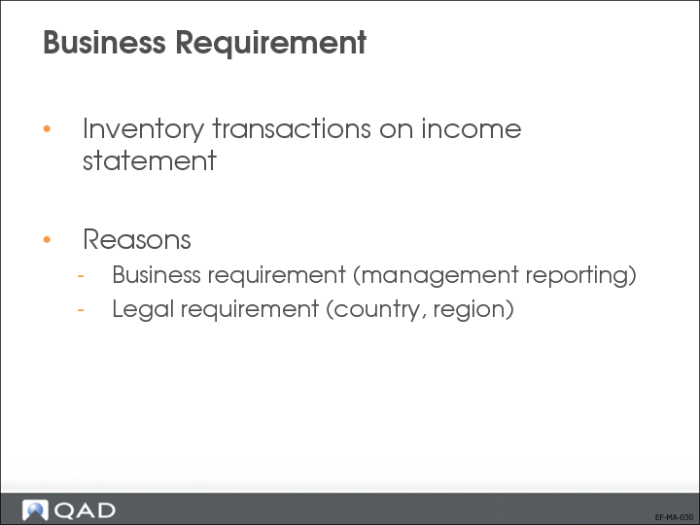
The mirror accounting functionality solves a requirement for inventory transactions to be processed directly in the income statement, as well as in the balance sheet.
There are two main reasons to implement mirror accounting:
• Business reason
For statutory or management financial statement reporting.
• Legal reason
Legal accounting requirements for certain countries (for example, Italy and France).
Scope
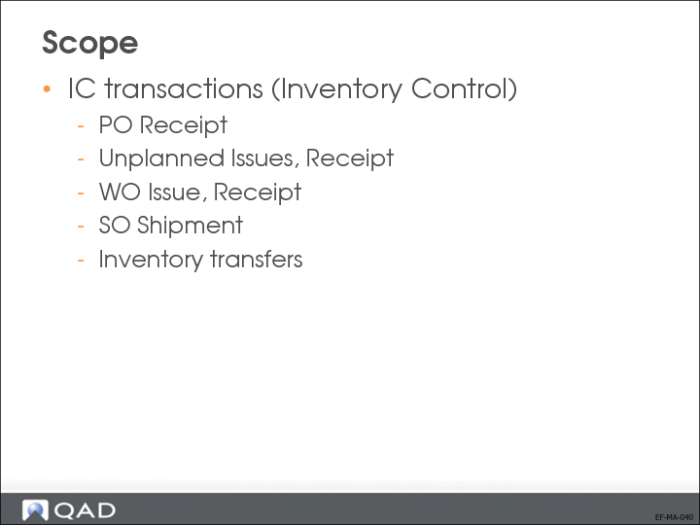
In QAD Enterprise Financials, you can apply mirror accounting to transactions of type IC (Inventory Control). These transactions can originate from activities such as purchase order receipts, unplanned issues, work order issues, or sales order shipments.
Mirror Accounting Across Versions
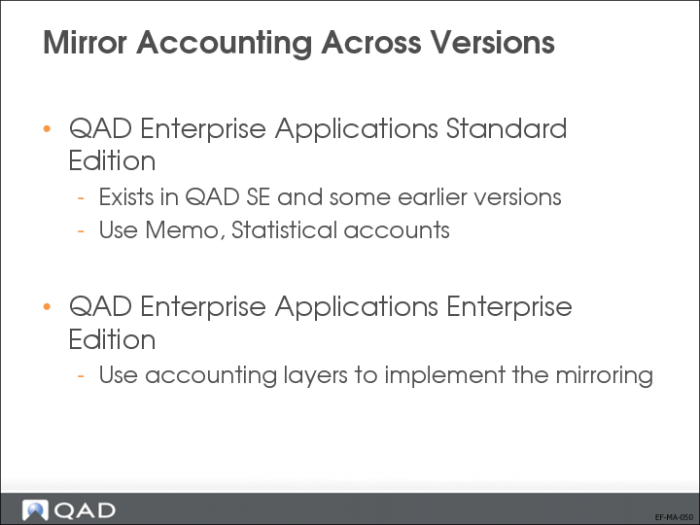
Mirror Accounting in QAD Standard Financials:
• Implemented in QAD Standard Edition Financials and some earlier versions.
• Memo and statistical accounts are used to include or exclude postings from financial statements.
Mirror Accounting in QAD Enterprise Financials:
• The accounting layers concept is used to implement the mirroring, through the relevant posting daybooks. Memo and Statistical accounts are not used in Enterprise Financials.
Mirror Accounting Flow
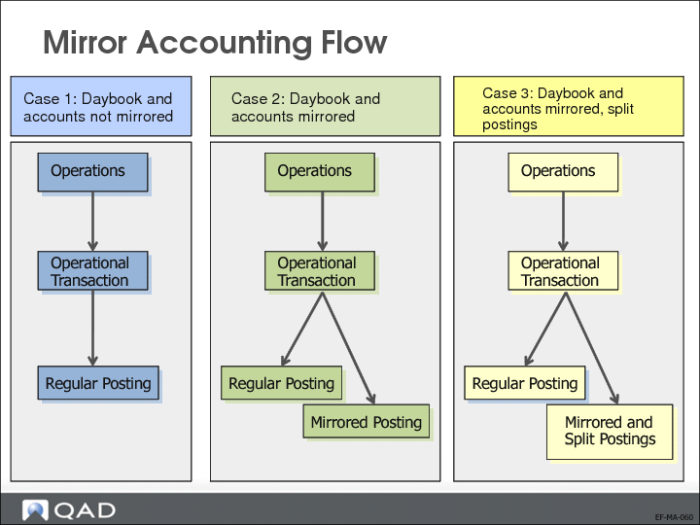
The operational postings that are subject to mirroring (IC and WO transaction types) are always created as a pair of posting lines. Mirroring adds two posting lines to the original transaction, which update the mirror accounts you defined.
The program that creates the mirroring adds reference information to the posting lines. This reference information lets you report on mirrored transactions and linked postings (in case a split was applied).
When mirror accounting is enabled for a given entity, the system will create one of the following postings when an operational posting is created:
Case 1
A regular posting is created when the posting (source) daybook or the pair of accounts is not in the mirror accounting setup or the transaction type is not IC.
Case 2
Mirrored posting lines are created when the posting (source) daybook and the pair of accounts are specified in the mirror accounting setup without a split option and the transaction type is IC.
Case 3
Mirrored postings split into sub transactions are created when the posting (source) daybook and the pair of accounts are specified in the mirror accounting setup, the transaction split is active and the transaction type is IC.
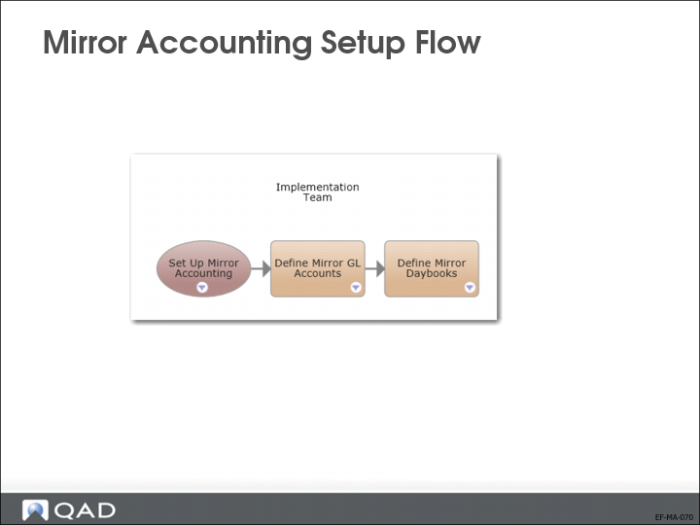
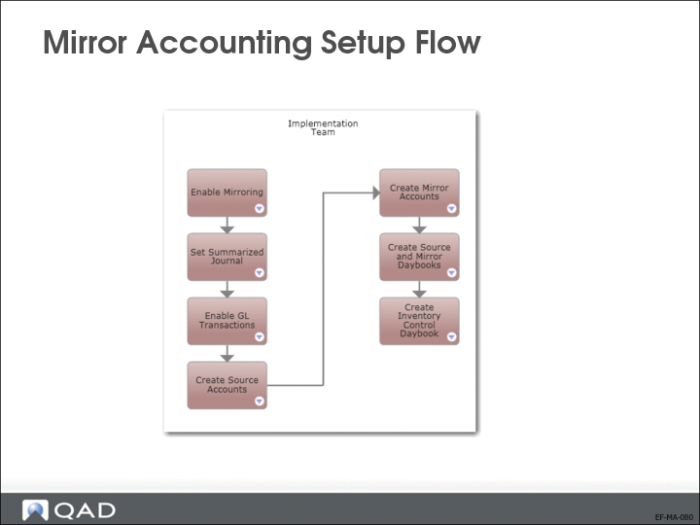
Mirror Accounting Setup Flow
You must complete both operational and financial steps to set up mirror accounting.
You enable mirror accounting as an attribute of the entity.
• In Inventory Accounting Control (36.9.2), set Summarized Journal to No, and set Create GL Transactions to Yes.
• Use GL Account Create (25.3.13.1) to create the source and mirror GL accounts, and Mirroring GL Account Create (3.20.7.1) to link these accounts.
• Use Mirror Daybook Create (3.20.6.1) to create the mirroring daybooks.
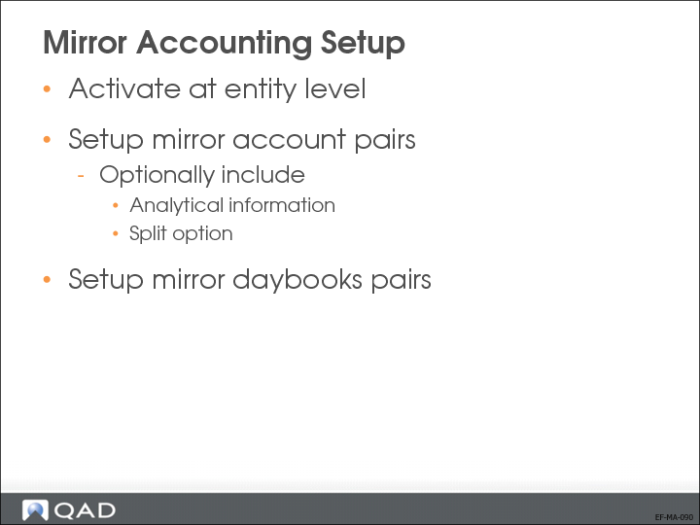
Mirror Accounting Setup
A source account pair is linked with its respective mirror account pairs. The source accounts can be of the following types:
• Standard account
• Cross-company control account
• Inventory control account
• WIP control account
• System accounts of type Purchase Order Receipts
A source daybook is linked with its mirror daybook. The mirror daybook can be linked to either the primary/official or secondary/management type of layer.
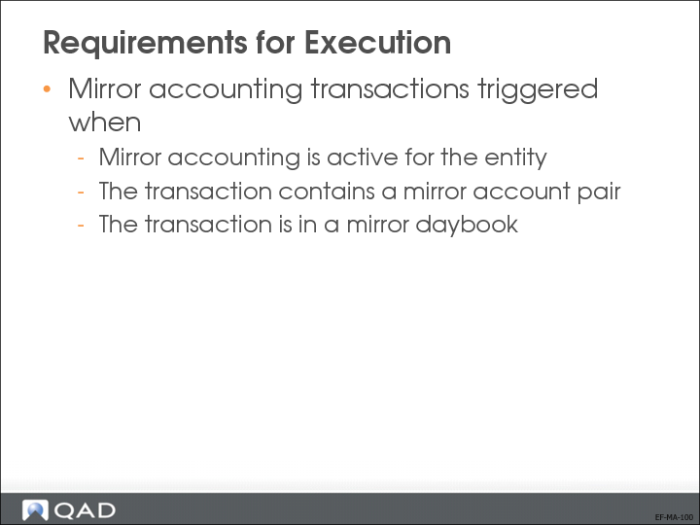
Requirements for Execution
Mirror accounting is applied when it is active for the entity and the posting contains a pair of source accounts that have to be mirrored and the source daybook has been defined with its mirror daybook.
The Mirror Setup field in the Entity record contains the following three options:
• None: Mirror accounting is disabled for the entity.
• Domain: Mirror accounting is enabled for the entity, and it takes mirror account and daybook definitions from domain level (definitions where the entity is blank).
• Entity: Mirror accounting is enabled for the entity, and it takes mirror account and daybook definitions from entity level (specific definitions for that entity).
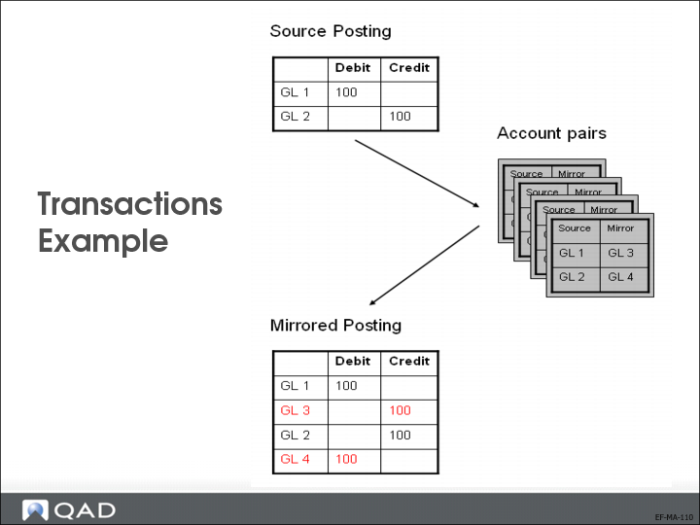
Transactions Example
When the prerequisites are fulfilled, mirror accounting automatically creates an additional pair of GL posting lines from a source transaction.
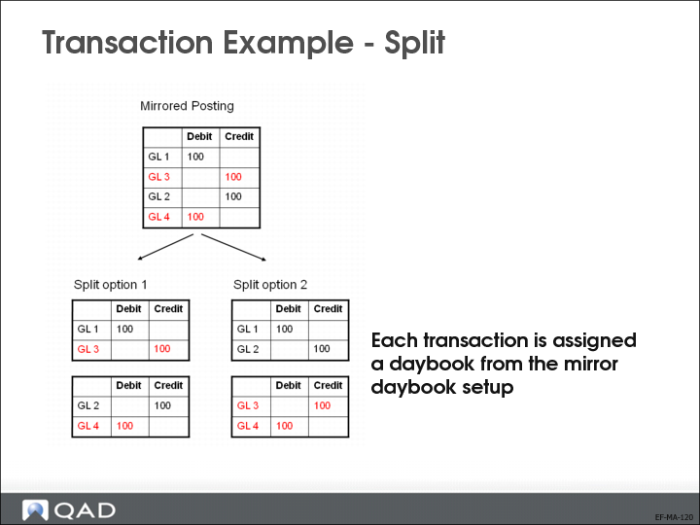
Transaction Example—Split
Optionally, the mirrored transaction is split into two sub transactions, which can be posted in a different daybook.
Exercise: Mirror Accounting (EMEA Only)
Log in to entity 22UKCO
When not specified in the exercise, use the following data when needed:
• Sub-account: Gserv
• Cost Center: Adm
• SAF structure and SAF: choose any from the lookup list.
1 Use Entity Create (36.1.1.2.1) to create a new entity 22UKWA.
Field | Value |
Entity Code | 22UKWA |
Domain | 22UK |
Business Relation | Use the GoTo to create a new business relation, 22UKWA |
Mirror Setup | Entity |
2 Use Business Relation Create (36.1.4.3.1), or use the GoTo from the Entity Create menu (36.1.1.2.1), to create the business relation linked to the entity.
Field | Value |
Business Relation Code | 22UKWA |
Internal Entity | Yes |
Intercompany Code | 22UKWA |
Head office address | 1, Fenton Square Cardiff CF1 75R |
3 Use User Domain/Entity Access Maintenance (36.3.4) to give the user demo access to entity 22UKWA.
4 Use Role Membership Maintain (36.3.6.6) to give the user demo access to the entity 22UKWA with the role Superuser. When you have access, change entity to 22UKWA.
5 Log off the application and log back in again to access the new entity.
6 Use Company Address Maintenance (1.2) to create company address 22UKWAC and use Site Maintenance (1.1.13) to create site 22UKWAC.
7 Use Location Maintenance (1.1.18) to set up a location for site 22UKWAC.
8 Use Cost Set Copy to Cost Set (30.3) to set up the costing for 22UKWAC.
Copy from site 22-100 standard cost set to site 22UKWAC standard cost set.
9 Use GL Account Create (25.3.13.1) to create mirror accounts.
Field | Value |
GL Account Code | MINVAR |
Description | Mirror Inv Variation |
GL Type | Standard |
| |
Posting Tab | |
Balance/PL | Profit and Loss |
Auto/Manual | Manual |
| |
Analysis Tab | |
Analysis type | None |
Field | Value |
GL Account Code | MPURCH |
Description | Mirror Purchases |
GL Type | Standard |
| |
Posting Tab | |
Balance/PL | Profit and Loss |
Auto/Manual | Manual |
| |
Analysis Tab | |
Analysis type | None |
10 Use Mirroring GL Account Create (3.20.7.1) to link mirror accounts to existing accounts.
Link GL account 1500 to mirror account MINVAR.
Link GL account 2520 to mirror account MPURCH.
11 Use GL Layer Create (25.8.14.1) to create a layer code Mirror.
Description: Mirror Accounting Layer
Layer Type: Management
12 Use Daybook Create (25.8.1.1) to create a mirror daybook.
Field | Value |
Daybook Code | MPORCT |
Description | Mirror Daybook |
Daybook Type | Journal Entries |
Layer Code | Mirror |
Daybook Control | Operational |
Daybook Group | MIRR-ACC |
13 Use Mirroring Daybook Create (3.20.6.1) to link the mirror daybook to the source daybook.
Field | Value |
Domain | 22UK |
Entity | 22UKWA |
Source Daybook | RCT-PO |
Mirror Daybook | MPORCT |
Source Layer | Primary |
14 Use Purchase Order Maintenance (5.7) to create a purchase order.
Field | Value |
Purchase Order Number | M-PO-1 |
Supplier | 22S1001 |
Ship-to | 22UKWAC |
Site | 22UKWAC |
Item | 02003 |
Quantity | 1000 |
Unit Price | .22 |
15 Use Purchase Order Receipts (5.13.1).
Receive the full purchase order quantity.
16 Use Unposted Transaction Register (25.13.14) to preview the postings.