Reversing Entries
Now, you will learn how to use reversing transactions to reverse activity on existing journal entries.
Reversing Entries—Continued
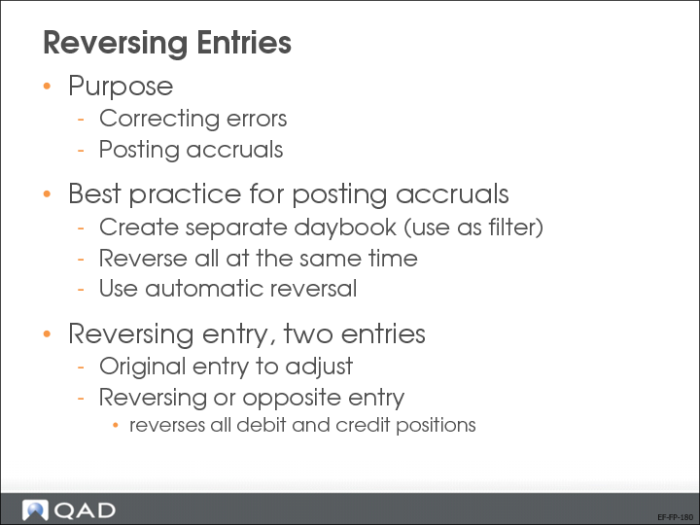
Reversing entries are used for two purposes:
• Correcting errors. Correct a posted transaction by posting an opposing entry to net out the original amounts.
• Posting accruals, such as payroll earned, but not yet paid. To do this, you post an entry (typically, on the last day of a GL period) and immediately reverse the entry on the first day of the next GL period. This procedure lets you record subsequent payments without having to recognize the portions that were accrued at an earlier date.
A reversing entry consists of two parts: the original adjusting entry, and the reversing, or opposite entry. The second entry reverses the position of all debits and credits.
Best practice for posting and reversing accruals is to use a separate daybook, and to reverse all postings at the same time. You can use the automatic journal entry reversal function to facilitate this process.
Reversing Entries Process
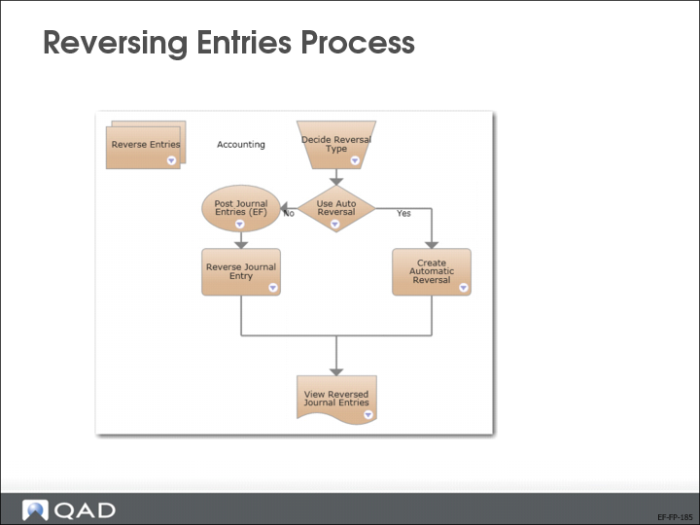
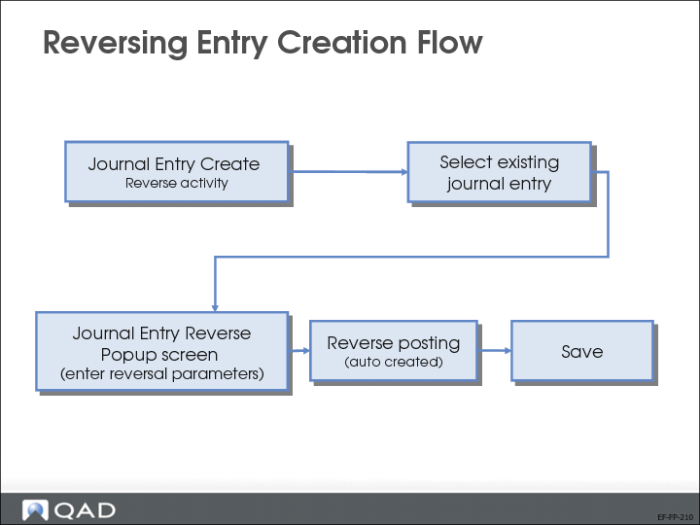
This slide displays the reversing entries process map, with both manual and automatic reversal options.
Correction JE Reversal
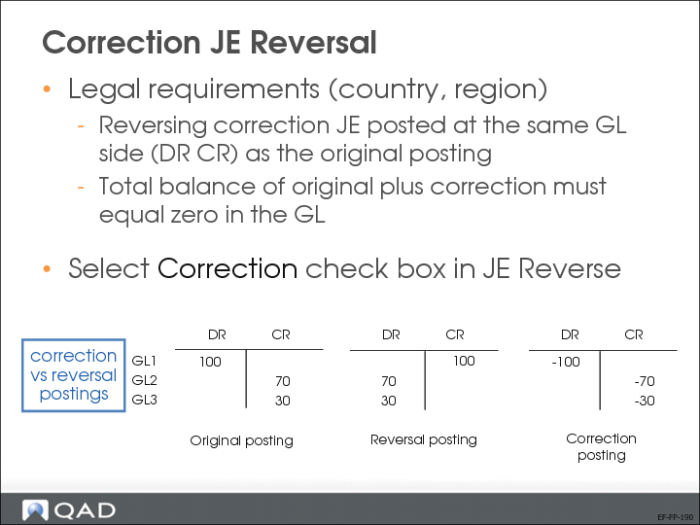
In certain countries, such as in Eastern Europe, it is a legal requirement to post correction journal entries at the same side (debit/credit) as the original entry. The total balance should always equal zero in the GL.
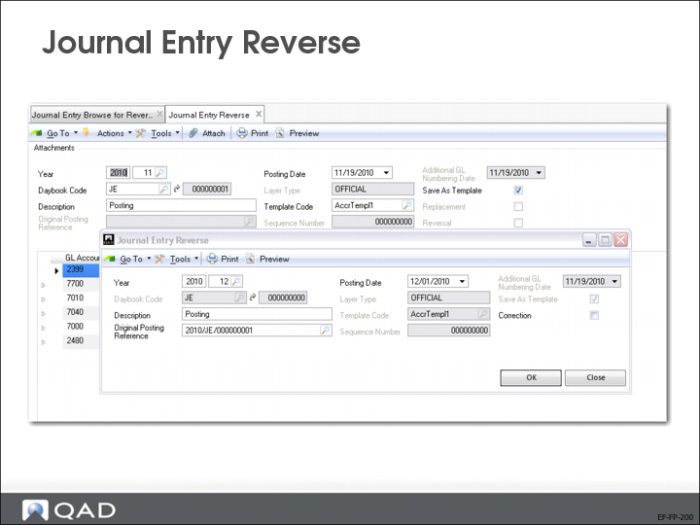
To post a reversing correction, select the Correction field in the Journal Entry Reverse subscreen.
Journal Entry Reverse
The initial reversing screen displays a summary of the entry details. Reversals are usually processed on the first day of the GL period that follows the original posting period. The year, period, and posting date, therefore, default to these values.
You can change these defaults by changing the posting date or period.
Select the Correction field to enable the correction JE reversal.
Reversing Entry Creation Flow
Automatic Reversal of Journal Entries
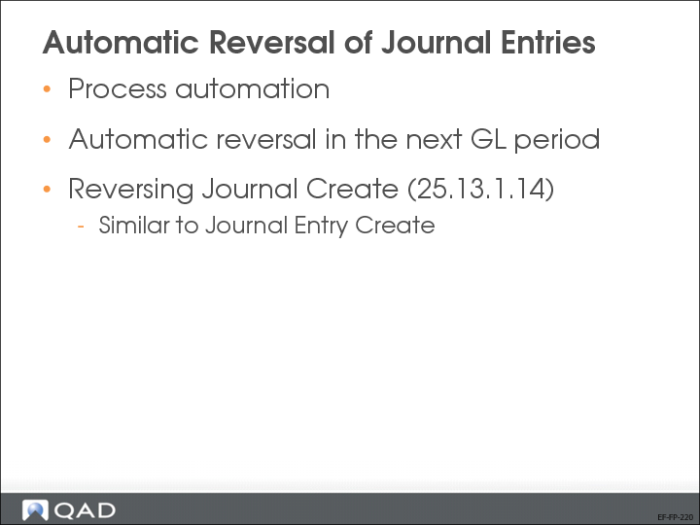
Reversing Journal Create (25.13.1.14) lets you create a journal entry that reverses automatically in the next GL period; you do not have to manually reverse the transaction. You also have the option to use correction of accounting for the reversing journal entry.
When you create a posting in Reversing Journal Create (25.13.1.14), both the original and reversing journal entries are created.
Process automation results in fewer instances of human error, and reduces overhead costs.
Reversing Journal Create
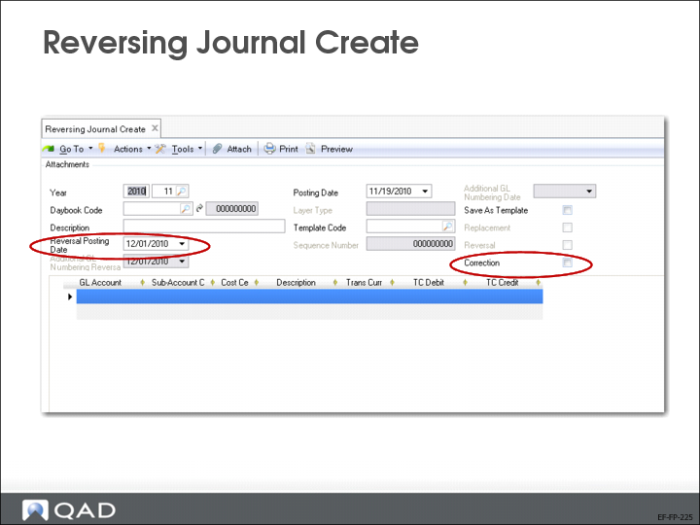
Reversing Journal Create (25.13.1.14) is based on Journal Entry Create (25.13.1.1). Only two additional fields are specific to Reversing Journal Create:
Reversal Posting Date
It defaults to the first day of the next period, and must always in a later period than the one of the original entry.
Correction
If checked, the original transaction is netted and the balance is zero (same behavior as in the Journal Entry Reverse popup screen)