Intercompany and Cross-Company Postings
The system supports two types of transaction between entities within the same domain and across domains: intercompany transactions and cross-company transactions.
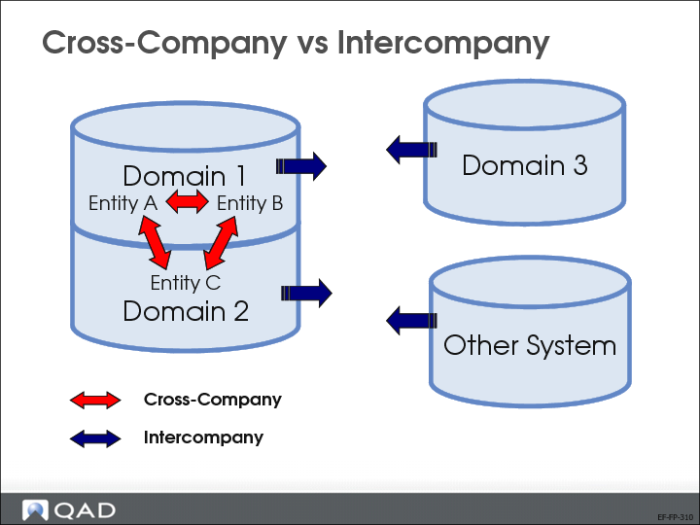
Cross-Company vs Intercompany
Cross-company transactions span more than one entity, and the associated GL transaction posts to both entities.
An intercompany transaction is a GL transaction or journal entry that affects only one entity, but contains an intercompany code within the GL transaction, as a reference to another entity. The GL transaction posts to one entity only. Use this feature to isolate internal transactions from those that relate to third parties. Intercompany transactions are identified using intercompany codes.
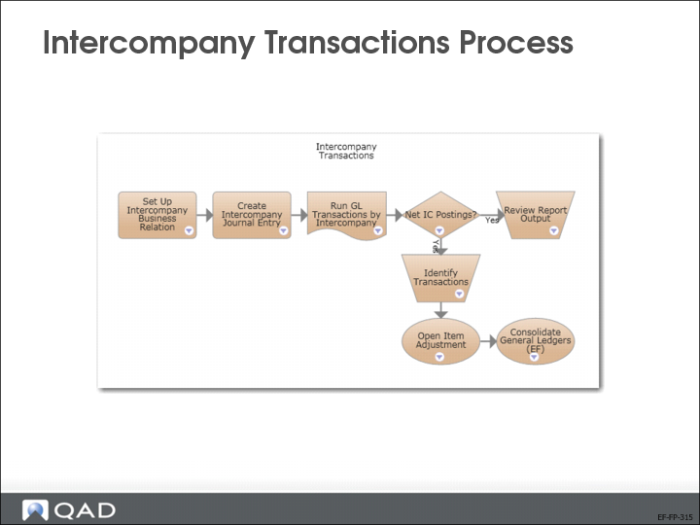
Intercompany Transactions Process
The slide shows the process map for intercompany transactions.
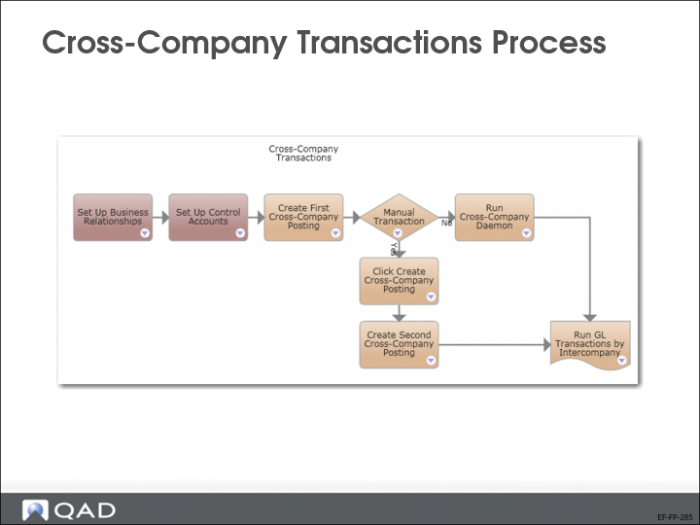
Cross-Company Transactions Process
Before processing cross-company transactions, specific setup is required. You will review these steps in detail.
Cross-company transactions can be processed manually or automatically.
Cross-Company Transactions Overview
This section describes some important concepts and the setup required for cross-company postings, and includes an example to illustrate the process.
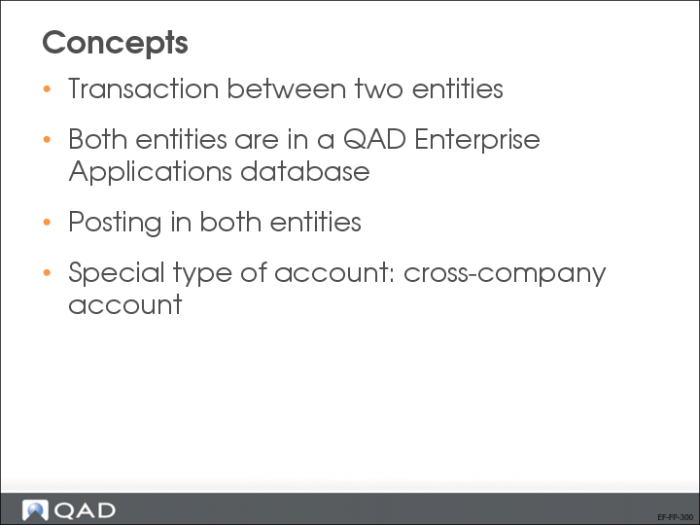
Concepts
Use cross-company accounting functions to create balanced transactions between entities in a domain. When transactions or invoices are generated by another entity in the organization, these functions let you process the transactions or invoices in your current working entity. GL transactions are created in both entities.
Cross-company transactions use cross-company control accounts to link across entities.
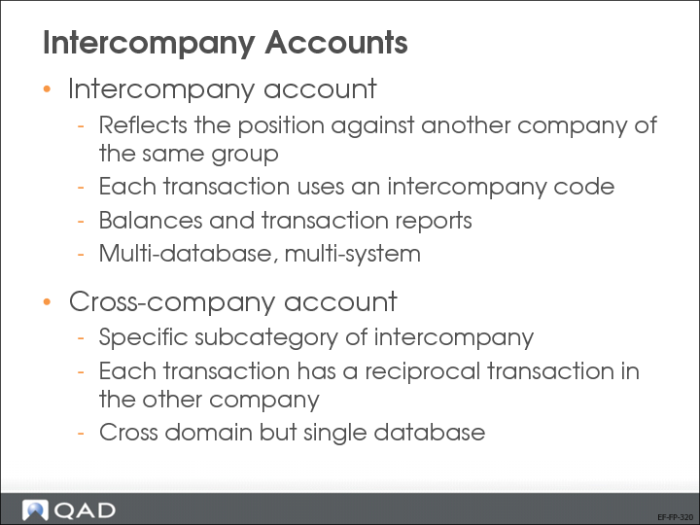
Intercompany Accounts
To identify GL accounts used in intercompany transactions, select the Intercompany Account field in GL Account Create. This makes the Default Intercompany field available. Use this field to assign the intercompany code defined in the business relation of the intercompany entity.
Intercompany codes identify organizations that are members of a group of entities that trade with each other. This activity forms the basis for consolidation reporting at period closing when the financial results of multiple entities are consolidated, and intercompany transactions are eliminated before consolidation.
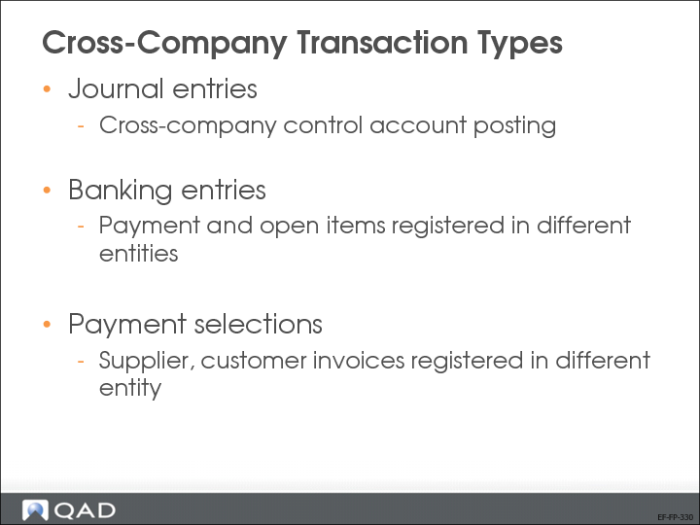
Cross-Company Transaction Types
Cross-company transactions are created in the following cases:
• Journal entries
When a posting is made to a cross-company control account.
• Banking entries
When a collection is recorded from a customer for open items registered in another entity.
When a payment is recorded for a supplier for open items registered in another entity.
• Payment selections
When the selection includes supplier invoices that are registered in another entity.
When the selection includes customer invoices that are registered in another entity.
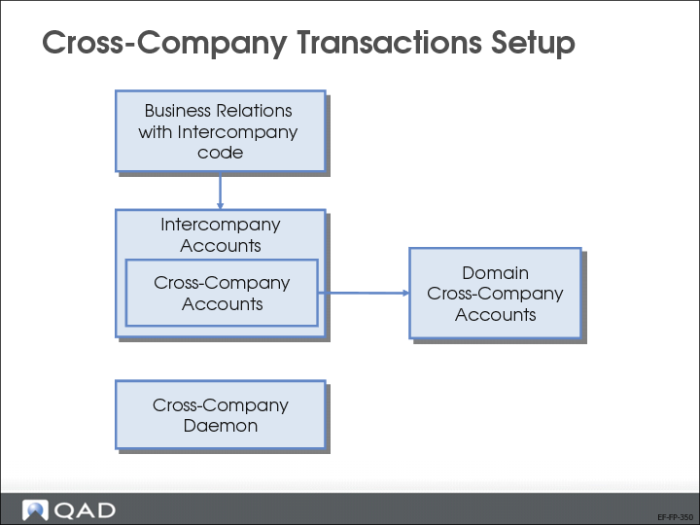
Cross-Company Transaction Setup
We will review the steps shown above in more detail.
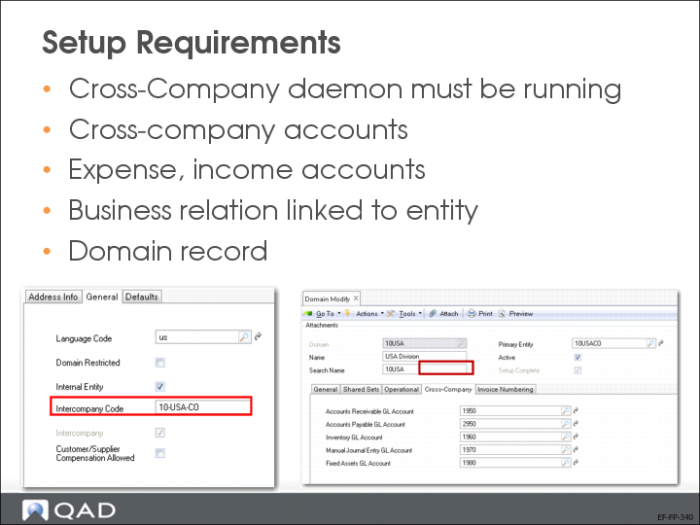
Setup Requirements
First, verify that the cross-company daemon is running in Cross-Company Daemon Monitor (36.14.16.5.3).
Then, set up the five required cross-company accounts in GL Account Create (25.3.13.1) for AR, AP, fixed assets, inventory, and manual journal entry transactions. The account type is Cross-Company Control Account. Also, expense and revenue accounts involved should have the Intercompany field selected.
Next, enter the five cross-company accounts in the domain record in Domain Modify (36.1.1.1.2) on the Cross-Company tab. The accounts specified are used for every cross-company posting line for each entity in the domain. Each domain in the database can use a different set of cross-company control accounts, depending on the shared set used in the domain.
Finally, in Business Relation Modify (36.1.4.3.2), modify the business relation linked to the entity. In the General tab, select the Intercompany field and enter the intercompany code.
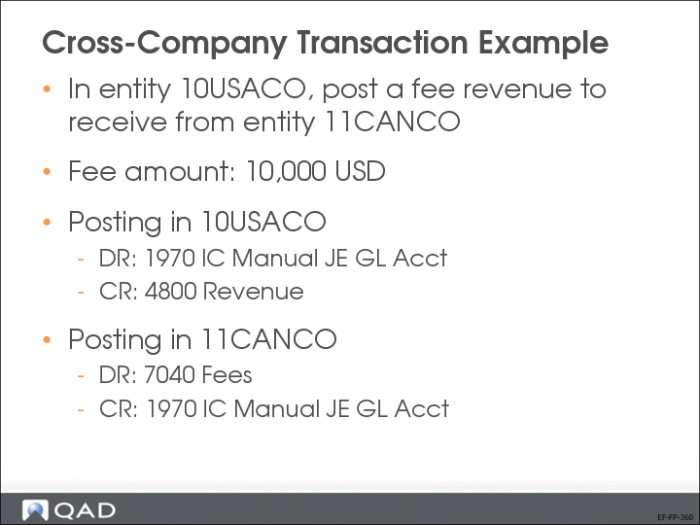
Cross-Company Transaction Example
Scenario: Entity 10USACO and entity 11CANCO are both subsidiaries of a large organization. Human resource management and IT services for the entire organization are centralized in entity 10USACO.
Cross-company transactions are generated when entity 11CANCO uses either centralized service.
The GL Cross-Company Transactions View (25.15.2.11) lets you view cross-company transactions.