Accounting Layers
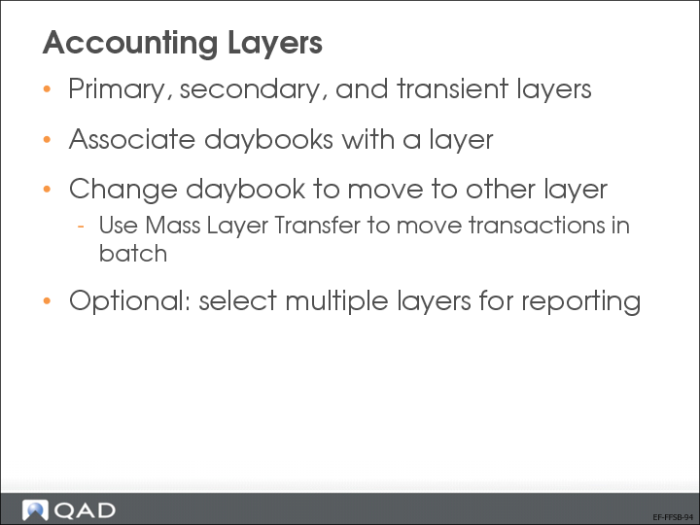
Accounting layers provide different ways of segregating transactions within a single GL account. The posting of transactions is controlled by associating daybook types with one of the three system-defined accounting layers: primary, secondary, and transient
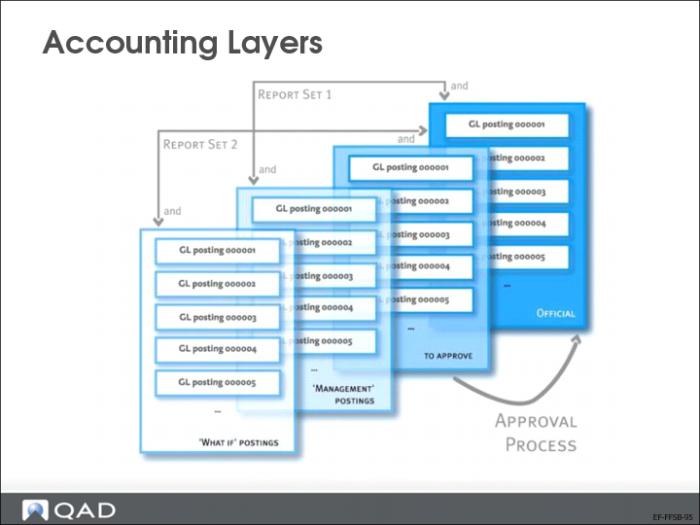
Transient accounting layers let you create temporary postings for review or analysis before posting the transactions to the primary layer. When a daybook is associated with the transient layer, transactions are posted to this layer for temporary review. If the daybook is associated with the primary layer, transactions are immediately posted to the general ledger.
Use secondary layers to provide different types of GAAP reports within one organization. For example, you can compile a set of local accounts for a French subsidiary of a US parent organization that comply with French GAAP standards. You can then compile US GAAP accounts for the parent company, and generate reports on the combination of the two sets. Then, you can review your subsidiary accounts, and create correction and adjustment transactions to make these accounts comply with the parent company GAAP standards.
Auditor adjustments are generally applied in the secondary layer. IFRS and US GAAP requirements are also implemented in secondary layers. When transferring postings between layers, the daybooks must be of the same type. You can transfer only from the transient layer to the other layers. When a transaction is transferred, a new daybook and reference is created for it.
Primary Layer
The primary layer is mandatory and system defined. All official postings are posted to the primary layer, and cannot be deleted or transferred to another layer. The primary layer is used for statutory postings; for example, fiscal stock valuation or fiscal depreciation.
Secondary Layer
The secondary layer is usually used for management accounts. Types of posting suitable for the secondary layer include accruals, stock valuation, elimination postings for consolidation, auditing adjustments, and IFRS- and GAAP-specific requirements. The secondary layer is also optional, and you can define custom secondary layers, which behave in the same way as the system-defined layer. Postings to the secondary layer do not update account balances.
Transient Layer
The transient layer is used for postings for internal use only, and should be separate from legal accounting. Certain transactions can, for example, require approval by management before being officially posted. Accounting transactions can be registered in transient layers and then transferred to primary or secondary layers. Reporting can be applied to combinations of layers to produce a complete record of transaction records.
You can post a limited types of transactions to the transient layer:
• Consolidation
• Journal entries
• Reversing entries
• Matching postings for supplier invoices
The transient layer is optional. Transactions posted to this layer have no impact on GL, and can be modified or deleted. You can also define custom transient layers, that behave in the same way as the system defined transient layer.
Accounting Layers—Continued
All transaction posting lines are recorded in daybooks that point to a specific accounting layer. You can transfer postings from one layer to another (for example, transient to primary) by changing the daybook, or you can transfer postings in batch using Mass Layer Transfer Execute.
You can select multiple layers in reports, allowing “what if” simulations and management reporting.
Daybooks
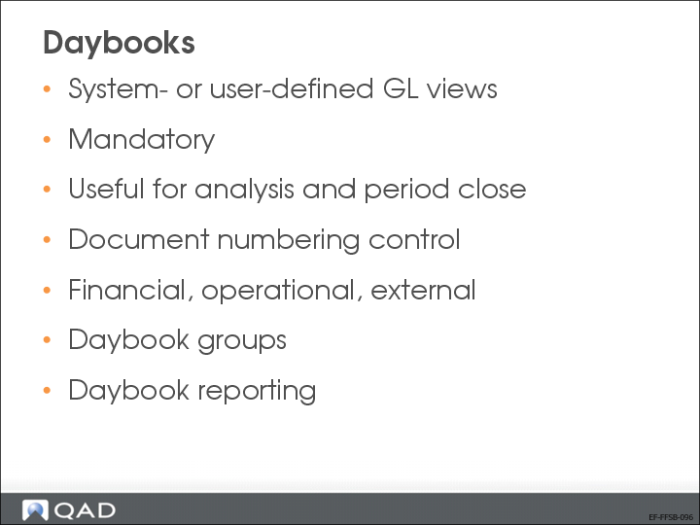
Daybooks, also known as journals, are system- or user-defined views of the general ledger, and contain all transactions. The use of daybooks is mandatory in all modules. Daybooks provide many advantages in terms of analysis, segregation of transactions, numbering, and consequently, speed of period close.
Using different types of daybooks lets you group GL transactions to satisfy legal reporting requirements or to ensure that GL reporting is consistent with common business practices:
• Financial daybooks accept postings that originate from financial functions such as the general ledger, AR, and AP.
• Operational daybooks are used for postings that originate from operational functions such as Sales, Inventory Control, Fixed Assets, and Manufacturing.
• External daybooks can be used with an interface to external systems such as payroll systems.
Daybooks can be used to distinguish between different types of journal entries such as auditor adjustments, payroll entries, GAAP adjustments, and manually prepared accruals.
Once daybooks are defined, you can use the Daybook field as a selection criterion on many GL reports and views.
Daybooks record transactions chronologically, providing dated records of the entire financial activity of the entity. Daybooks also provide a controlled mechanism for having several different transaction numbering sequences. The numbering system prevents fraud because each daybook produces its own integral numbering sequence.
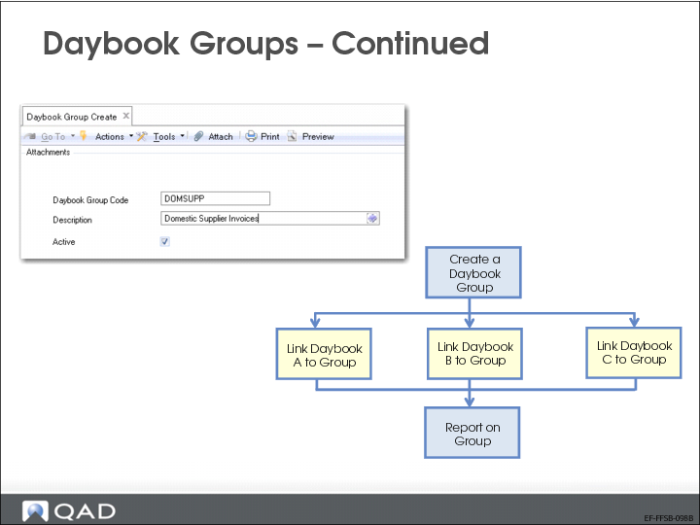
Daybook groups let you link numerous daybooks together so they can be reported on as a group; for example, you can create a group for all domestic supplier invoices. Define daybook groups using Daybook Group Create (25.8.2.1). Link a daybook group to a daybook using the Daybook Group field in Daybook Create (25.8.1.1).
Reporting Daybook Modify (25.13.1.15) lets you change the reporting daybook code on financial transactions created using customer and supplier invoice and payment functions, Banking Entry Create (31.1.1), Open Item Adjustment Create (25.13.5), Petty Cash Create, and Invoice Post and Print (7.13.4).
For invoice-type transactions, the reporting daybook normally matches the posting daybook. However, if a transaction is posted using an incorrect daybook, you can use Reporting Daybook Modify to modify the reporting daybook to ensure that the transaction is reported correctly. You can also use Reporting Daybook Excel Integration (25.13.1.16) to update the reporting daybook.
Daybook Process
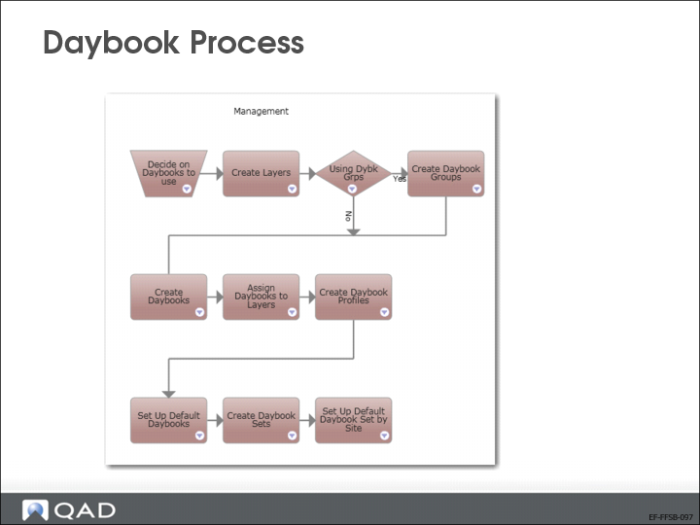
The slide above displays the daybook setup process. After you create daybooks and associate them with layers, you can define daybook sets, profiles, and defaults.
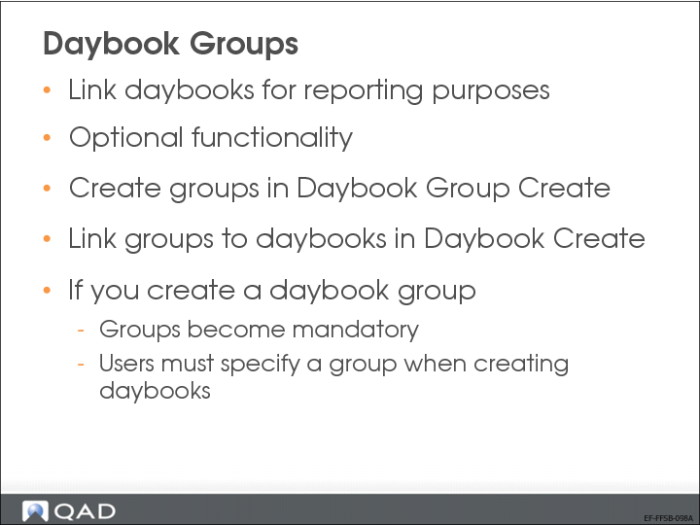
Daybook Groups
Daybook groups link multiple daybooks together for reporting purposes. For example, you can create a group for all domestic supplier invoices. You link a daybook group to a daybook using the Daybook Group field in Daybook Create (25.8.1.1).
Once you create a single daybook group, daybook groups become mandatory. You must then specify a daybook group every time you create a daybook in Daybook Create (25.8.1.1).
Daybook Groups—Continued
Use Daybook Group Create (25.8.2.1) to define reporting daybook groups.
Use Daybook Group Delete (25.8.2.4) to delete a daybook group if no daybooks have been associated with the group.
Daybook Create
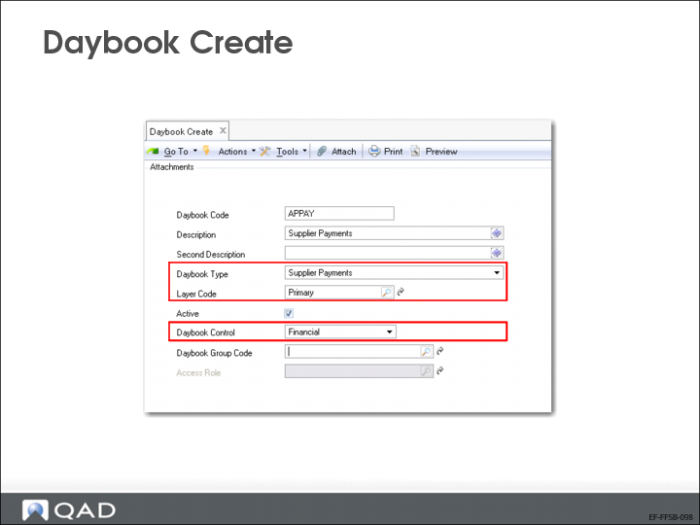
Use the Daybook activities (25.8.1) to create, view, modify, and delete daybooks. Daybooks contain the transaction posting lines, and control the posting of transactions because each daybook must be linked to an accounting layer. In addition, each daybook is associated with a daybook control type, which separates postings based on their source.
The Second Description field lets you specify an additional description of the types of transactions posted to this daybook. You can display this description on the GL Numbering report and the GL Transactions by Account report.
Once a daybook has been used, it cannot be deleted, but it can be deactivated. Prior to deactivating a daybook, ensure that there are no unposted transactions in the operational functions that reference the daybook. If unposted transactions exist, the daybook cannot be deactivated until these transactions are posted.
Link a daybook group to a daybook using the Daybook Group field in Daybook Create/Modify.
The Access Role field lets you specify a role to restrict access to the daybook. Only users with that role can post transactions to the daybook. You can specify a role for the following daybook types:
• Journal Entries, for Daybook Control types other than Operational
• Consolidation
• Matching
If no role is specified for a daybook, the daybook can be used by all roles.
Operational Daybooks
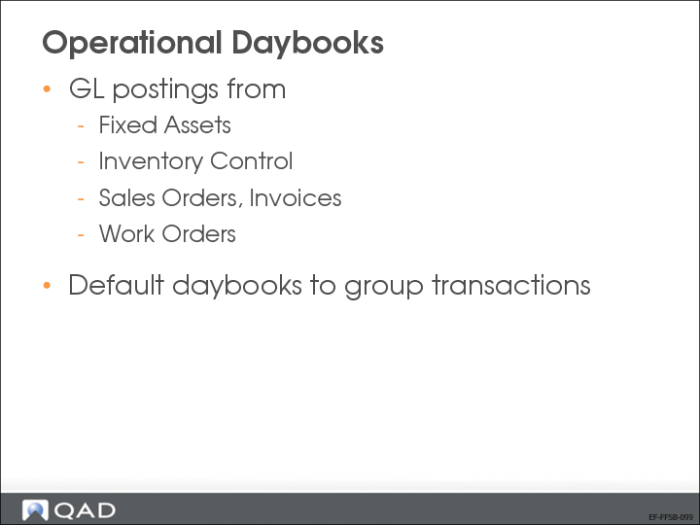
Operational daybooks control GL postings that originate from programs in the Fixed Assets and operational modules such as inventory control, sales orders/invoices, and work orders.
Use default daybooks to group operational transactions by type, depending on your business needs.
Depending on the operational function, you can set up daybook controls in two ways:
• Control the granularity of daybook assignments by defining default daybooks based on transaction type, document type, or entity.
• If the business does not require this level of control, simply assign all operational transactions to a system daybook.
Note: To make a daybook available for operational transactions, set the Daybook Control field to Operational in Daybook Create (25.8.1.1). Otherwise, the daybook cannot be referenced in the default daybook or daybook set programs.
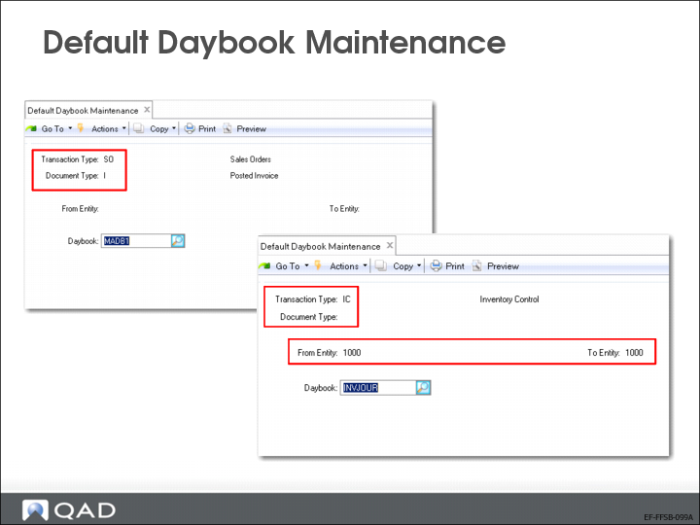
Default Daybook Maintenance
Use Default Daybook Maintenance (25.8.4) to control the assignment of the following type of operational GL transactions to daybooks:
• Fixed Assets (FA)
• Inventory Control (IC)
• Sales Orders (SO - non-invoice transactions only; invoice daybooks are controlled by daybook sets)
• Work Orders (WO)
Important: At a minimum, you must create a system daybook record, which has a transaction type, a document type, and a blank entity range. This daybook is used when the system cannot find a record that matches an operational transaction.
Daybook Sets
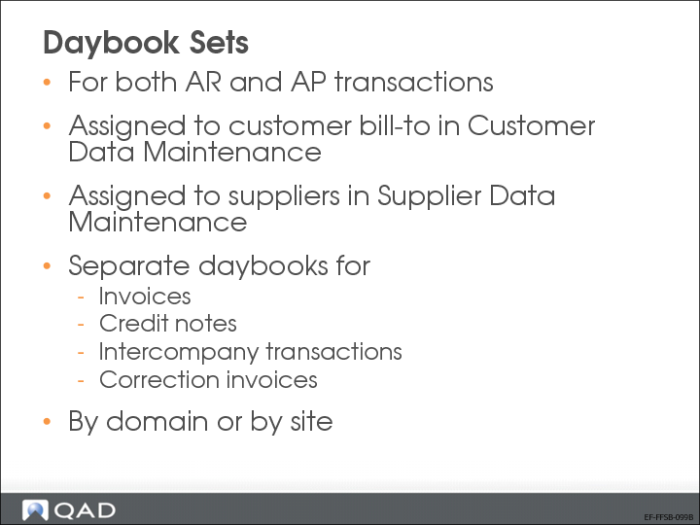
QAD Financials lets you create daybook sets for both AR and AP transactions.
Use daybook sets to control which daybooks are assigned to specific kinds of AR and AP transactions created when sales order invoices and purchase order receipts are posted. Separate menu programs let you define daybook sets for the entire domain or for specified sites.
Depending on your company’s business requirements, you can define daybook sets either for the entire domain or for individual sites. For AR daybooks, this is configured in Sales Order Accounting Control (36.9.6) and, for AP daybooks, in Purchasing Accounting Control. The site-based method supports the legal requirement in some countries, where you must use a different invoice sequence for each shipping and receiving site.
Note: Regardless of which method you use, you must define at least one daybook set each for AR and AP. These are needed as the defaults for new customer and supplier records.
Setting Up AR Daybook Sets
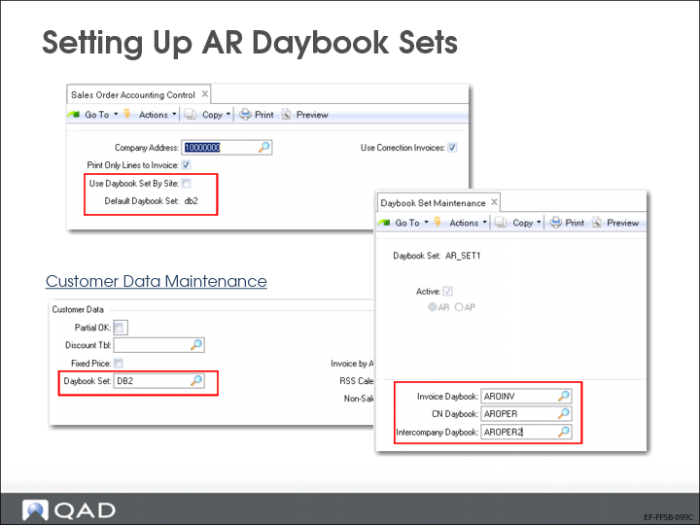
Before you create AR daybook sets, you must define the individual daybooks in Daybook Create (25.8.1.1).
Define AR daybook sets in Daybook Set Maintenance. All daybook sets must contain daybooks for invoices and credit notes, as well as an intercompany daybook for transactions that involve more than one entity. Additionally, when Use Correction Invoices is selected in Sales Order Accounting Control for AR daybook sets, each daybook set must include daybooks for correction invoices and correction credit notes.
Alternatively, when Daybook Sets by Site is selected in Sales Order Accounting Control, use Daybook Sets by Site Maintenance to define site-specific AR daybook sets.
After creating daybook sets, assign one to each customer address in Customer Data Maintenance (2.1.1).
• When you define daybook sets by site, Customer Data Maintenance looks for the first active daybook set that matches the default customer site. If one has not been defined, it uses the first active daybook set with a a blank site. If no definitions have been set up by site, you must create at least one with blank site before you can complete Customer Data Maintenance records.
• Otherwise, the customer daybook set value defaults from the Default Daybook Set field in Sales Order Accounting Control. However, you can overwrite this value.
Note: The Default Daybook Set field is not available when Use Daybook Set by Site is selected.
The customer record determines the default daybook set for new orders. You can update the daybook set in the following programs:
• Sales Order Maintenance (7.1.1)
• Customer Scheduled Order Maintenance (7.3.13)
• Sales Order Shipments (7.9.15)
• Sales Quote Maintenance (7.12.1)
• Pending Invoice Maintenance (7.13.1)
• Call Activity Recording (11.1.1.13)
• Call Invoice Recording (11.1.1.15)
• RMA Maintenance (11.7.1.1)
Setting Up AP Daybook Sets
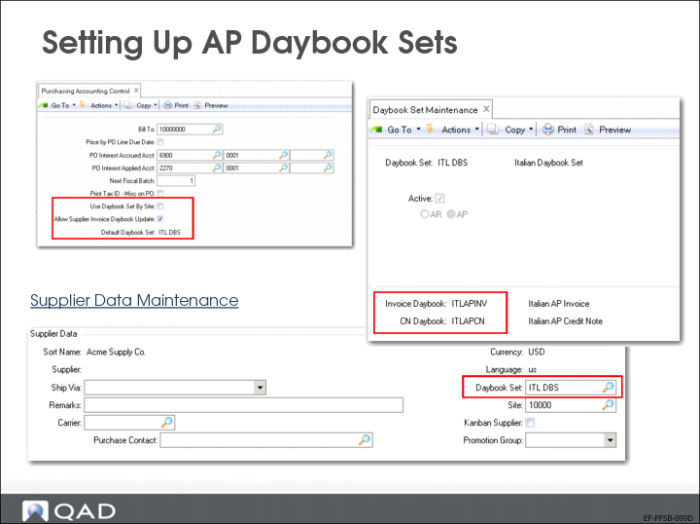
Before you create AP daybook sets, you must define the individual daybooks in Daybook Create (25.8.1.1).
Create AP daybook sets in Daybook Set Maintenance. All daybook sets must contain daybooks for invoices and credit notes, as well as an intercompany daybook for transactions that involve more than one entity.
When Accounts Payable is set to Yes in the AP AR Correction section of GL Correction Control for AP daybook sets, each daybook set must also include daybooks for correction invoices and correction credit notes.
Alternatively, when Daybook Sets by Site is selected in Purchasing Accounting Control, use Daybook Sets by Site Maintenance to define site-specific AP daybook sets.
After creating daybook sets, assign one to each supplier address in Supplier Data Maintenance (2.3.1). The system determines the default value for new supplier records as follows:
• When daybook sets are defined by site, Supplier Data Maintenance looks for the first active daybook set that matches the default supplier site. If one has not been defined, it uses the first active daybook set with a blank site. If no definitions have been set up by site, at least one with a blank site must be created before you can complete Supplier Data Maintenance records.
• Otherwise, the supplier daybook set value defaults from the Default Daybook Set field in Purchasing Accounting Control (36.9.5). However, you can overwrite this value.
The supplier record determines the default daybook set for new orders. You can update the daybook set in the following programs:
• Purchase Order Maintenance (5.7)
• Supplier Scheduled Order Maintenance (5.5.1.13)
When a supplier scheduled order is a trade sales order, the Daybook Set field defaults from the related supplier, but will be read only.
• Blanket Order Maintenance (5.3.1)