Reporting Overview
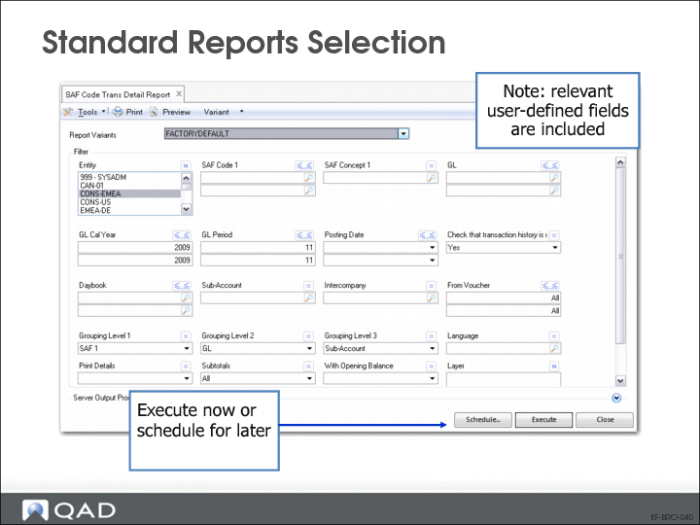
Standard Reports Selection
The Schedule option lets you schedule reports to be generated in batches, and specify iterations of each batch.
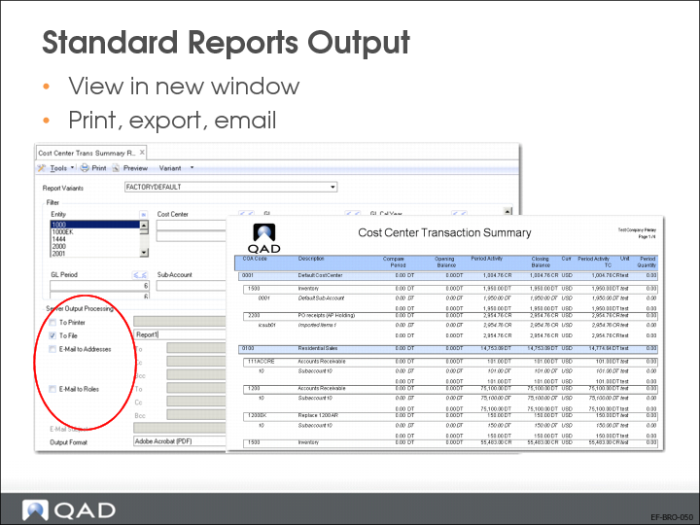
Standard Reports Output
Report output is first shown in a viewer, where powerful functionality is available for navigating and searching through the data. In addition to sending reports to a printer, data can be exported in many standard formats, such as PDF, XLS, and DOC.
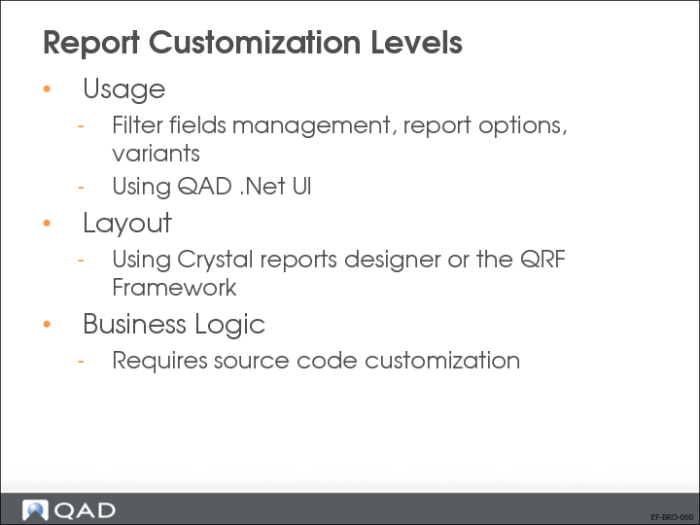
Report Customization Levels
Reports can be customized to optimally support your company processes and best practices. You can:
• Add or remove report filter criteria, assign default values, and save custom report variants by user, role, or system-wide.
• Use the Crystal Reports designer tool to modify the report layout, add and remove data fields, add calculation logic, or change sort order and grouping.
• Customize system-supplied report templates that contain formatting information such as fonts, logo, and paper orientation (landscape, portrait) using the Crystal Reports designer tool.
Note: You must have a license to use the Crystal Reports designer tool.
Usage Customization
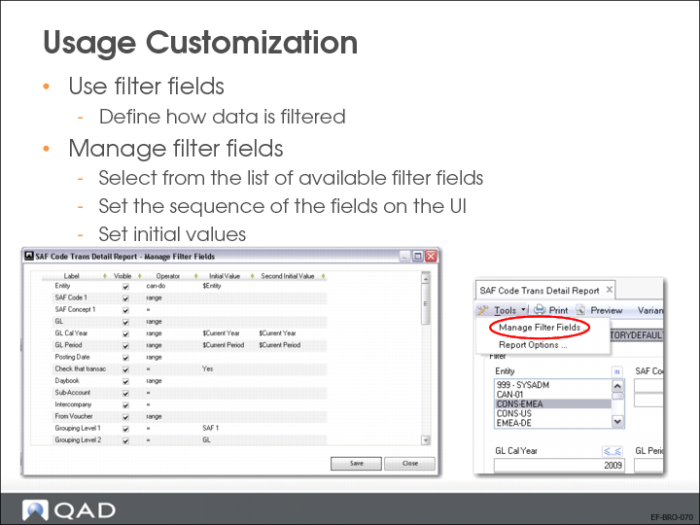
The Manage Filter Fields option in the Tools menu lets you indicate which filter fields to use for the current report variant, and how the fields appear in the Selection Criteria tab for the report.
You can use Manage Filter Fields to:
• Change the order in which the filter fields appear in the Selection Criteria tab.
• Specify whether a filter field should appear on the Selection Criteria tab (Use column).
• Define an initial value or range of values for the filter field.