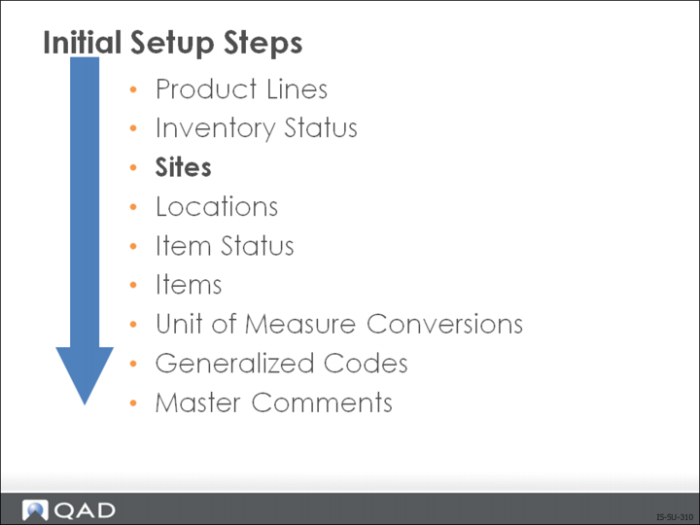
Sites
In QAD Enterprise Applications a site identifies an area where inventory is manufactured and/or stored. Each site manages its own inventory and production independently of other sites, even if those sites are in the same physical building. However, sites do not need to:
• Produce separate financial statements
• Handle their accounts receivable or accounts payable separate from other sites
Example: A site can be an off-site storage area, a distribution center, a warehouse, a manufacturing facility, or any combination of these.
Important: You must set up at least one site. Blank is NOT allowed. Each site is assigned to an entity for financial reporting purposes and to a domain. Sites can have multiple locations; however, each site can belong to one and only one entity and domain.
QAD Enterprise Applications maintains all inventory control and planning information by sites, including:
• Inventory availability
• Manufacturing methods and costs
• Sales quotations and orders
• Purchases
• Manufacturing plans and orders
• Forecasts
Site Maintenance
Use Site Maintenance (1.1.13) to create and maintain sites.
Field Definitions
Entity
Specify the entity where the site’s inventory transactions will be recorded
Default Inventory Status
This will be the default inventory status for each location created within this site
Automatic Locations
You can automatically create location codes if you set Automatic Locations to Yes. When you do this, the system automatically creates a new location code whenever you enter an undefined location code
Note: The system automatically creates the new location code. You are not given the option of creating the code or verifying your entry. Therefore, if you mis-type the location code, it is possible to create an incorrect code. For example, typing STWCK instead of STOCK.
Domain
For more detailed information on the relationship between domains and sites see the “associating domains with sites” section of User Guide: Master Data.
EMT Processing
If you are using the Enterprise Material Transfer (EMT) module, you use Site Maintenance to define sites and their default suppliers
For EMT, in addition to completing the fields previously discussed, you need to complete:
EMT Supplier
Defines the default supplier for the site. This is the supplier the system automatically references during sales order entry when ordering an item residing at this site, if no EMT supplier is defined for that item
External Supplier
If Yes, this site represents an external supplier, and must be a supplier code already set up in your system. If No, this site is an internal supplying site
Note: You can only enter a supplier already set up in the system.
Transfer Variance Account
The general ledger account code that is normally used to track cost variances on inventory transfers between two sites
Transfer Ownership
When the Supplier Consignment Inventory module is active, you can indicate how consigned inventory should be managed when it is transferred to a specific site. The value determines the default value for new locations created in the site. When the Supplier Consignment Inventory module is not active, the Transfer Ownership field is disabled.
Exercise 2: Sites
Instructions: Set up a new site.
Important: The data used in this exercise may not be the same as the data shown in the screens in this lesson.
Add a new site, 900
1 Use Site Maintenance (1.1.13) to add a new site.
Field | Data |
Site | 900 |
Description | Test Site |
Default Inventory Status | Y-Y-Y |
Accept all remaining defaults. Leave multi-domain processing unchecked.
Review the new site
2 Use Site Browse (1.1.14) to review your new site.