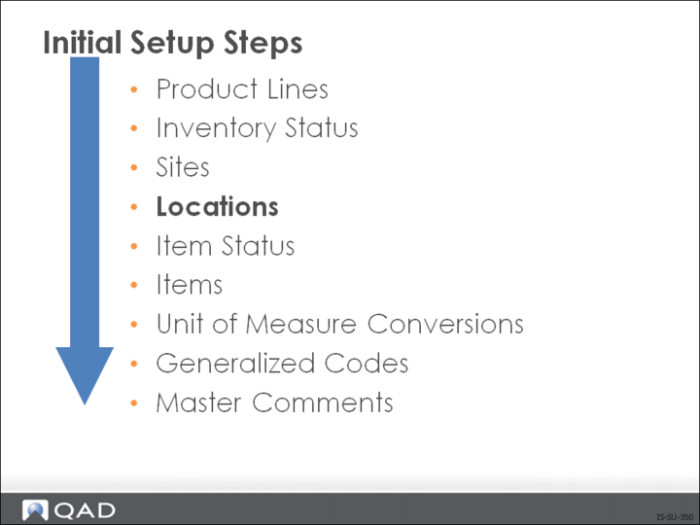
Locations
Locations define an area such as a shelf, bin, or tank within a site where inventory is stored. A site can have an unlimited number of locations. You can also use the same location code for different sites. Location codes do not need to be predefined.
QAD Enterprise Applications offers you two ways to create location codes:
• Site Maintenance (1.1.13)
• Set the Automatic Locations field to Yes
• Location Maintenance (1.1.18)
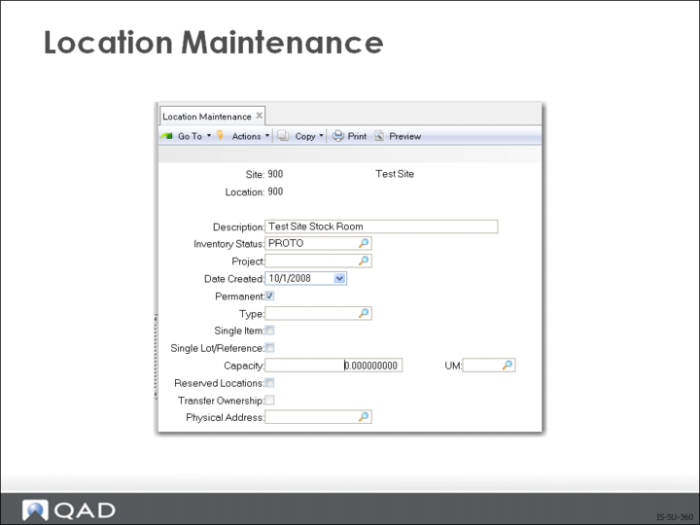
Location Maintenance
Use Location Maintenance (1.1.18) to create and maintain locations.
Field Definitions
Site
The site where this storage location can be found
Location
Name of the location. Keep in mind when selecting a name for the location that when the system prints work order and sales order picklists, it looks through locations for available inventory and makes detail allocations. The system looks through location codes in ascending or descending order according to the setting in Inventory Control (3.24)
Inventory Status
Code representing the status of inventory in this location. Based on the inventory status code you enter, you can control
• The availability of material for use (for example, damaged, reserved)
• Restrict transactions (for example, issues from an inspection location)
Permanent
If Yes, system maintains all location detail records even if the balance on-hand is zero. If No, the system automatically deletes inventory detail records when the location’s balance falls to zero
Note: Note, the system does not delete the location code, only the inventory detail records
Type
The Type field identifies the type of location. Locations are categorized by type, and items can be assigned to a specific type of location.
Type codes can be used to define specific types of locations such as tanks, silos, freezers, barrel racks. Items can also have an Inventory Type code and the system will match the two to help control where items are put away. That is the system will prevent an item with Inventory Type code tank, from being put into a location that does not have the same type code.
Single Item
If Yes, identifies this location as a single item location. This is useful in situations where you store different types of items (olive oil, ammonia) of the same kind of material (liquid). In that case, setting this field to Yes, prevents the different types of items from being stored in this location at the same time. If No, then it is not a single item location
Single Lot/Ref
If Yes, this location can only have an on-hand balance for a single lot (and lot reference if used) of one item at one time
Capacity
The capacity of this inventory storage location, in terms of the capacity unit of measure. This field is for reference only and may appear on some selected reports and inquiries.
Reserved Locations
Enter Yes to assign one or more customer or ship-to addresses to this location. If Yes, another frame displays so you can specify the addresses associated with this location. Otherwise, enter No.
Transfer Ownership
When the Supplier Consignment Inventory module is activated, you can indicate how consigned inventory should be managed when it is transferred to a specific location. When the Supplier Consignment Inventory module is not active, this field is disabled.
If you are using EMT, use Location Maintenance to set up a direct delivery location.
If you are using DRP, use Location Maintenance to set up a Goods In Transit location code equal to the transportation network code.
For more detailed information on setting up locations, see User Guide: Master Data.