Item Status
By defining item status codes you can control what transactions users are allowed to process for a particular item.
• When the system processes a transaction for an item, it verifies this is not a restricted transaction for this item
• Can be used to identify an item’s life cycle
Item Status Code | Definition |
01_PT | Prototype |
02_EN | Engineering |
03_PL | Planning |
04_CO | Costing |
05_AC | Active |
06_IA | Inactive |
07-PO | Phase Out |
08_OB | Obsolete |
Item Status Code Maintenance
Use to define item status codes and selectively restrict activities for items assigned to that code.
• You can set up a blank item status code for active items; however, setting up blank codes makes sorting reports impossible; blank criteria for reports selects all items, not just blank
• Each status code lists the restricted transaction
• Transactions not listed are not restricted
You can validate item status codes in Item Master Maintenance (1.4.1) and Item Data Maintenance (1.4.3).
• Attach a list of valid item status codes to the pt_status field
System-Required Transactions
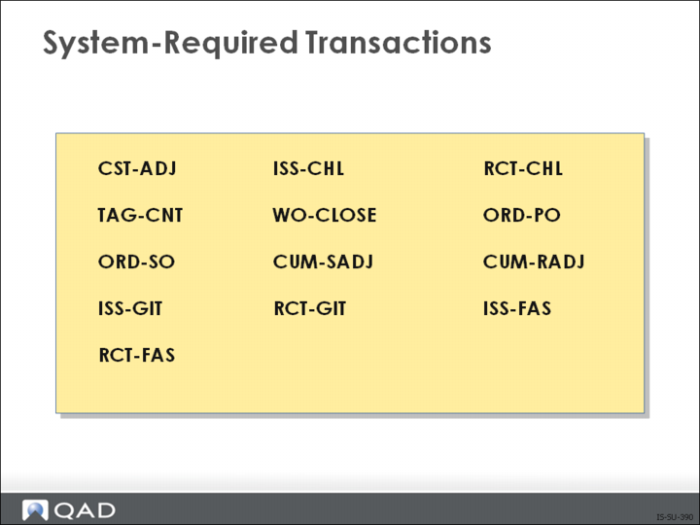
Some transactions are required by the system and you cannot restrict them. To restrict these transactions, add menu security for the functions that create them.
Exercise 3: Item Status
Important: The data in this exercise may not be the same as the data shown on the screens in this lesson.
Instructions: Add a new item status code.
1 Use Item Status Code Maintenance (1.1.5) to add a new item status code, SOHold, call it No Sales Order Issues
2 Advance to the next frame.
Use the look-up browse and review the transaction values.
This item status code is going to be used to restrict items from being issued to a sales order. Select the appropriate value.