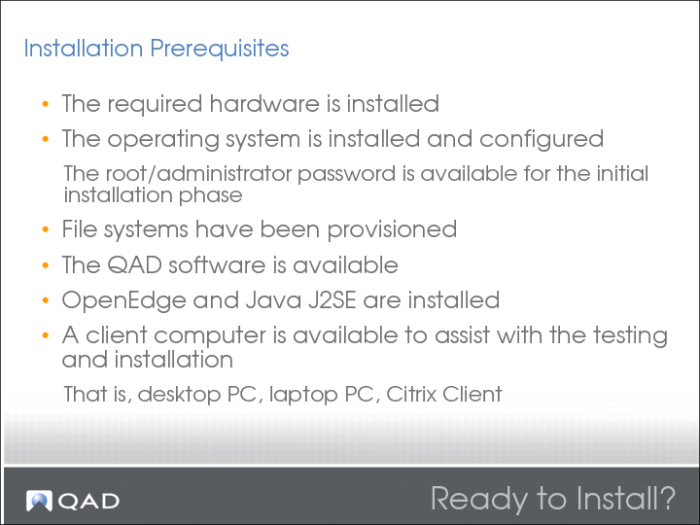
Installation Prerequisites
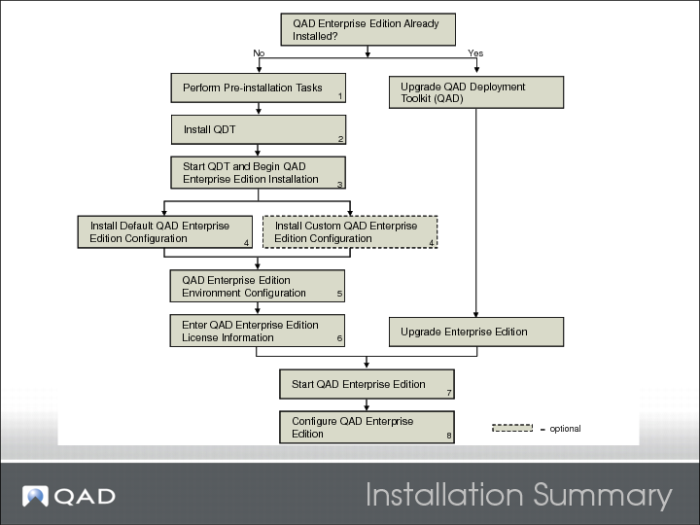
Installation Summary
The procedure for installing QAD Enterprise Edition is as follows:
1 Determine if your system hardware, software, and configuration meet the requirements for Enterprise Edition installation. Set up your system according to the requirements defined in this chapter or with the assistance of QAD Services.
2 Install QDT.
3 Launch QDT. It reads the product image and displays a choice of products and components to install.
Select the appropriate products and components.
QDT automatically discovers system information, such as the location of required software, by reading environment variable settings.
4 You perform a default or custom Enterprise Edition installation. QDT installs and configures the selected products and components using default configuration values generated during the auto-discovery process or using your custom configuration values.
5 Following QAD Enterprise Edition installation, you configure the Enterprise Edition environment.
6 You start up a character-based user interface (CHUI) session and enter license information.
7 You start your new Enterprise Edition installation and log in.
8 You perform any needed post-deployment configuration.