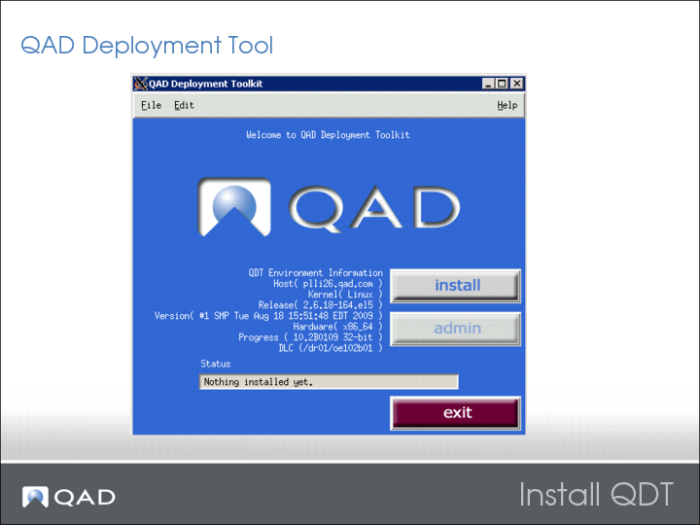
Install QDT
The QAD Deployment Toolkit (QDT) is a streamlined, comprehensive set of tools for product installation and configuration.
QDT is used to install QAD Enterprise Edition and other QAD products. QDT streamlines the installation process by automatically finding system information and modifying the QAD Enterprise Edition configuration profile appropriately.
QDT provides two QAD Enterprise Edition installation options:
• Default Installation, which other than setting up connection information, uses the default configuration values without modification.
• Custom Installation, where in addition to setting up connection information, one or more of the default configuration values are modified.
Install QDT before installing QAD Enterprise Edition.
Note: Before installing QDT and QAD Enterprise Edition, verify the environment variables for the prerequisite Java and Tomcat installations on your target system are set.
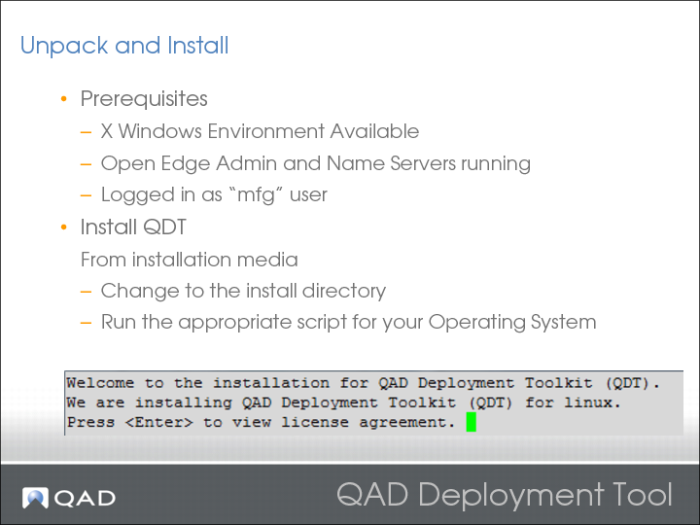
Unpack and Install
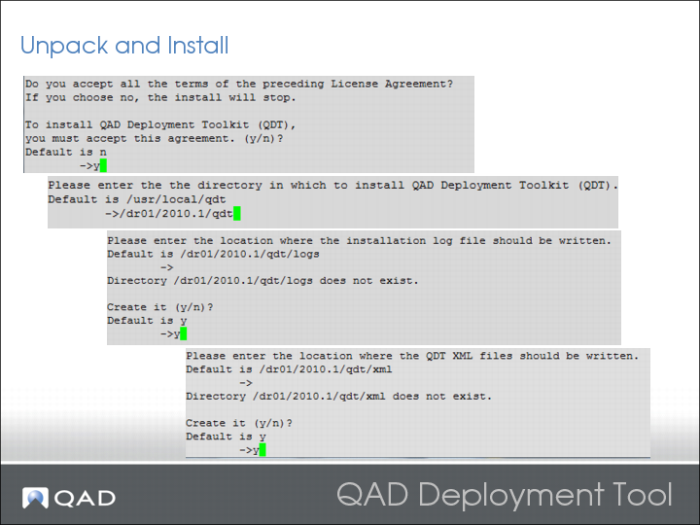
Set the CATALINA_HOME, DLC, and JAVA_HOME environment variables before running this script.
Unpack and Install 2
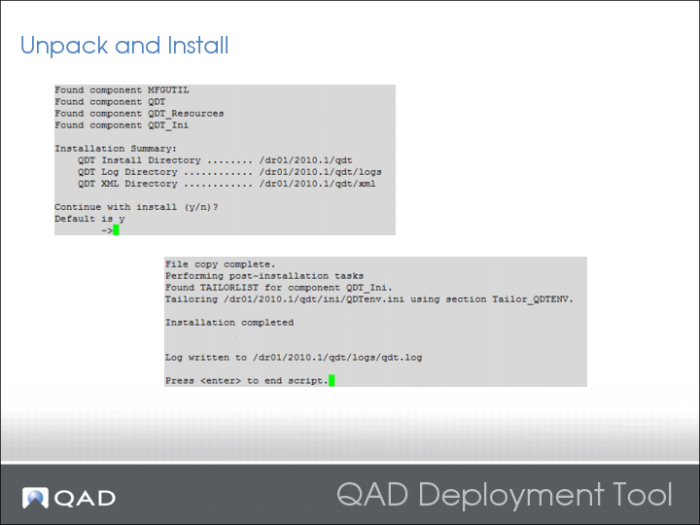
Unpack and Install 3
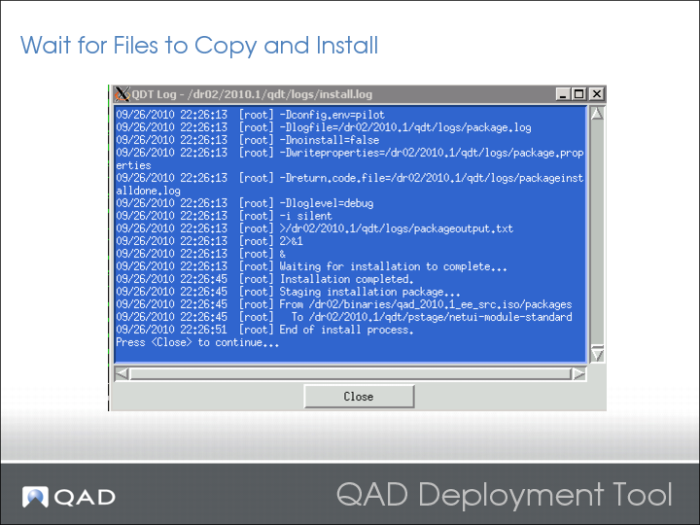
Verify that everything was OK by reviewing the log file.
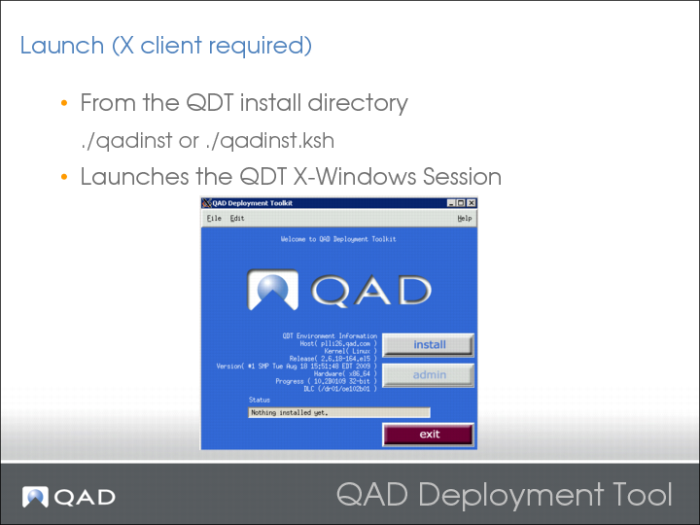
Launch QDT
Only the person who installed the QDT can use it. To add extra authorized users, edit the file in QDT INSTALL/xml/users.xml.
The performance of the QDT is not good over high latencies. Try to launch it locally or via a remote desktop.
Using Xming or Cygwin combined with Putty (X11 forwarding enabled) are good ways to achieve X sessions from a Windows Client.
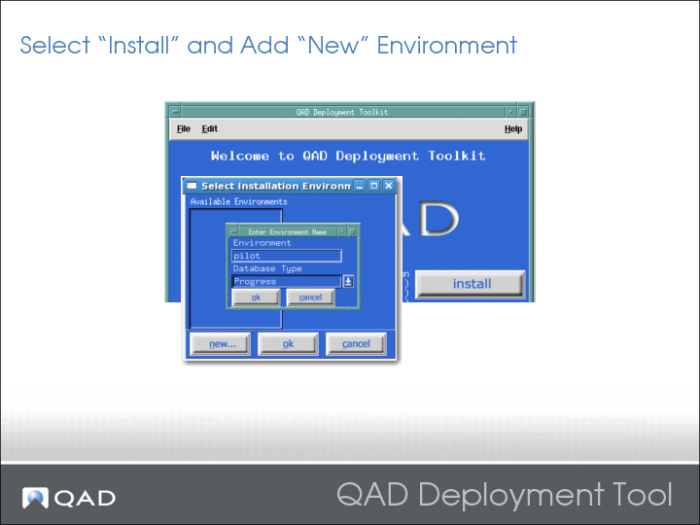
Select Install and Add New Environment
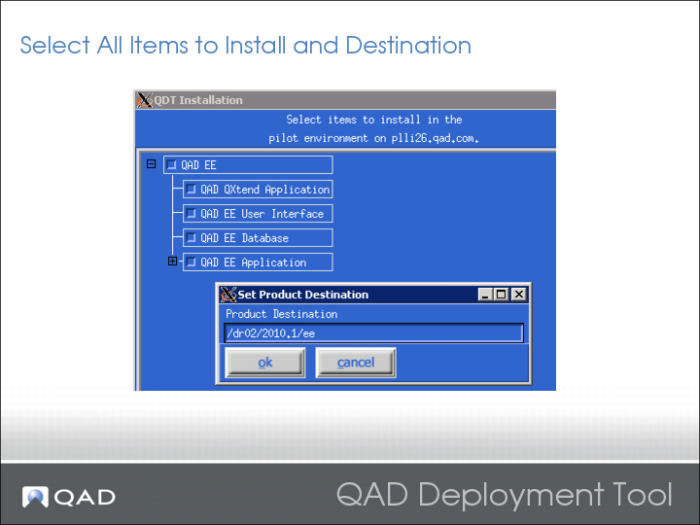
Select Items to Install and Specify Destination
File Copy and Install