Inventory Transactions – History
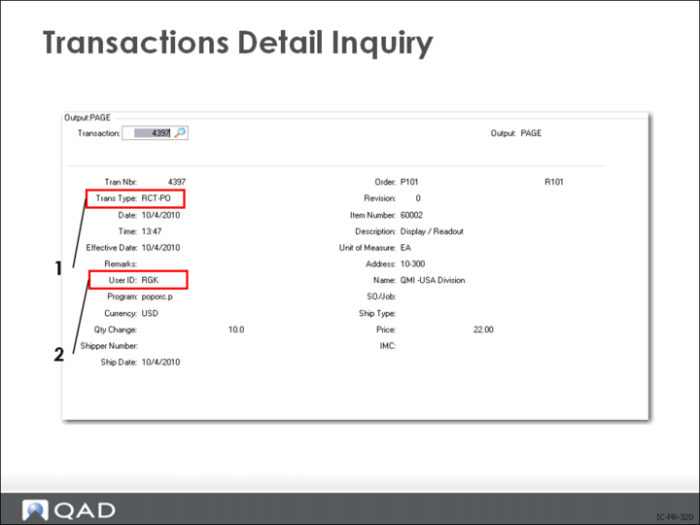
Transaction Detail Inquiry
Every inventory transaction is registered in an inventory transaction history table that:
• Traces quantity discrepancies and gives complete lot/serial traceability
• Stores the login ID (2 above) of the person making the transaction
If a person walks away from inventory transaction history screens without logging off, he will be the person of record for subsequent transactions
• Records date, transaction type (1 above), item, and order number
Transaction types are used here to define the source of an entry. For example, ORD-SO is used for booking history and tracking sales order line item changes Inventory transaction types include:
• Issues
• Receipts
• Transfers
• Changes
• Counts
• Bookings
Transactions by Item Browse/Inquiry (3.21.2) lists transactions in reverse order by transaction number for a specific item. Other reports such as Transactions by Order Report (3.21.3) and Transactions Accounting Report (3.21.16) give a variety of selection criteria for the audit trail, including all transactions for a dat, an order or unplanned,
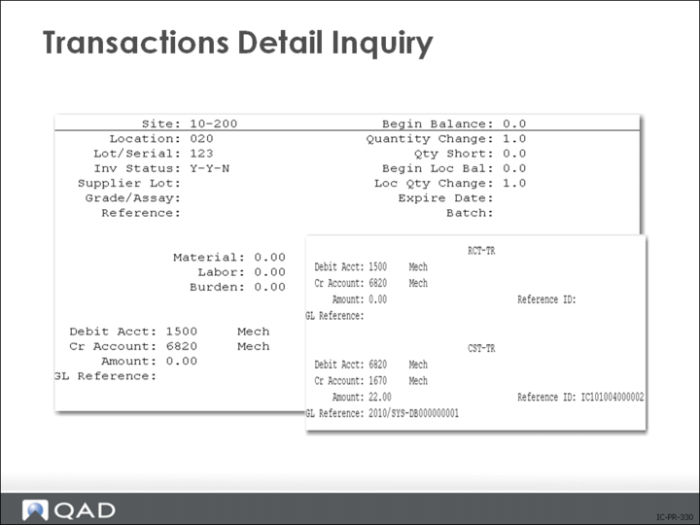
Transactions Detail Inquiry - Inventory Data
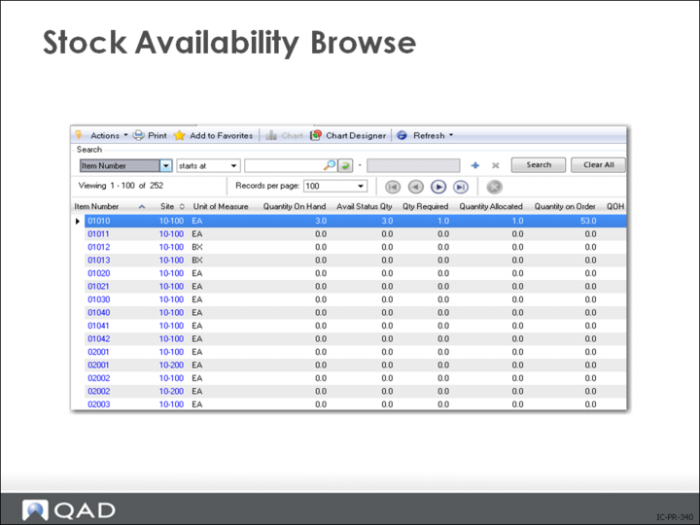
Stock Availability Browse
Use Stock Availability Browse (3.17) to check on the availability of stock in a single site or in all sites.
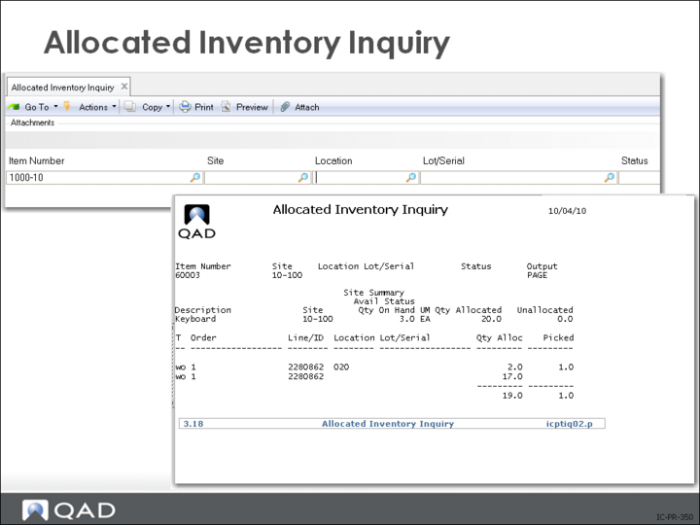
Allocated Inventory Inquiry
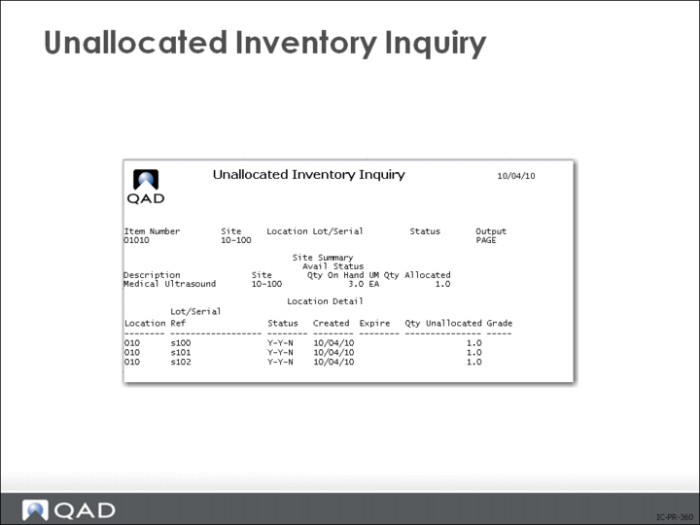
Unallocated Inventory Inquiry
• Review non-detail-allocated inventory for a specified item
Site information shows quantity on hand and quantity allocated
Location information shows unallocated quantity for the location
• View expiration date and grade
Note: Unallocated quantity can include quantities reserved by general allocations.
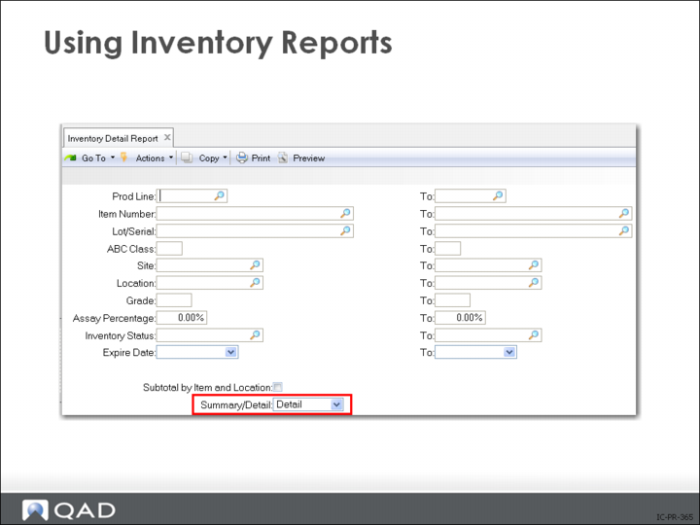
Using Inventory Reports
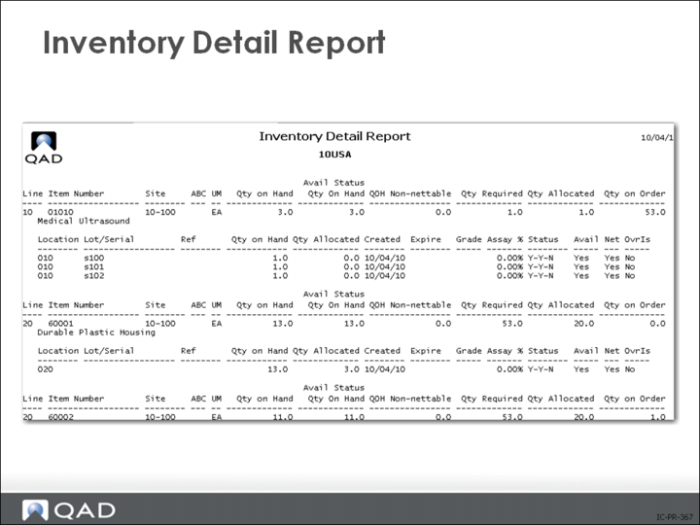
Most QAD reports offer an extensive range of selection options. For the reports you use most often, become familiar with how the report setup will affect the end result. For example, many reports offer a choice of summary or detail format. This can have a dramatic effect on the output. Refer to the sample Inventory Detail Report to see the effect of selecting summary or detail. This is the same inventory record displayed as a one line summary, and with complete detail. The range of selection criteria, sort criteria, and effect date ranges allow reports to be tailored to a great extent.
Inventory Detail Report